This article covers the name and profile details customers see for your WhatsApp Business API number, and how to change them.
¶ Display name
The display name is the name shown at the top of the chat and in notifications on the customer's phone. Meta reviews every display name, so a good name avoids delays.
Meta's rules, in short:
- Use your real business name or brand as customers know it, in the same language and spelling as your website or store.
- No generic words on their own, such as "Support" or "Offers", and no words like "WhatsApp" or "Official".
- No excessive capital letters, emoji, punctuation or slogans.
- The name must clearly relate to your business. A verified business with a website that shows the name passes fastest.
You enter the display name during embedded signup. Until Meta approves it, the number works but the name can show as pending. Meta sends the decision to the email on your Business Portfolio.
¶ Change the display name
- Open WhatsApp Manager in your Meta Business Portfolio.
- Select the phone number.
- Open the profile section and edit the display name.
- Submit. Meta reviews the new name and switches it over when approved.
Display name changes are limited and reviewed each time, so choose carefully. Nothing needs to change in HueChat.
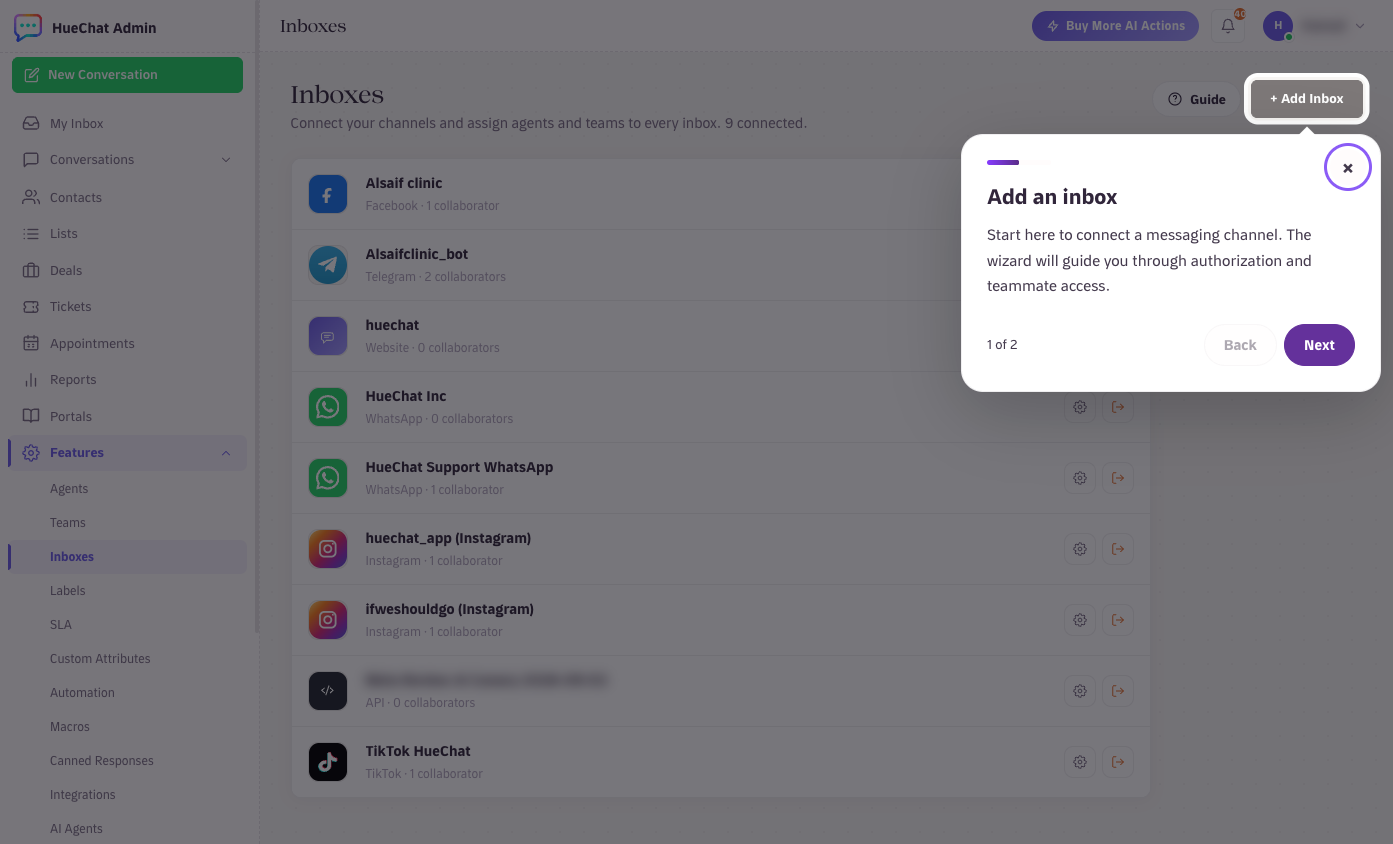
Open the WhatsApp inbox from Settings, Inboxes
¶ Business profile
The business profile is what customers see when they tap your name. Fill it completely; customers are more likely to trust and reply to a complete profile.
- Profile photo: your logo, square, without small text.
- Description: one or two sentences on what you do.
- Address, business hours and category.
- Email address and website.
You can edit the profile in WhatsApp Manager. HueChat also lets you edit the profile from the WhatsApp inbox settings if your plan includes it. Exact options may differ by plan.
¶ Official business account badge
The green checkmark next to your name is the official business account badge. It is granted by Meta, not by HueChat, and needs a verified business, a strong messaging history and a well-known brand. You can apply from WhatsApp Manager once your business is verified. Meta rejects many first requests; you can apply again later with more history.
¶ Tips
- Keep the display name consistent with the name on your message templates and your website.
- Write the description in the language most customers use, or in both Arabic and English.
- Update business hours when they change. Customers see them before they message you.
If Meta rejects a display name and the reason is unclear, email support@huechat.ai with the name and the message you received.