The Team Inbox is where every customer conversation from every connected channel lands. This article shows you how the screen is laid out so you can find the right conversation quickly.
¶ One inbox for all channels
Messages from WhatsApp Business API, Instagram, Messenger, Email, Live Chat (website widget), Telegram, LINE and Twilio arrive as conversations in the same list. Each conversation shows the channel icon, the contact name, the last message and the time. Your team replies from the same screen, whatever the channel.
Each connected channel is an inbox. Team members see the inboxes they have been added to. The number of inboxes depends on your plan.
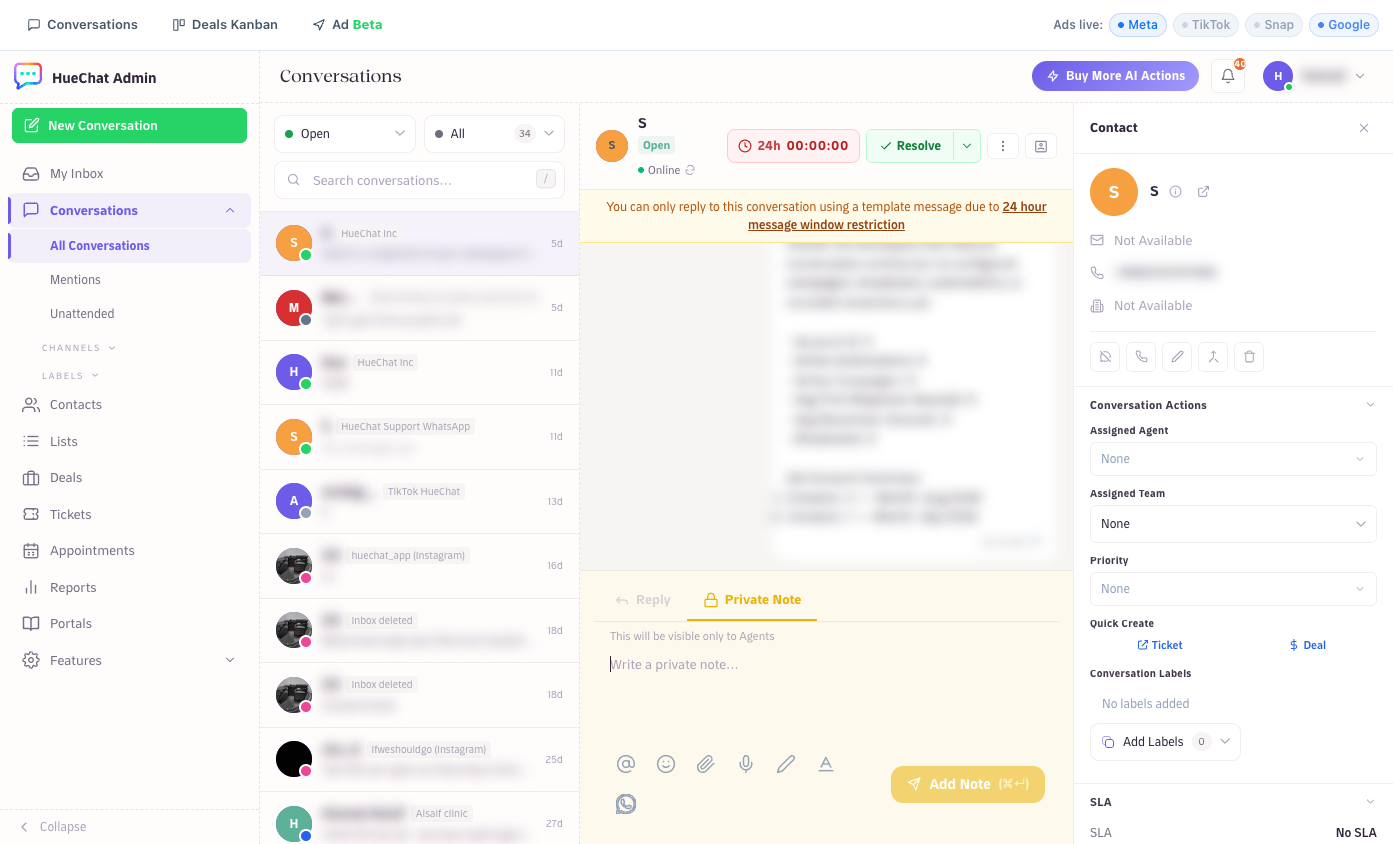
A conversation with the contact panel and actions on the right
¶ The three areas of the screen
- Conversation list (left). Shows conversations that match the current filter, newest activity first. Use the search box to search conversations and messages.
- Conversation view (middle). The full message history, the reply composer and the status controls.
- Contact panel (right). Contact details, the assigned agent and team, labels, contact notes, previous conversations, participants, macros, SLA and quick-create buttons for tickets and deals.
¶ Filters
At the top of the list you can switch between:
- All: every conversation in your inboxes.
- Mine: conversations assigned to you.
- Unassigned: conversations nobody has picked up yet.
Combine these with a status filter and the search box to narrow the list.
¶ Statuses
Every conversation has one of four statuses:
- Open: needs attention from your team.
- Pending: waiting on something, for example a customer reply or an internal check.
- Snoozed: hidden from the open queue for a while.
- Resolved: finished. A new message from the customer reopens it.
Change the status from the menu in the conversation header. See "How do conversation statuses, resolve and reopen work?" for details.
¶ AI and the inbox
If an AI agent is assigned to an inbox, it replies to incoming messages on that inbox. The contact panel shows whether the AI is active on a conversation, whether it has handed off to a human, or whether a team member paused it manually. You can take over at any time by replying yourself.
¶ Where settings live
- Inboxes and channels: open Settings and choose Inboxes.
- Labels, canned responses, teams and agents: open Settings and choose the matching section.
- AI agents: open the AI Agents page.
Exact options may differ by plan.