This article shows you how your team works together on one conversation without the customer seeing the internal discussion.
¶ Assign a conversation
Assignment tells everyone who owns the conversation. You can assign to a single agent, to a team, or both.
- Open the conversation.
- In the contact panel, find Assigned Agent and Assigned Team.
- Choose the person or team. The conversation moves to that person's Mine filter.
Shortcuts:
- In the composer, use Assign to me to take a conversation yourself.
- In the conversation list, use Assign To to assign without opening the conversation.
- Conversations with no assignee appear under the Unassigned filter.
When an AI agent hands a conversation to a human, HueChat assigns it automatically according to the rule set on the agent (for example, least busy agent or round-robin). Automation rules can also assign conversations for you.
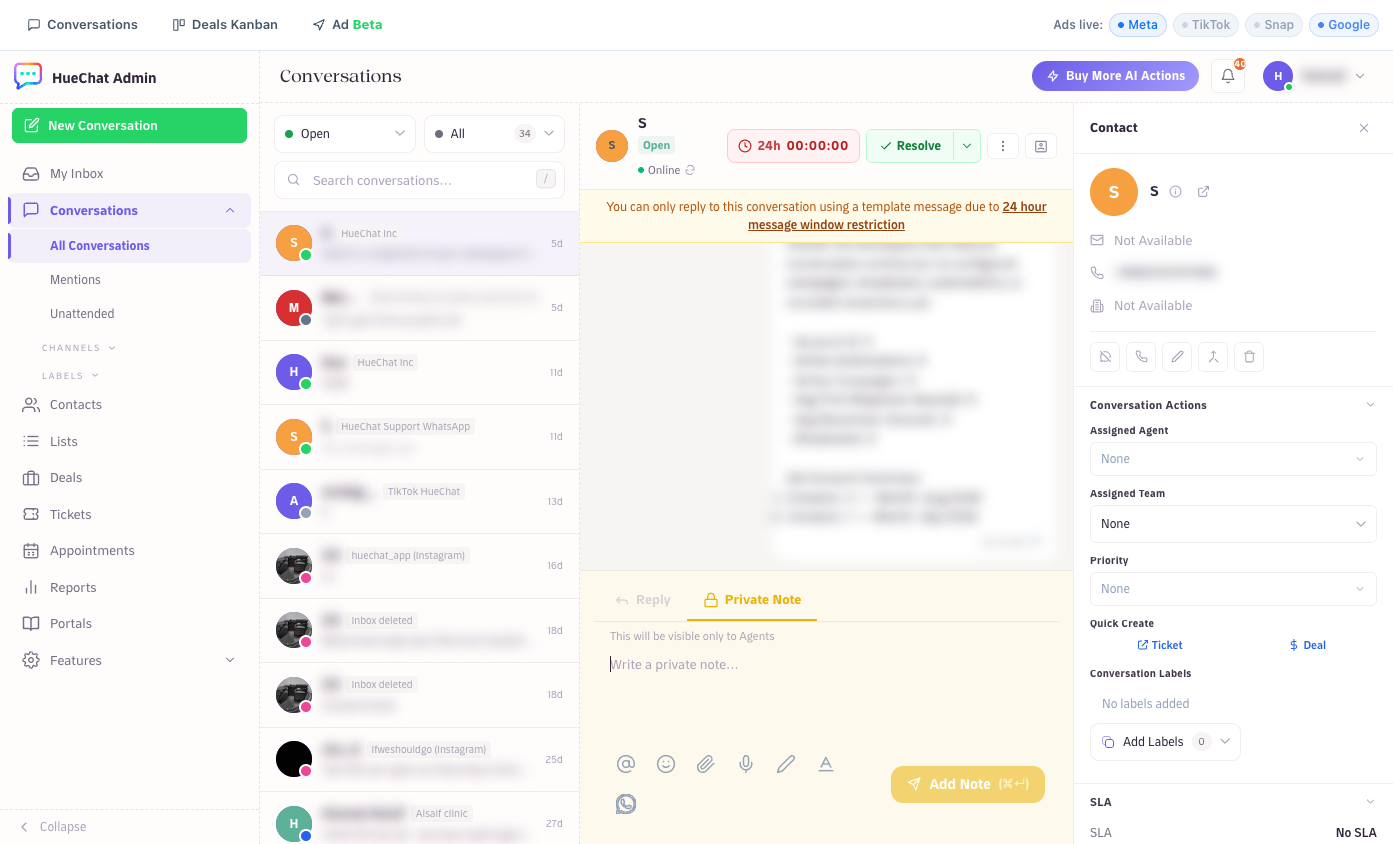
Assign, add labels and leave private notes from the conversation
¶ Leave a private note
Private notes are internal. They appear in the conversation history with a note marker, and they are never sent to the customer.
- Open the conversation.
- In the composer, switch from Reply to Private Note.
- Type your note and send it.
Use private notes to record context (what the customer asked on the phone, what you checked, what the next step is). They are also the right place to discuss a conversation before replying.
The contact panel also has Contact Notes. These belong to the contact, not to one conversation, so they are useful for long-term facts such as "prefers Arabic" or "VIP account".
¶ @-mention a teammate
A mention notifies a colleague and points them at the exact conversation.
- Switch the composer to Private Note.
- Use the Mention an agent button, or type
@and start typing a name. - Pick the person from the menu.
- Send the note.
Good to know:
- Mentions only work inside private notes, never in replies to customers.
- You can mention any agent in your account, even if they are not a member of that inbox.
- Only people you pick from the menu are mentioned. Typing "@Sara" as plain text does not send a notification.
- The mentioned person gets a notification in the bell menu, and a push notification on the mobile apps. Email notifications for mentions are optional and can be turned on in notification settings.
Assign, add labels and leave private notes from the conversation
¶ Participants
The Participants section in the contact panel lists everyone following the conversation. Use Join conversation to follow a conversation you are not assigned to.