Sales Settings decide how records are created, who owns them and what each stage requires. Only administrators can change them. This article walks through each tab and the CRM automation recipes.
Open Features → Sales Settings. Make your changes and choose Save changes. Audit log shows who changed what and when.
¶ Conversation ingestion
Choose what happens when a new sales conversation starts:
- Contacts only: create or attach the customer and nothing else.
- Contact + Lead: create or attach a lead for qualification.
- Contact + Deal: create a deal immediately.
- Contact + Lead, then Deal on qualification: keep qualification on the lead and create the deal only when you convert it.
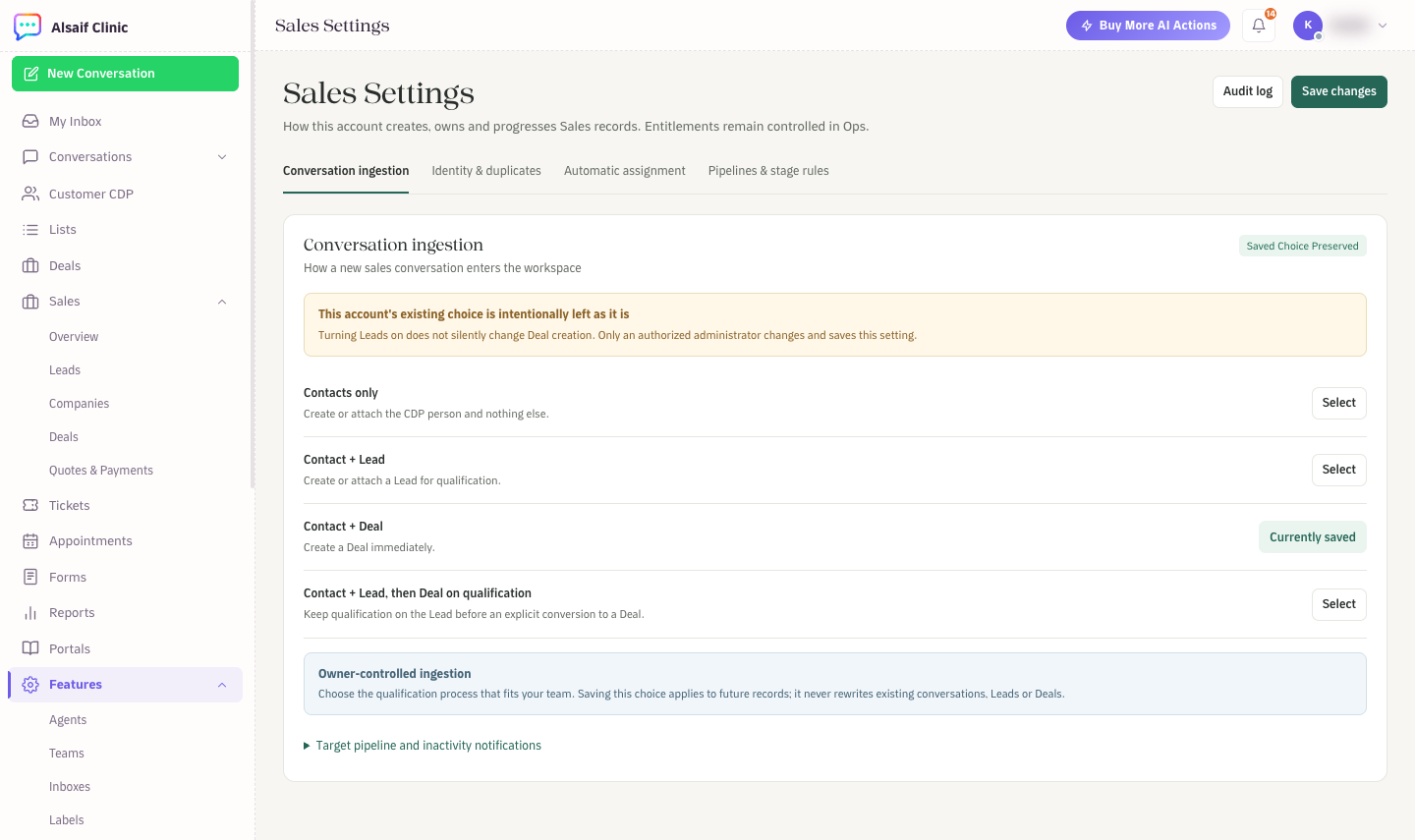
Sales Settings: conversation ingestion
Your choice applies to new records only. It never rewrites existing conversations, leads or deals. The two Lead modes need a fallback owner (see Automatic assignment). Under Target pipeline and inactivity notifications, choose the pipeline for new deals and when to be warned about inactive deals.
¶ Identity & duplicates
Choose how HueChat recognizes the same person: by normalized phone number, by WhatsApp identity or by verified email. An unverified email never merges automatically. Turn on Block conversion on unresolved duplicate so that a flagged lead cannot convert until someone reviews it. You can also choose one deal per conversation, or reuse one open deal per customer.
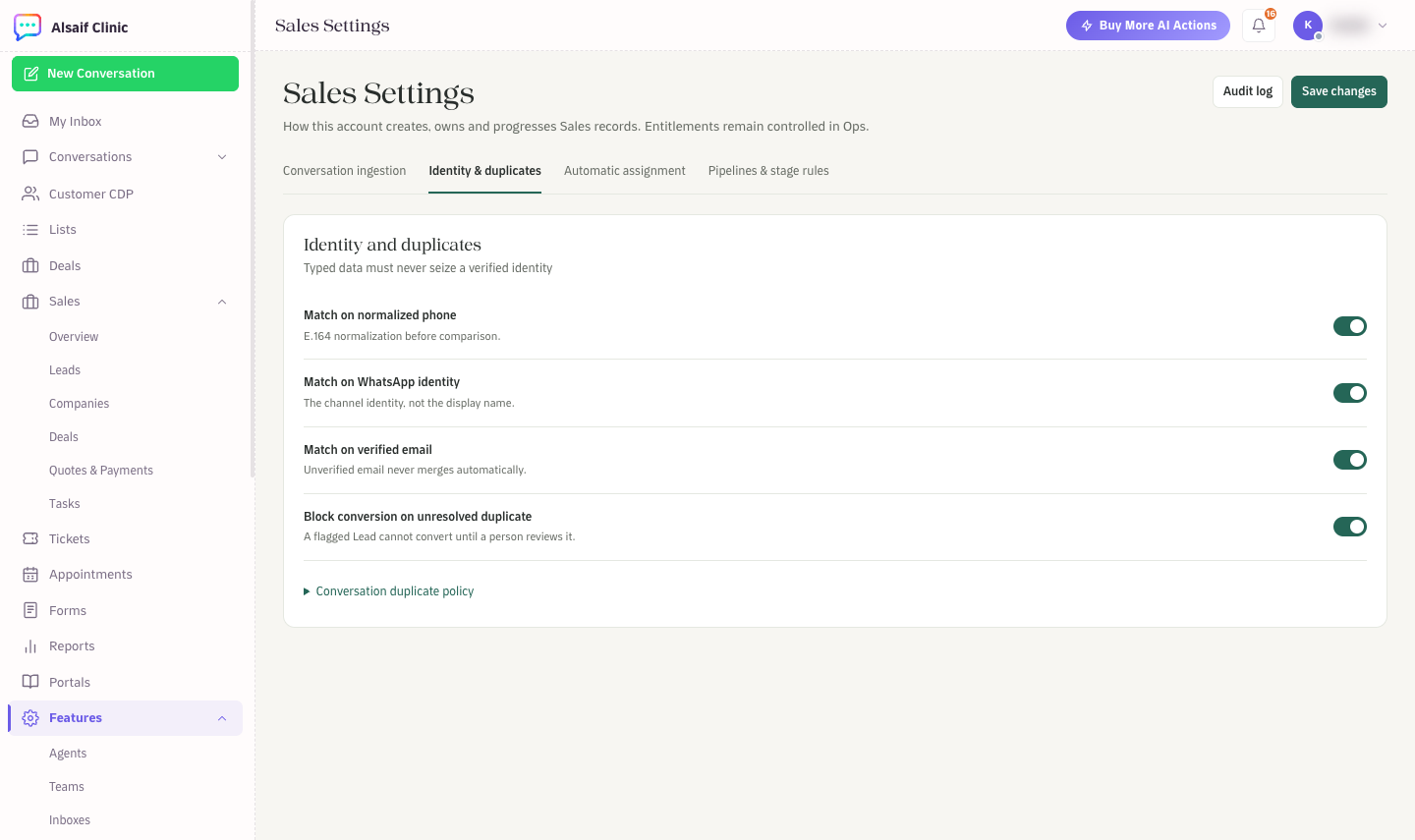
Sales Settings: identity and duplicates
¶ Automatic assignment
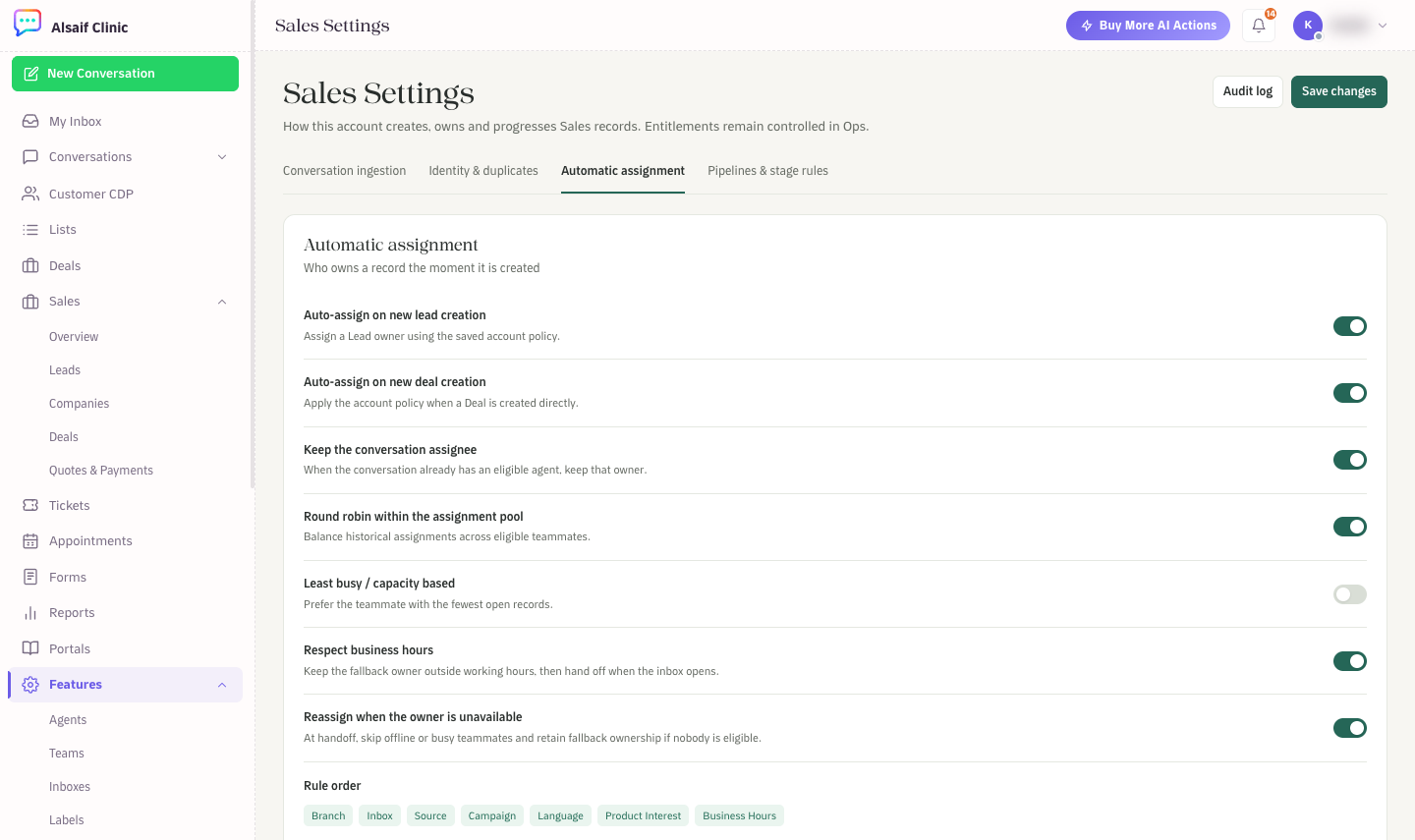
Sales Settings: automatic assignment
- Turn on Auto-assign on new lead creation and Auto-assign on new deal creation.
- Keep the conversation assignee keeps the agent who is already handling the chat.
- Balance work with Round robin within the assignment pool or Least busy / capacity based.
- Respect business hours keeps the fallback owner outside working hours and hands off when the inbox opens.
- Reassign when the owner is unavailable skips offline or busy teammates.
- Configure Sales routing rules sends records to a queue by branch, inbox, source, campaign, language or product interest. The first matching rule wins. You can add up to 40 rules.
- Choose a Fallback owner. This teammate stays responsible until someone eligible takes over.
At the bottom of this tab, Sales working hours sets the weekly schedule used for lead and deal assignment. Choose an inbox, set each day's availability and opening and closing times (or use the 10 am to 10 pm, Saturday to Thursday preset), then choose Save working hours. These are not AI-agent hours. Saving updates that inbox's schedule, which other business-hours features such as SLA also use.
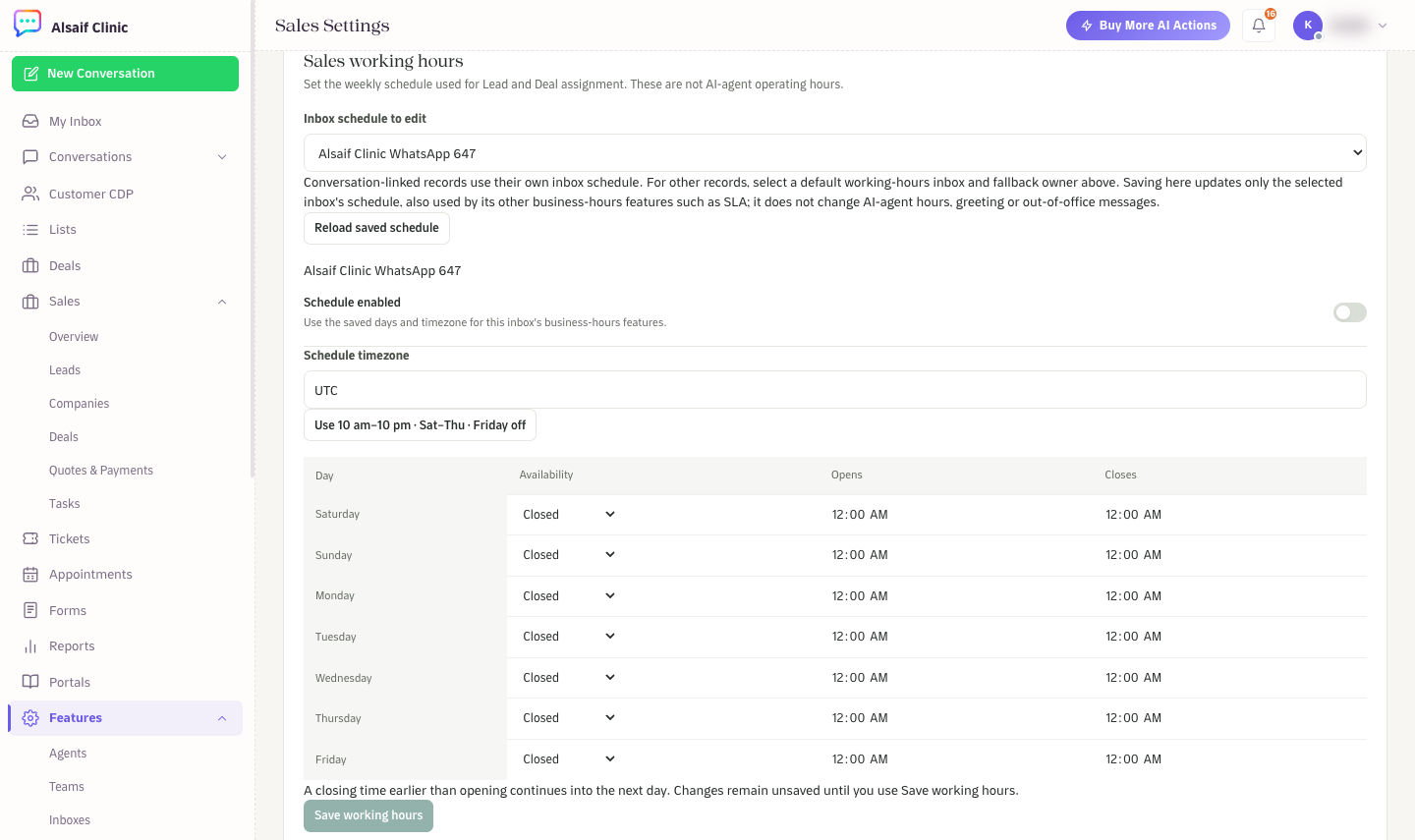
Sales working hours: the weekly schedule for lead and deal assignment
¶ Pipelines & stage rules
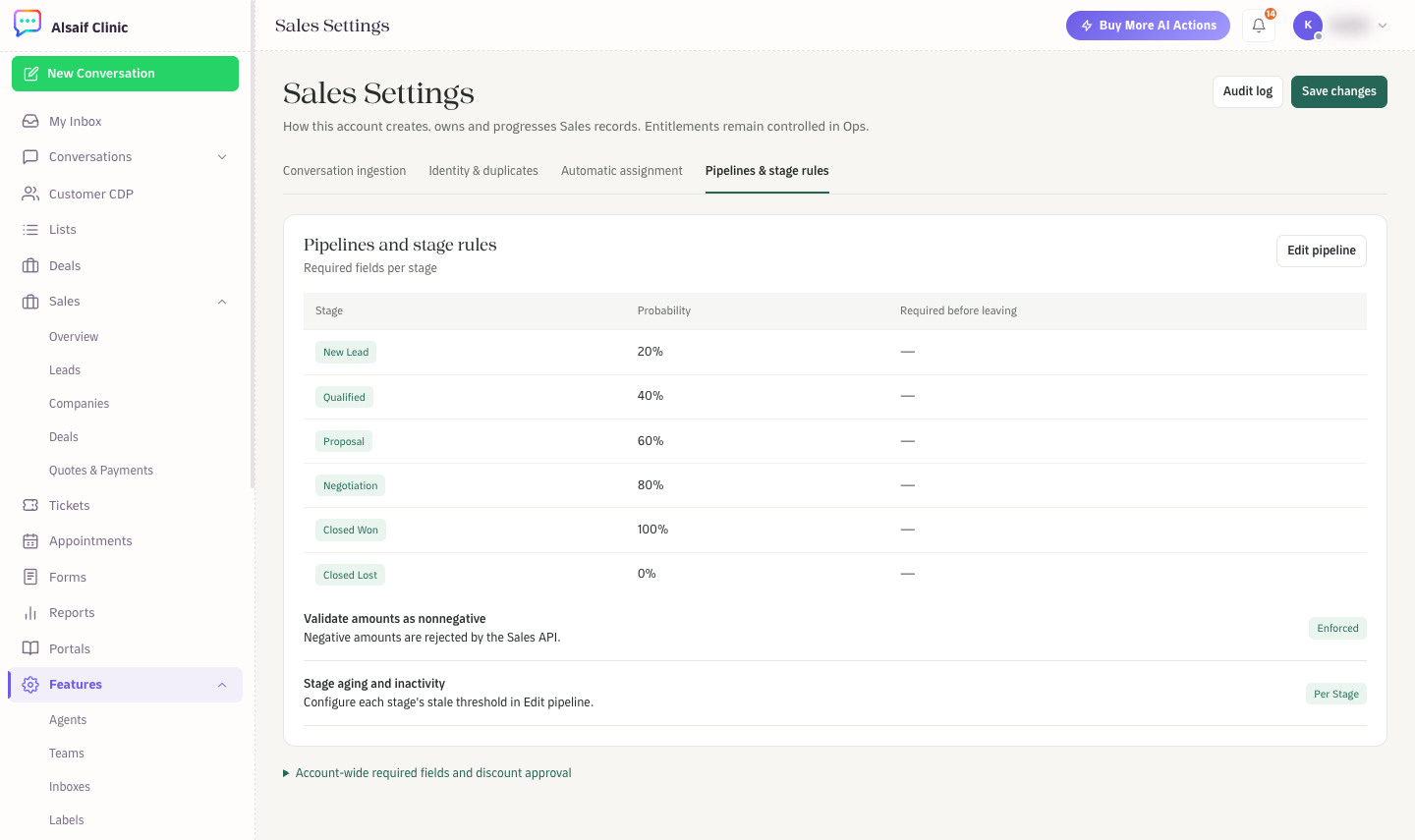
Sales Settings: pipeline stages and probabilities
The table lists each stage with its probability and the fields required before leaving it. Choose Edit pipeline to change stage names, colors and guidance, the outcome (open, won or lost), the stale threshold in days, the forecast category on entry, and the fields required before entering or leaving the stage. Under Account-wide required fields and discount approval, set the discount percentage above which an administrator must approve. The default is 10 percent.
¶ CRM automation
CRM automation runs recipes when sales events happen. Open it from Customer CDP → Journeys → CRM triggers & actions.
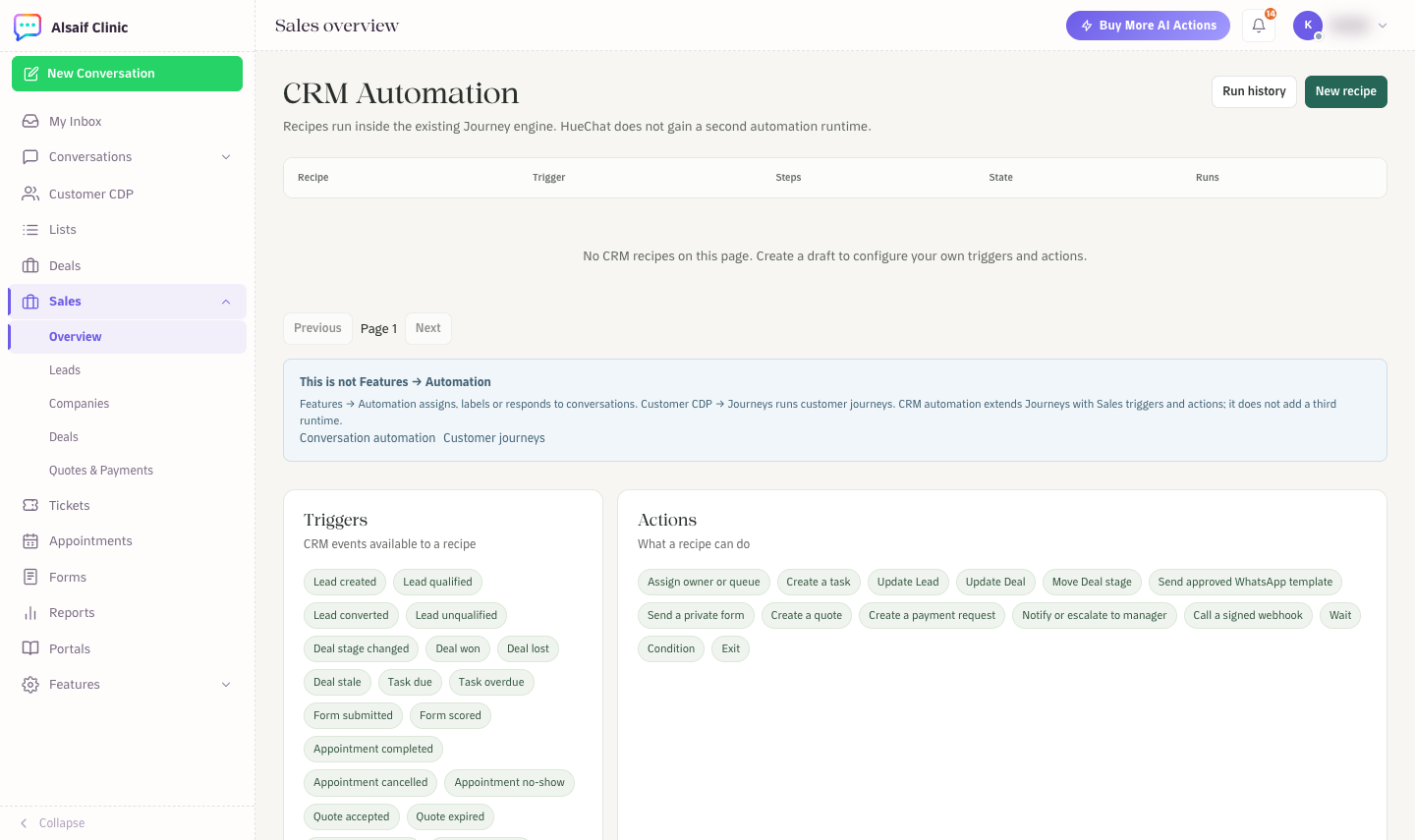
CRM Automation with the available triggers and actions
- Triggers include a lead created, qualified, converted or unqualified; a deal stage change, win, loss or stale deal; a task due or overdue; a form submitted; an appointment completed, cancelled or marked no-show; a quote accepted or expired; and a customer reply.
- Actions include assigning an owner or queue, creating a task, updating a lead or deal, moving a deal stage, sending an approved WhatsApp template, sending a private form, creating a quote, notifying a manager, calling a signed webhook, waiting, adding a condition and exiting.
Choose New recipe to create a draft. Recipes run on the same engine as customer journeys, so consent and opt-outs are checked before any message is sent. Run history shows every run. CRM Automation is a module that your plan may or may not include.