A journey follows a customer after an event, for example a first visit, a completed appointment or a membership that is about to expire. This article shows you how to build, test and publish a journey.
¶ Open Journeys
Open Customer CDP and choose the Journeys tab. The list shows each journey's starting event, version, runs and state: Running, Draft or Paused. Run history shows every run across your journeys.
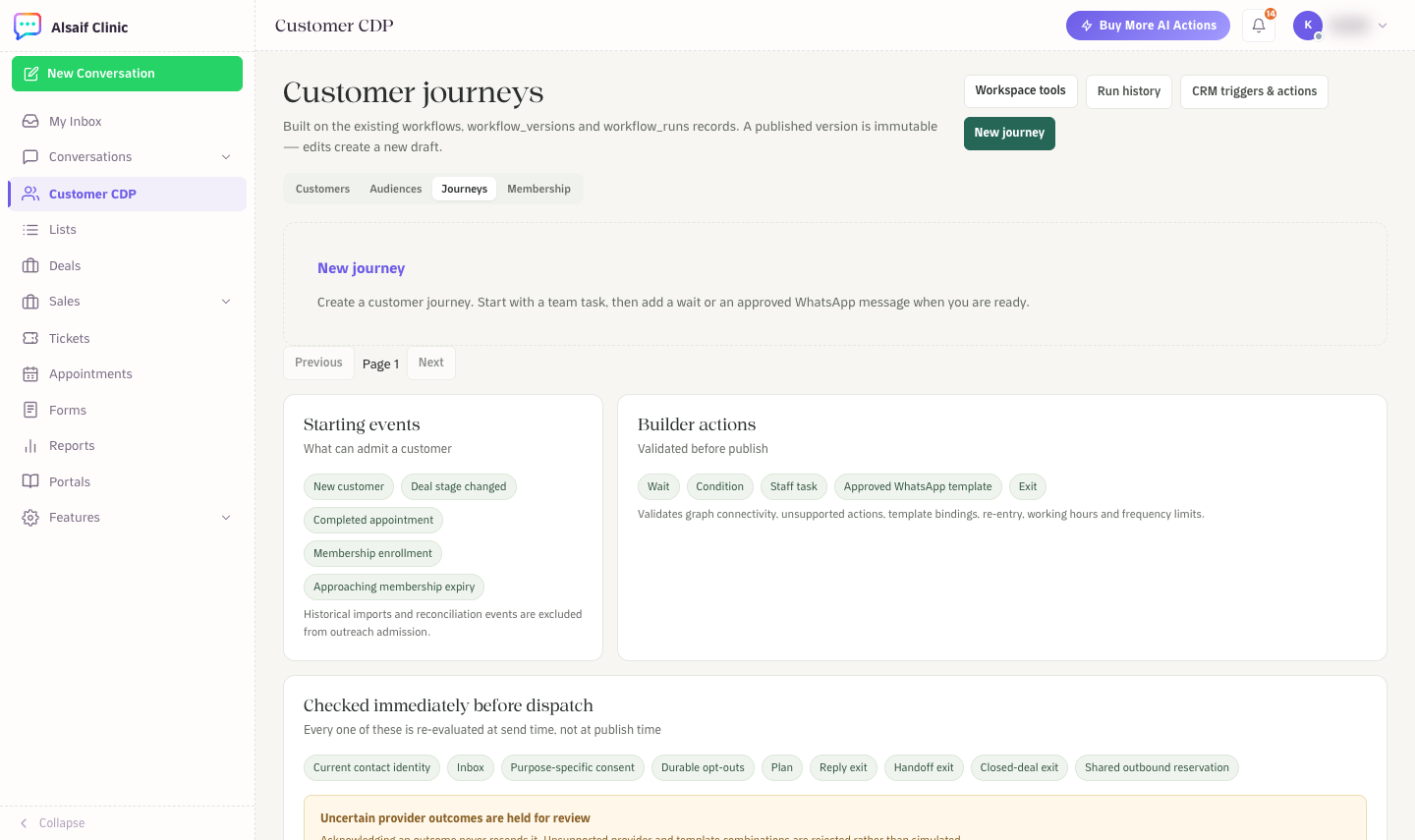
Customer journeys with starting events, builder actions and send-time checks
¶ Starting events
A journey starts when one of these happens: a new customer, a customer reply, an appointment completed, cancelled or marked no-show, a membership enrollment, or a membership approaching expiry. With CRM automation you can also start from sales events, such as a lead converting or a deal being won. Historical imports never start outreach.
¶ Build a journey
- Choose New journey. Only administrators can create and publish journeys.
- Pick the starting event and, if you want, an audience.
- In the Builder, add steps:
- Wait for a period of time.
- Condition to branch.
- Staff task to create work for your team.
- Approved WhatsApp template to message the customer.
- Exit to end the journey.
- Open Settings to choose re-entry (only once, or again after the previous run ends), the time zone, working days, sending hours and the minimum hours between automated follow-ups. Choose whether the journey ends when the customer replies, is handed off to a person, or their deal closes.
- Choose Preview customer to test it, then Save draft.
- Choose Publish journey. HueChat checks that the steps connect, the templates are valid and the limits are set before it publishes.
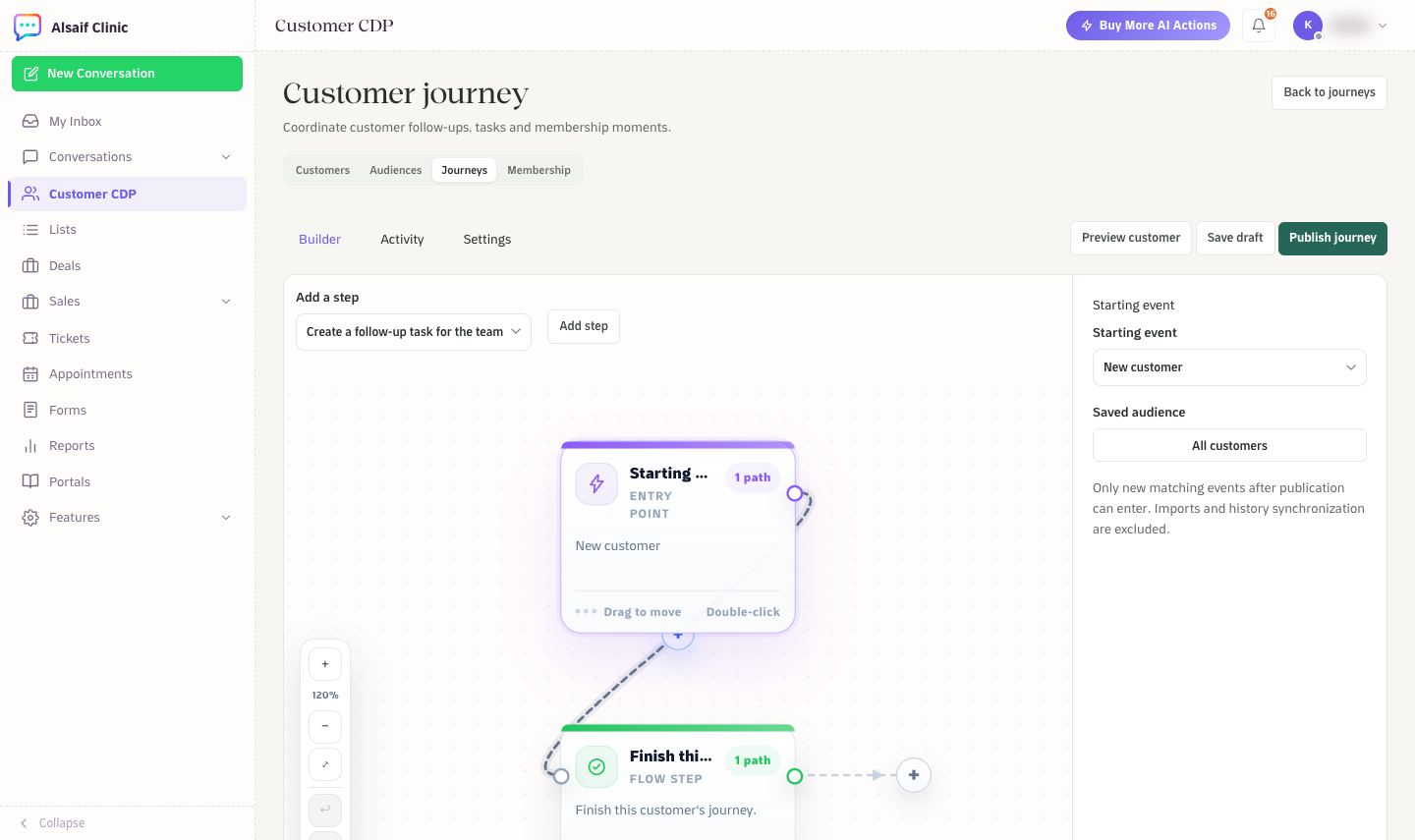
The journey builder with the starting event, steps and audience
With CRM automation, the step list also includes sales actions, such as assigning an owner, updating a lead or deal, moving a deal stage and creating a quote draft.
A published version cannot be edited. A change creates a new draft that you publish again. Choose Pause to stop new runs.
If your plan includes Forms, a journey can also send a private form or start when a form is submitted.
¶ Safety checks at send time
Right before each message, HueChat checks again: the customer's current identity and inbox, consent for that purpose, opt-outs, your plan, and whether the customer replied, was handed off or has a closed deal. If the provider cannot confirm a delivery, the step is marked uncertain and waits for your review. HueChat never resends it automatically.
¶ Tips
- Start with a staff task, check the results, then add a WhatsApp template.
- Outside the 24-hour window, WhatsApp only allows approved templates.
- Journeys have no AI step. Use AI Agents for conversations.
Journeys are part of the Customer CDP add-on.