Sales reports show where leads drop off, which channels bring revenue and whether you will reach your target. This article explains each report and how the forecast is calculated.
¶ Open Sales reports
Open Reports in the sidebar and choose the Sales tab. The section is called CRM Reports. Pick the period (the last 30, 90 or 365 days, or a custom range) and choose Export to download the current report as a CSV file.
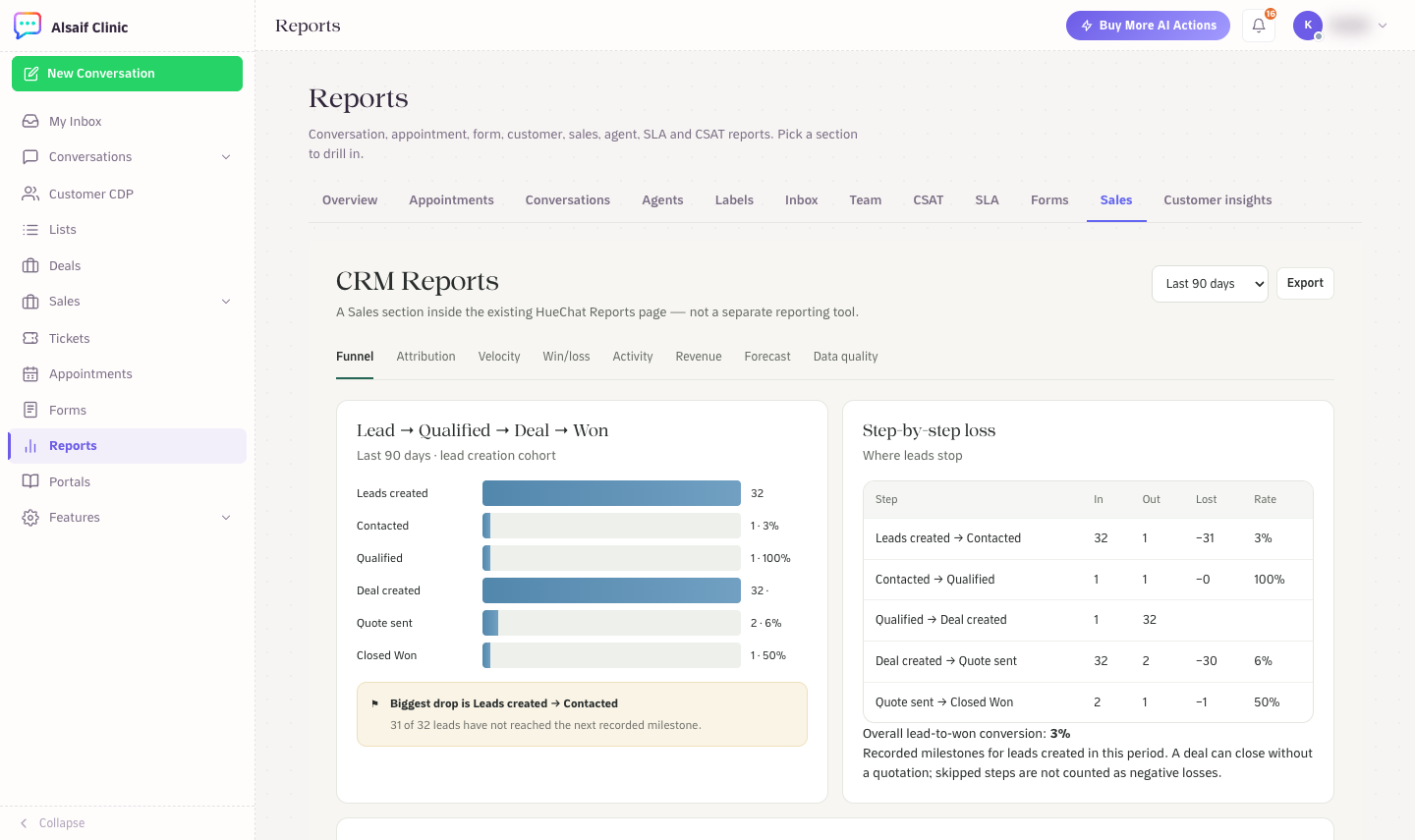
CRM Reports with the lead-to-won funnel and step-by-step loss
¶ The eight reports
- Funnel: leads created, contacted, qualified, deal created, quote sent and closed won, with the biggest drop highlighted and a step-by-step loss table.
- Attribution: conversion by source, campaign, form, branch and owner.
- Velocity: average days per stage and stalled deals.
- Win/loss: win rate, sales cycle length, and win and loss reasons with competitors.
- Activity: calls, follow-ups and overdue work per person.
- Revenue: revenue by product and service family, and quote-to-payment conversion.
- Forecast: quotas and forecast categories per owner.
- Data quality: missing owners and dates, duplicates and invalid amounts.
The report catalog under the tabs lists every question the reports answer.
¶ How the forecast works
The forecast includes deals won in the period and open deals whose close date falls in the period or is empty.
- Closed is the amount of won deals.
- Commit, Best case and Pipeline add up open deals by their forecast category. Deals marked Omitted are left out.
- Weighted multiplies each amount by its probability: your override if you set one, otherwise the stage probability.
- Attainment is Closed divided by the owner's quota. Choose Set quota in an owner's row to set it.
- Amounts in different currencies are never converted. Choose the currency at the top of the forecast.
Choose Save snapshot to keep a copy of today's forecast for comparison later.
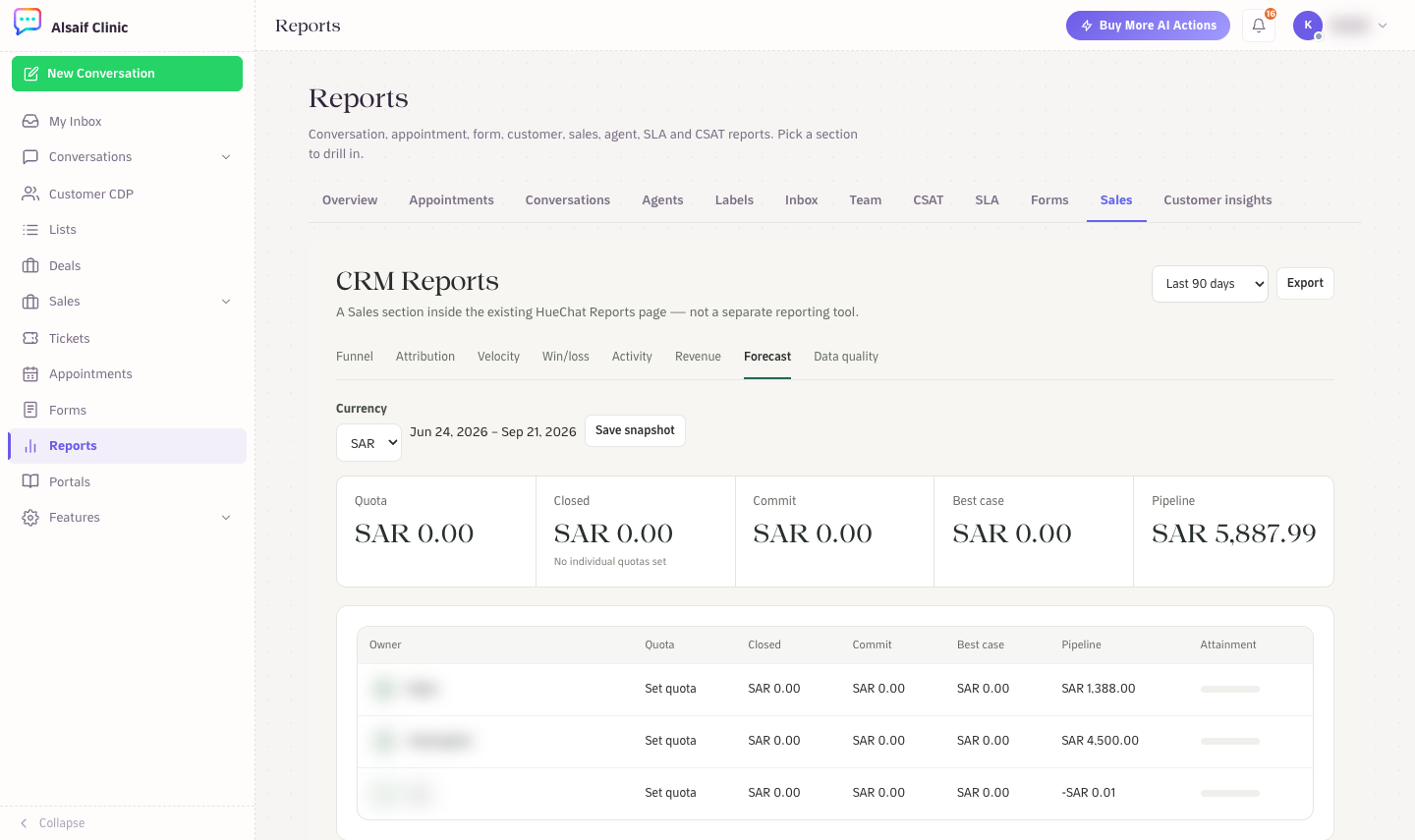
The Forecast tab with quota, closed, commit, best case and pipeline per owner
The Sales overview shows the same figures in summary: open pipeline, weighted forecast and deals won or lost this period.
Reports and Forecasting are modules that your plan may or may not include. If the Forecast tab says forecasting is not included, ask your account owner.