Products and price books give your team the same prices on every deal and quote. This article shows you how to build the catalog and how HueChat decides which price a line item gets.
¶ Products
Open Features → Products.
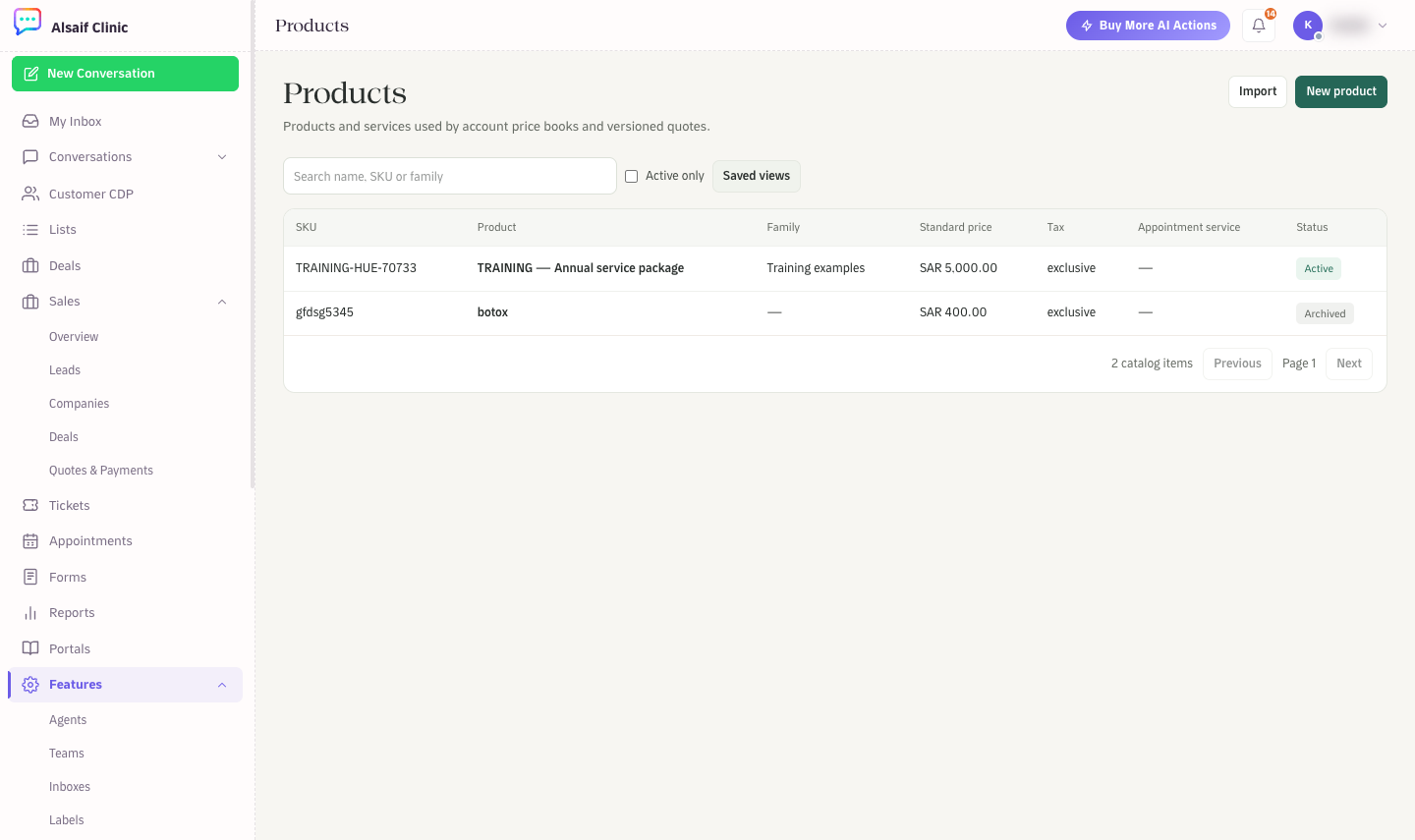
Products with SKU, family, standard price, tax and status
- Choose New product.
- Enter the Name and choose Product or Service.
- Add a SKU, a Family (for grouping in reports) and a Unit.
- Set the Standard price, the Currency and the Tax behavior: Exclusive, Inclusive or Exempt.
- Optionally link an Appointment service, so a bookable service and its sales price stay connected.
- Optionally set Valid from and Valid until dates, then choose Save product.
To add many products, choose Import and upload a CSV file with name and standard_price (both required), plus optional columns such as sku, family, product_type, unit, currency, tax_behavior, valid_from and valid_until. Tick Active only to hide archived items.
¶ Price books
Open Features → Price Books. A price book is a set of prices for a currency, a region or a customer segment.
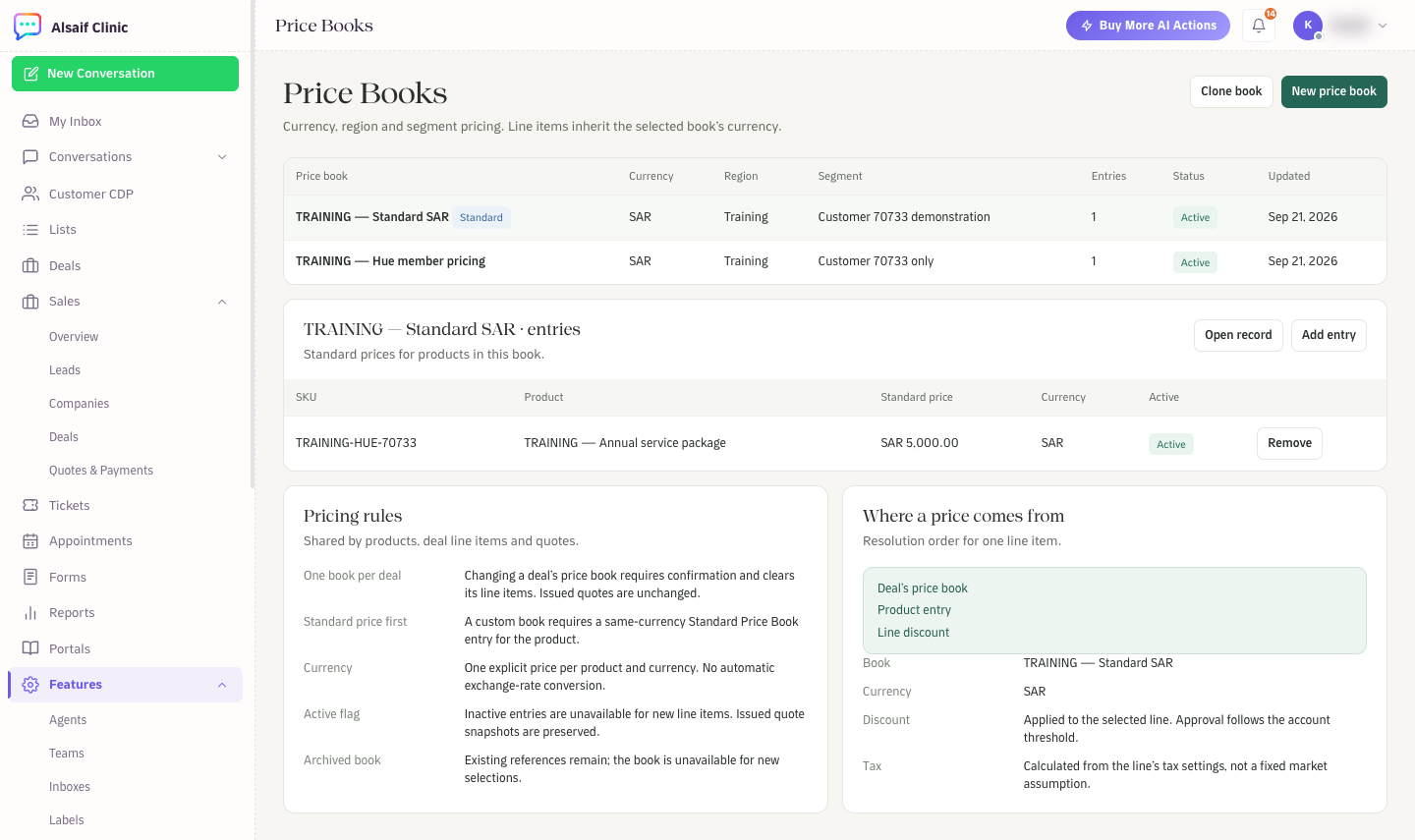
Price Books with entries, pricing rules and where a price comes from
- Choose New price book, or Clone book to copy an existing one.
- Give it a name and set its currency, region and segment.
- Select the book and choose Add entry to give a product its price in this book.
The standard price book is the base. A custom book needs a standard entry in the same currency for each product it prices.
¶ Rules to know
- One book per deal. Changing a deal's price book asks for confirmation and clears its line items. Quotes you already issued do not change.
- No currency conversion. Each price is set in one currency, and HueChat never converts between currencies. A quote always uses its deal's currency.
- Inactive entries cannot be added to new line items. Issued quotes keep their original prices.
- Archived books stay on existing records but cannot be chosen again.
¶ Where a line item's price comes from
When you add a product to a deal, HueChat takes the price from the deal's price book and then applies the line discount. Tax is calculated from the line's tax settings. A discount above your account's approval threshold waits for an administrator.
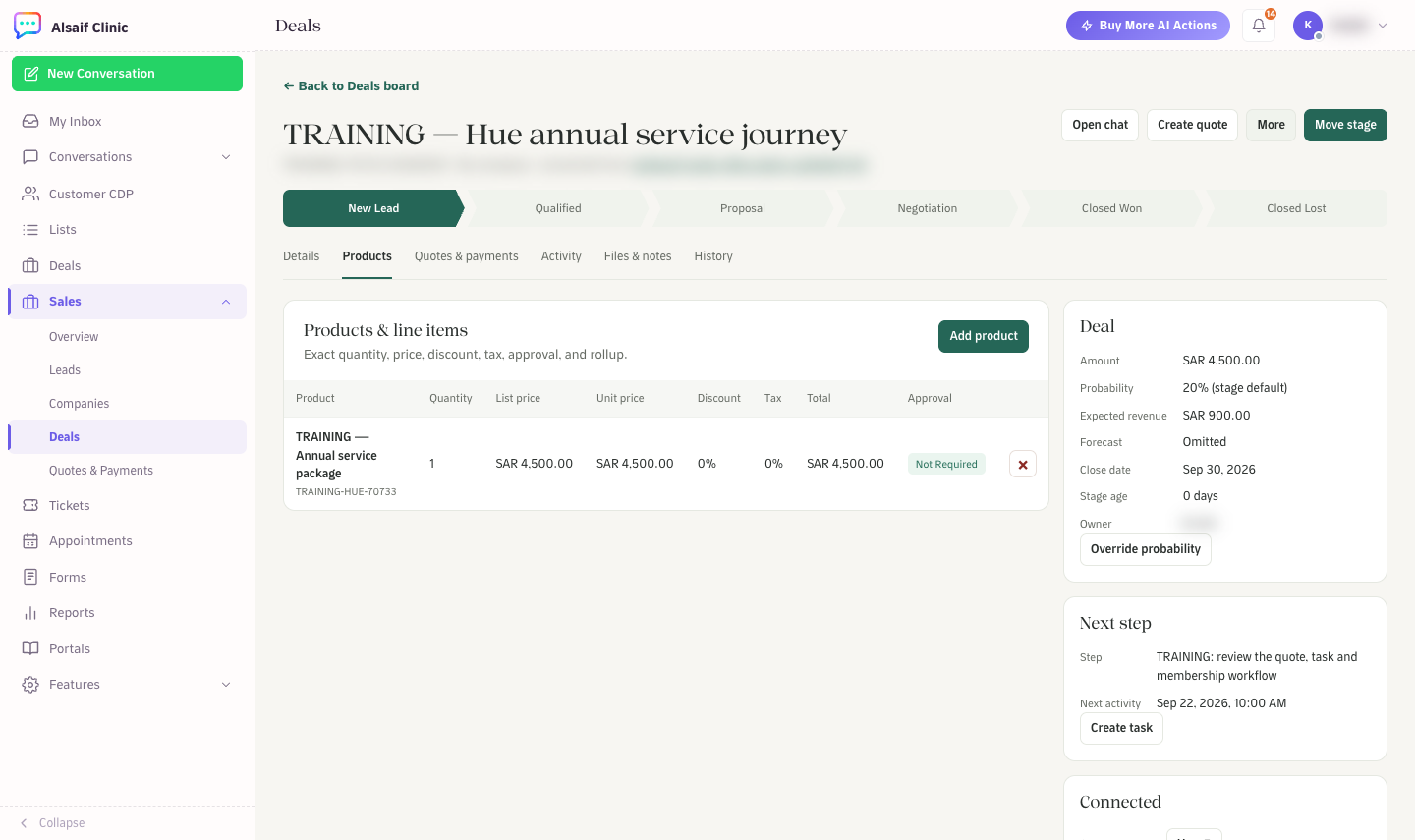
Line items on a deal, with price, discount, tax and approval
Products and price books are available on plans that include the Products & Quotes module.