When you sell to businesses, a company record keeps the organization, its people and its revenue together. This article shows you how to create companies and use them with leads and deals.
¶ Open Companies
Open Sales → Companies. The tabs All, My companies, Open pipeline, Parent companies, No activity and Saved help you focus. Search by company name, domain or phone, filter by owner and branch, and open More filters for industry, health, size, activity and pipeline.
The list shows each company's industry, size, branch, contacts, open pipeline, lifetime revenue, owner and health.
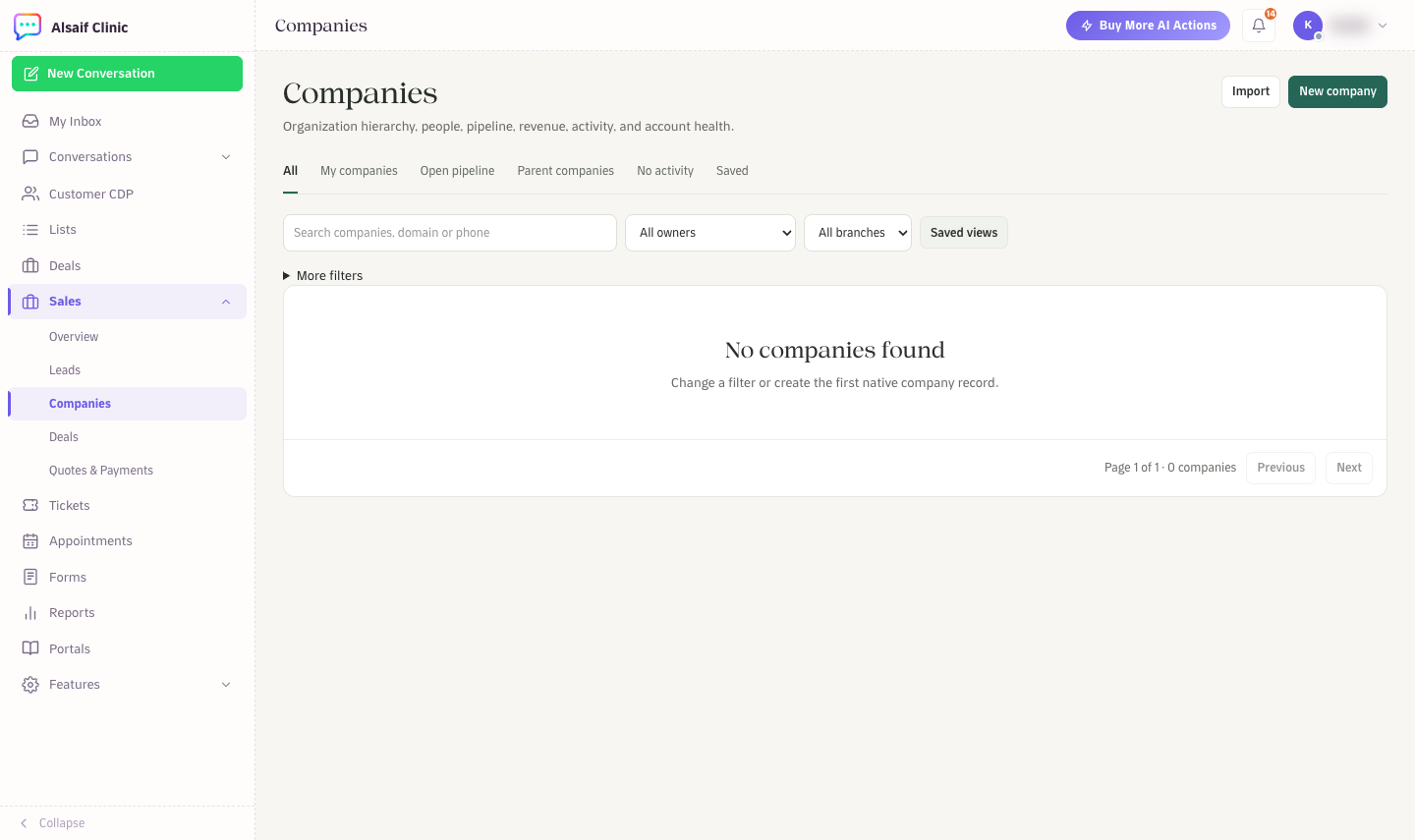
Companies with its tabs, filters and the New company button
¶ Create a company
- Choose New company.
- Enter the Company name and, if you want, the domain, website, phone, industry, number of employees and annual revenue.
- Set the Currency, a Health status (New, Strong, Attention, At Risk or Inactive), the Owner and the Branch.
- Add a description and billing or service addresses if you need them.
- Choose Create company.
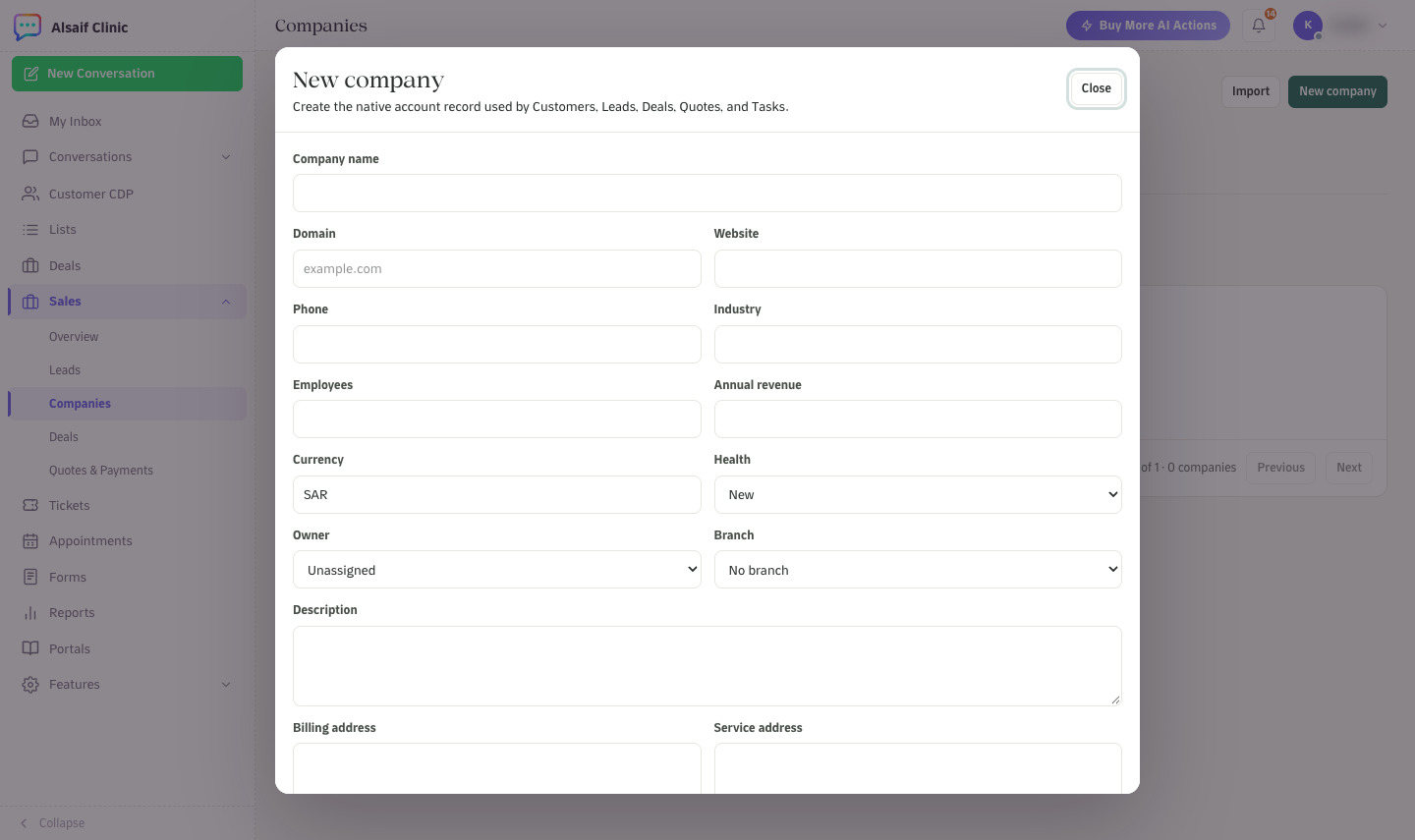
The New company form
HueChat normalizes the domain and website, so a search for the domain finds the company however it was typed.
To add many companies at once, choose Import and upload a CSV file. Only name is required. Optional columns include domain, website, phone, industry, employee_count, annual_revenue, currency, health, description, billing_address and service_address.
¶ Work with a company
Open a company to see its record:
- The header shows open pipeline, lifetime revenue, annual revenue and last activity, with Add contact and New deal. Use More to edit or archive the company.
- The tabs Overview, People, Leads, Deals, Quotes & payments, Activity, Tasks, Files & notes and History collect everything linked to the organization.
- A company can have a parent company, so you can model groups and their branches.
¶ Buying roles
When you link a person to a company, give them a buying role: decision maker, economic buyer, buyer, champion, technical buyer, billing contact, influencer or other. Roles tell your team whom to ask for a decision and whom to send the invoice to.
¶ Companies, leads and deals
When you convert a lead, you can keep the company as text, link an existing company or create a new one in the same step. Deals and quotes created from that lead then appear on the company record. You can also start a deal directly from the company with New deal.