An AI agent can close the sale in the chat. It sends a secure payment link for the products a customer wants, and it can ask for payment before it confirms a priced appointment. This article shows you how to turn it on and what the agent does.
¶ Before you start
- An administrator has connected a card provider and made it the default in Settings → Integrations → Payments.
- For products: the products the agent may sell are visible to AI agents in Sales.
- For appointments: the agent can already book appointments, and each service has a price.
- The agent is built in the AI agent editor, which has the Tools & actions tab.
¶ Turn on the Payments card
- Open AI Agents and open the agent.
- Go to Tools & actions and turn on the switch on the Payments card.
- Choose Configure on the card.
- Turn on what the agent can take payment for:
- Send payment links for products
- Require payment to book
- Offer installments (available when Tabby or Tamara is connected)
- Save and publish the agent.
Until Send payment links for products or Require payment to book is on, the agent takes no payments. The card then reads Choose what the agent can take payment for. When everything is ready, it names your default card provider, for example "Moyasar connected".
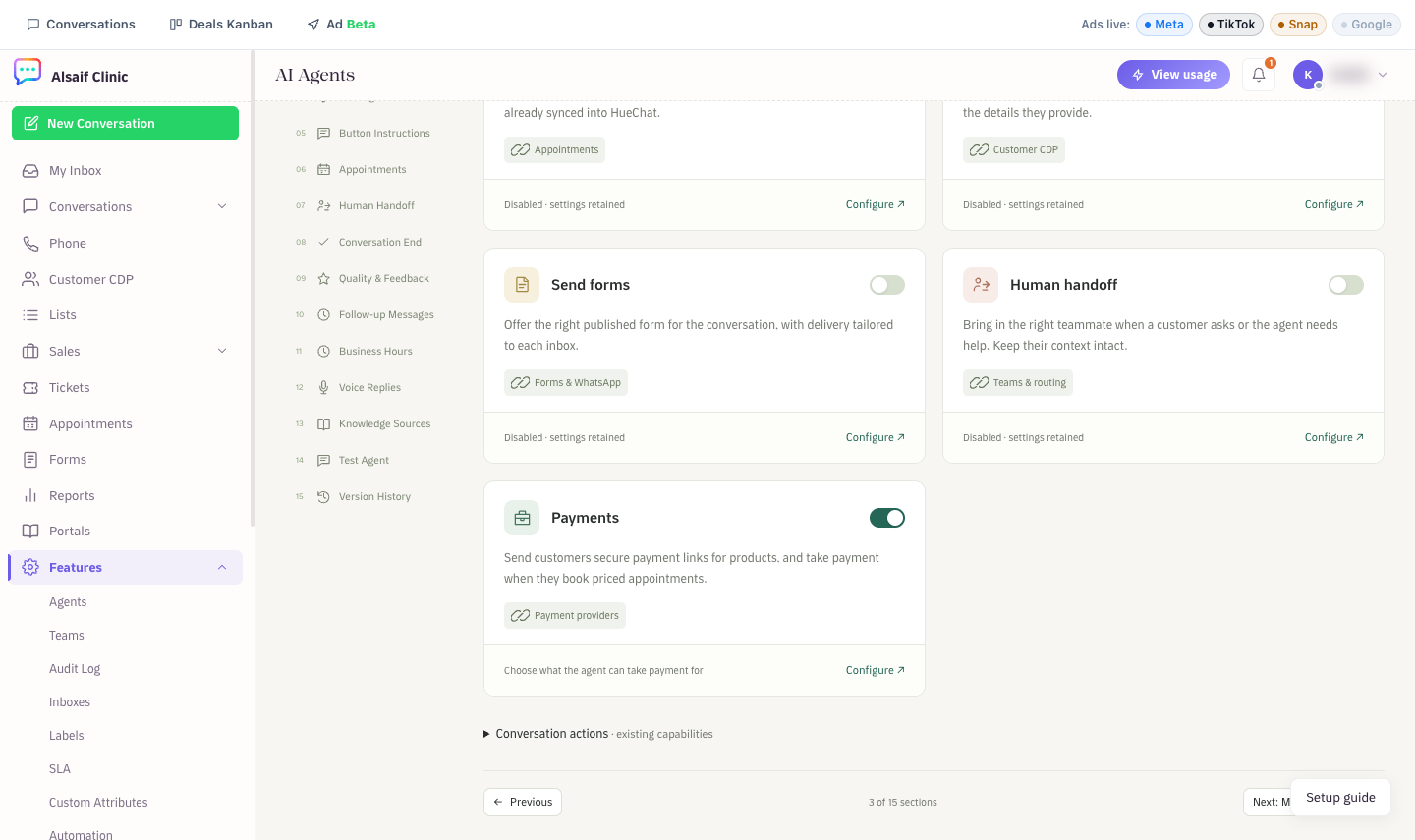
The Payments card in Tools & actions
¶ Payment links for products
When a customer wants to buy, the agent sends one message with the order, the total and a secure link. Prices, totals and links always come from HueChat. The agent never sets a price and never types an amount or a link itself.
For physical products, the agent asks for a delivery address. The address is saved on the order and on the customer profile. An order link lasts 24 hours.
¶ Paid appointments
With Require payment to book on, the agent books a priced appointment as a hold and sends the payment link.
- The time slot is held for your account's hold time: 10 or 15 minutes (15 by default). An administrator sets it under Paid appointments on the Payments page.
- When the customer pays, the appointment is confirmed automatically.
- If the customer does not pay in time, the slot is released and the customer is told.
- If the payment arrives after the hold ended, HueChat books the same time again when it is still free. If it is taken, the customer is told that your team will contact them, and your team gets a note in the conversation.
- If payments are unavailable, the agent does not book a paid appointment for free.
¶ Installments
With Offer installments on, customers who ask can pay with Tabby or Tamara. Paying in full stays the default. When both providers are connected, the agent asks which one the customer prefers. Installments work only in currencies the provider supports.
¶ After the customer pays
HueChat checks every payment with the provider before it confirms anything. Then:
- An order gets its order number (#1001 and up), and an appointment is confirmed.
- The customer receives a confirmation in their language, as long as the reply window is open.
- If the chat has an open deal, the payment joins it and the deal closes as won.
- The payment appears in Reports → Payments with the agent as the source.
- Your team gets a Payment received notification: the conversation's assignee, or the administrators when nobody is assigned.
Test-mode payments work the same way but move no real money.