HueChat connects to store platforms so orders, customers and abandoned carts appear next to your conversations, and so WhatsApp updates can be sent automatically. All stores are managed from Settings, Integrations, where they are grouped by region.
¶ Supported stores
| Store | Region group | What it syncs |
|---|---|---|
| Salla | GCC | Orders, customers, invoices, abandoned carts |
| Zid | GCC | Orders, payment updates, customers, abandoned carts |
| Shopify | Global | Customers, products, orders, shipments, refunds, abandoned checkouts, including existing ones |
| Wix | Global | Orders, abandoned checkouts |
| BigCommerce | Global | Orders, carts, customers, abandoned carts |
| Ecwid | Global | Orders, customers, abandoned carts |
| Nuvemshop / Tiendanube | Latin America | Orders, customers, abandoned checkouts |
| SHOPLINE | Asia | Orders, abandoned checkouts |
| Cafe24 | Asia | Orders, customers |
Other platforms appear in the list as well. Cards marked Soon are not yet available to connect. Exact options may differ by plan.
Shopify works differently from the other stores. It has its own page with Quick setup, which turns on WhatsApp order updates in four steps, and the settings in the next sections do not apply to it. See HueChat for Shopify.
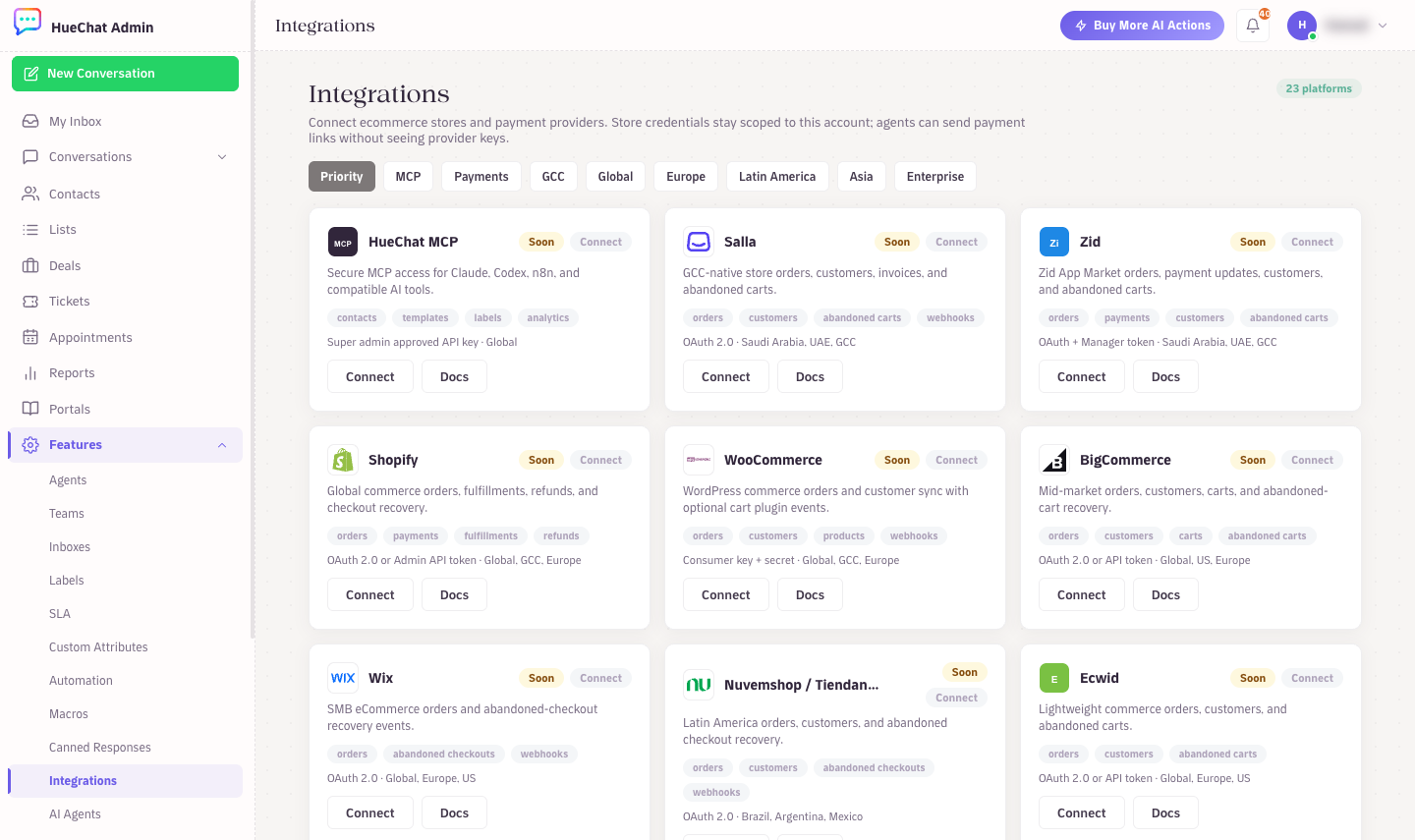
Integrations: stores and payment providers by region
¶ What "sync" means in HueChat
- Contacts: with Create/update HueChat contacts turned on, each store customer becomes a contact, matched by phone or email.
- Order context: with Attach order context to contact turned on, order events are saved on the contact so agents and AI Agents can see them in the conversation.
- Events: the store notifies HueChat about new, paid, shipped or fulfilled, and cancelled or refunded orders, and about abandoned carts. For each event you choose an action: Do nothing, Sync customer/order only, Open conversation, Send WhatsApp template, or Create deal + send template.
- Abandoned carts: after the Delay minutes you set, HueChat can send a recovery template only, open a conversation with the template, create a recovery deal, or create the deal and send the template. When the cart is recovered you can mark the deal won or close the conversation; when it expires you can mark the deal lost or create an agent task.
¶ WhatsApp templates
Automatic messages use approved WhatsApp templates that you map per event under WhatsApp template mapping: Order confirmation, Payment confirmation, Shipping update, Abandoned cart, Cart discount and Review request. Turn on Require WhatsApp opt-in so messages go only to customers who agreed to receive them.
¶ Routing and deals
Under Routing and deals you can set the Inbox ID and Team ID that receive store conversations, the Deal pipeline ID and Deal stage ID for new deals, and a Minimum order value below which no action runs.
¶ Limits to know
- For most stores, only events after the connection are synced, and earlier orders are not imported.
- Shopify is different: HueChat also imports your existing customers, products, orders, shipments, refunds and abandoned checkouts. Orders cover the last 60 days, unless Shopify has granted HueChat access to older orders. Importing never sends a message to your customers.
- Store platforms send different fields. What appears on the contact depends on what the store includes in its events.
- Template messages count towards your WhatsApp conversation costs with Meta.