This article explains how language works in HueChat: the interface you see, the emails you receive, and the language your customers get from AI Agents.
¶ Your interface language
HueChat is built for Arabic and English end to end. When you choose Arabic, the whole dashboard switches to a right-to-left layout. Other interface languages are also available. Exact options may differ by plan.
To change your language:
- Sign in to app.huechat.ai.
- Open your profile or account settings.
- Find the language option and choose the language you want.
- Save. The interface updates for you only. Each teammate picks their own language.
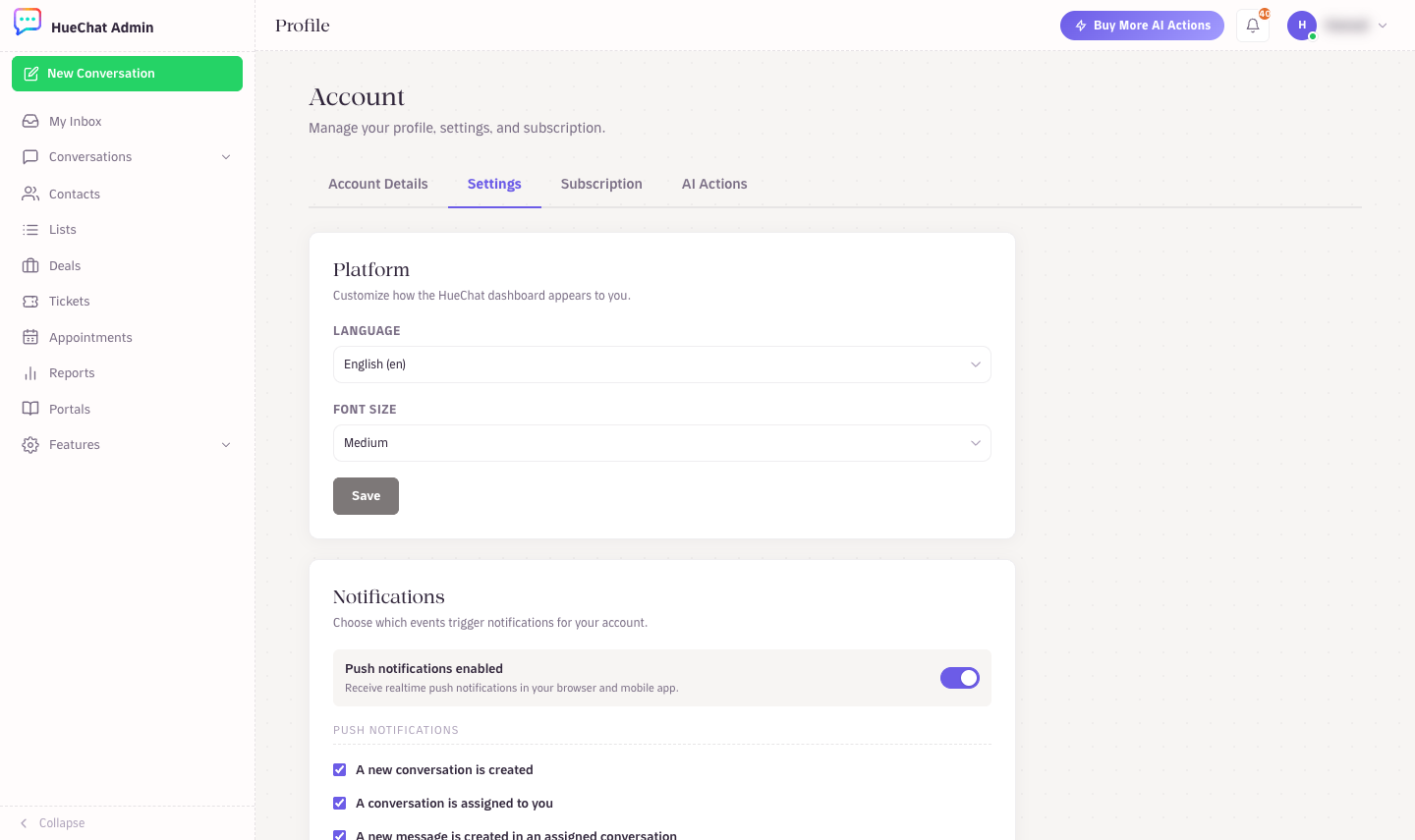
Profile, Settings: language and font size
On the mobile apps the interface follows the same setting, or your phone's language, depending on the app version.
¶ Emails and notifications
Account emails, invitations and security codes are sent in the language of your account. When you signed up, HueChat recorded the language of the signup page you used. If you signed up in Arabic, your emails arrive in Arabic. Change your interface language to change future emails.
¶ The marketing site and Help Center
The huechat.ai website has an EN/AR switch in the top navigation. The Help Center is available at support.huechat.ai/en and support.huechat.ai/ar. Your choice on the website does not change your dashboard language.
¶ The language your customers see
Customers never see your interface language. What they see depends on the channel and on your AI Agents:
- AI Agents detect the language of each incoming message and reply in that language. A customer who writes in Arabic gets an Arabic answer, and one who writes in English gets English.
- WhatsApp message templates are created per language. Create an Arabic version and an English version of each template if you serve both audiences.
- Live Chat widget text can be set to match your website.
- Canned responses are written by you, so create them in the languages your customers use.
¶ Tips for bilingual teams
- Write knowledge sources for AI Agents in both languages, or at least in the language most customers use. The AI can answer across languages, but accuracy is best when the source language matches.
- Use labels such as "Arabic" or "English" to route conversations to agents who speak that language, and set an automation rule to apply them.
- Support from HueChat is available in Arabic or English at support@huechat.ai.