To send a form on WhatsApp, HueChat needs an approved template with a website button. HueChat puts a private invitation in that button for each recipient, so every answer is linked to the right customer. This article shows you how to create the template in WhatsApp Manager.
¶ Before you start
- Publish the form. Open it, choose Share and copy the Public link. It looks like
https://app.huechat.ai/to/aBc123XyZ789. The last part is your form code. - Create the template in the WhatsApp Business account that is connected to the inbox that will send it.
¶ Step 1: Choose the category
In WhatsApp Manager, open Message templates and choose Create template. Choose Utility, keep Default and choose Next. HueChat sends form links only with approved Utility templates.
¶ Step 2: Name, language and text
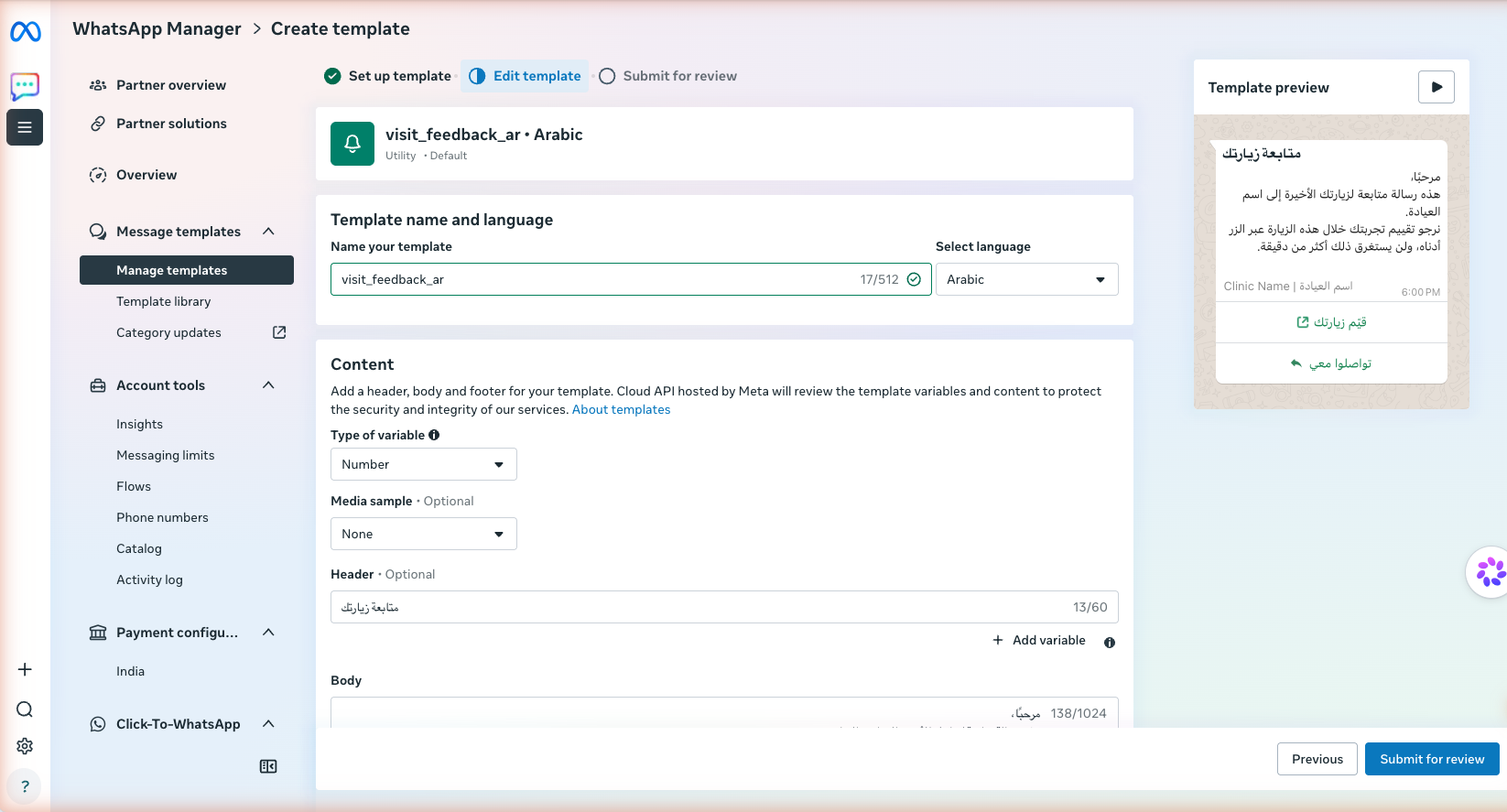
Template name, language and category
- Enter a name in lowercase letters with underscores, for example
visit_feedback_ar. - Choose the language your customers read, for example Arabic. Create one template for each language.
- Keep Type of variable set to Number. HueChat supports numbered variables such as
{{1}}, not named variables. - Add an optional short Header, the Body and an optional Footer.
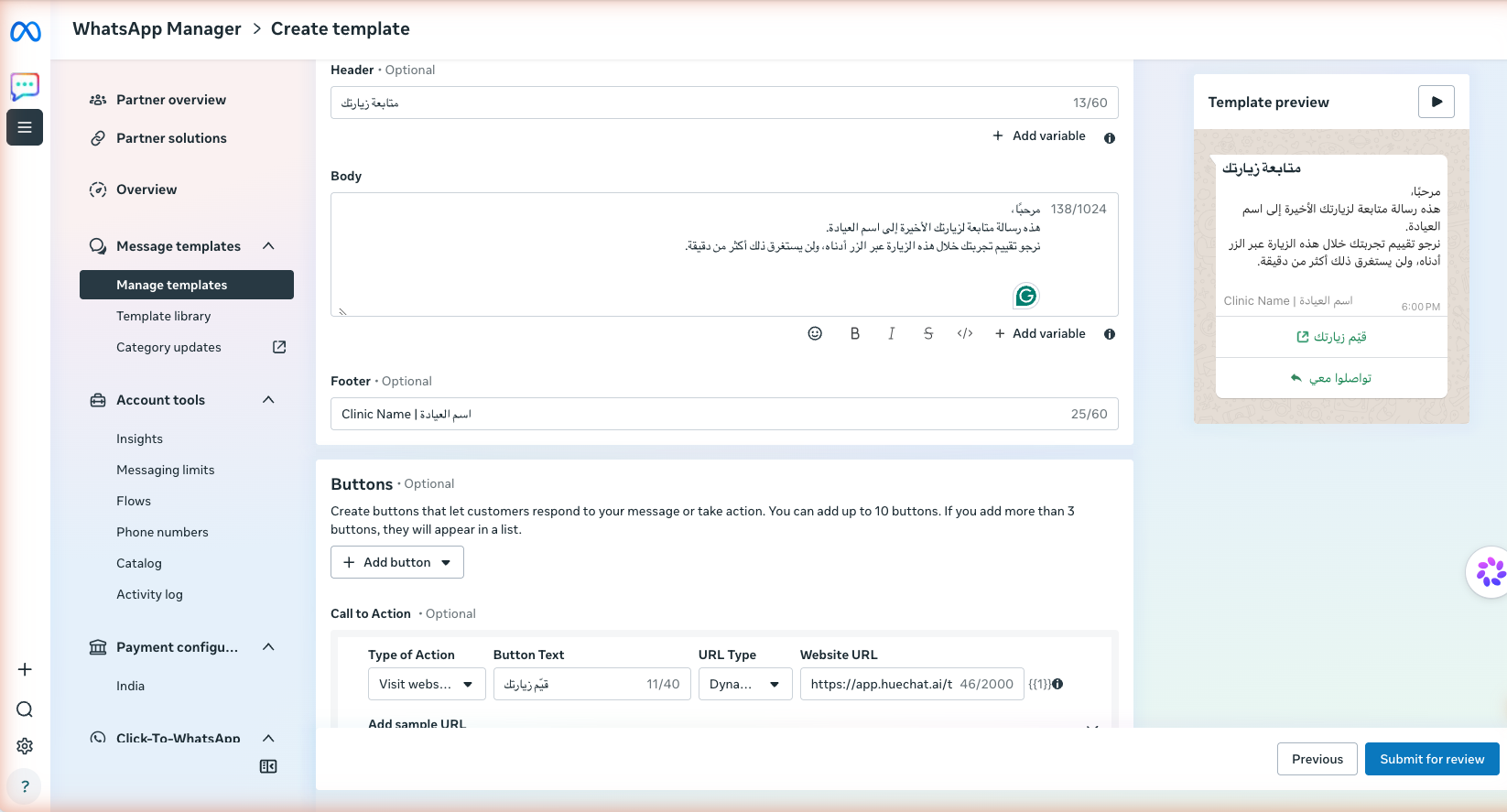
Header, body and footer
Write the body as a follow-up to something the customer did, such as a recent visit. Meta approves that kind of message as Utility. Promotional wording, or a general request such as "rate us", is often classed as Marketing. Do not put a link in the body. The link goes in the button.
¶ Step 3: Add the form button
- Choose Add button, then Visit website.
- Enter the Button Text, for example قيّم زيارتك.
- Set URL Type to Dynamic.
- In Website URL, enter
https://app.huechat.ai/to/<form code>?invite=with your own form code. WhatsApp Manager adds{{1}}at the end. - In Add sample URL, enter the same link with any example value after
invite=. Meta uses the sample only for its review.
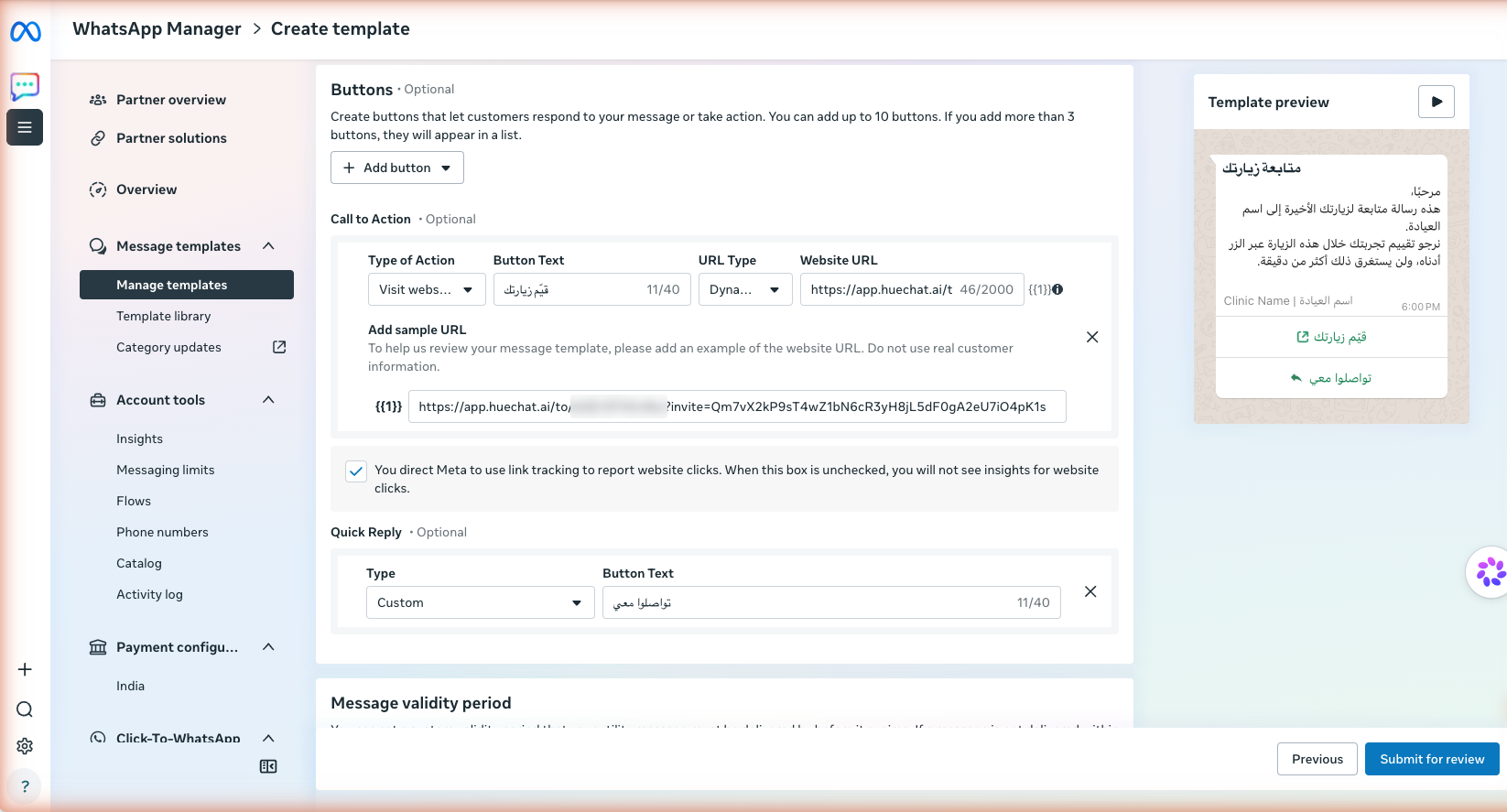
A dynamic website button with the form link and a sample URL
The finished button link must be exactly https://app.huechat.ai/to/<form code>?invite={{1}}. Nothing can come after {{1}} and the link cannot contain other variables. Otherwise HueChat cannot attach your form to the template.
You can also add a second button: a Custom quick reply, such as تواصلوا معي, whose text arrives in your inbox when a customer taps it, or a Call phone number button so customers can call your clinic or store.
¶ Step 4: Submit for review
Check the Template preview, then choose Submit for review. Meta usually responds within minutes to a day. If Meta moves the template to the Marketing category, HueChat cannot use it for forms.
If Submit for review stays grey, click outside the last field you edited. If it is still grey after you changed the type of a button, reload the page and create the template again.
¶ Use the template in HueChat
When the template is approved, it appears in HueChat. If you cannot find it, sync templates from the WhatsApp inbox settings. Then choose it where you send forms:
- Appointment reminders: create a rule that sends a custom time after the appointment, and use Attach a form (optional).
- Customer journeys: add a step that sends a private form.
- AI Agents: turn on the Send Forms action.
HueChat fills {{1}} with a new private invitation for each customer. If you send the template another way, for example directly from WhatsApp Manager, the button opens a link that does not work.