HueChat Forms lets you build satisfaction surveys, registrations, quizzes and lead questionnaires that customers open from WhatsApp or the web. This article shows you how to create a form and use the builder.
¶ Open Forms
Choose Forms in the sidebar. The Forms workspace shows your total forms, published forms and responses collected, and lists your forms by status: Published, Draft, Paused or Archived.
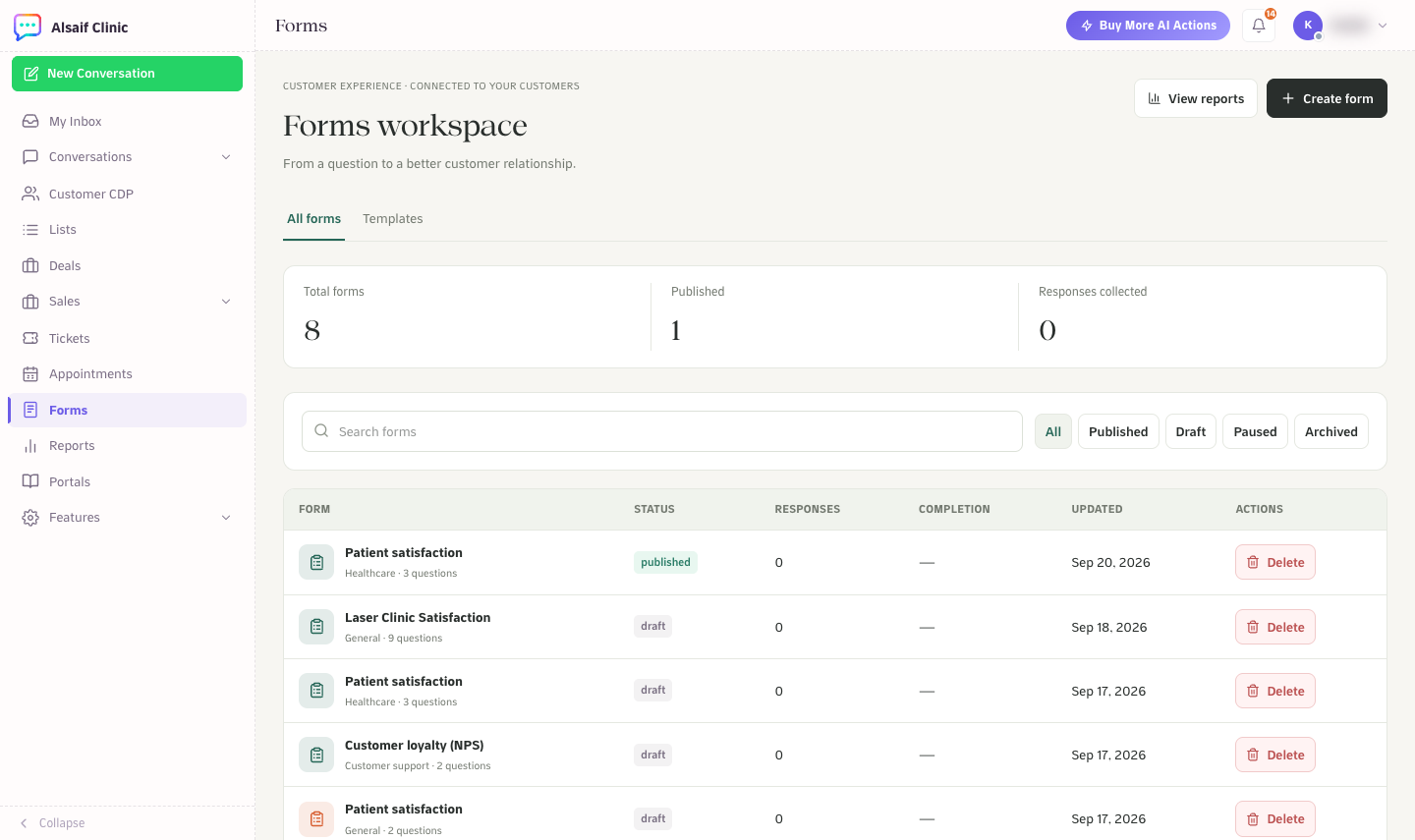
The Forms workspace
¶ Start a new form
Choose Create form and pick a starting point:
- Use a template: start from a complete flow, such as Patient satisfaction, Customer loyalty (NPS), Lead qualification, Appointment follow-up, Event registration, Product feedback, Onboarding check-in or Knowledge quiz.
- Create with AI: describe what you need and get an editable draft.
- Start from scratch: build every question yourself.
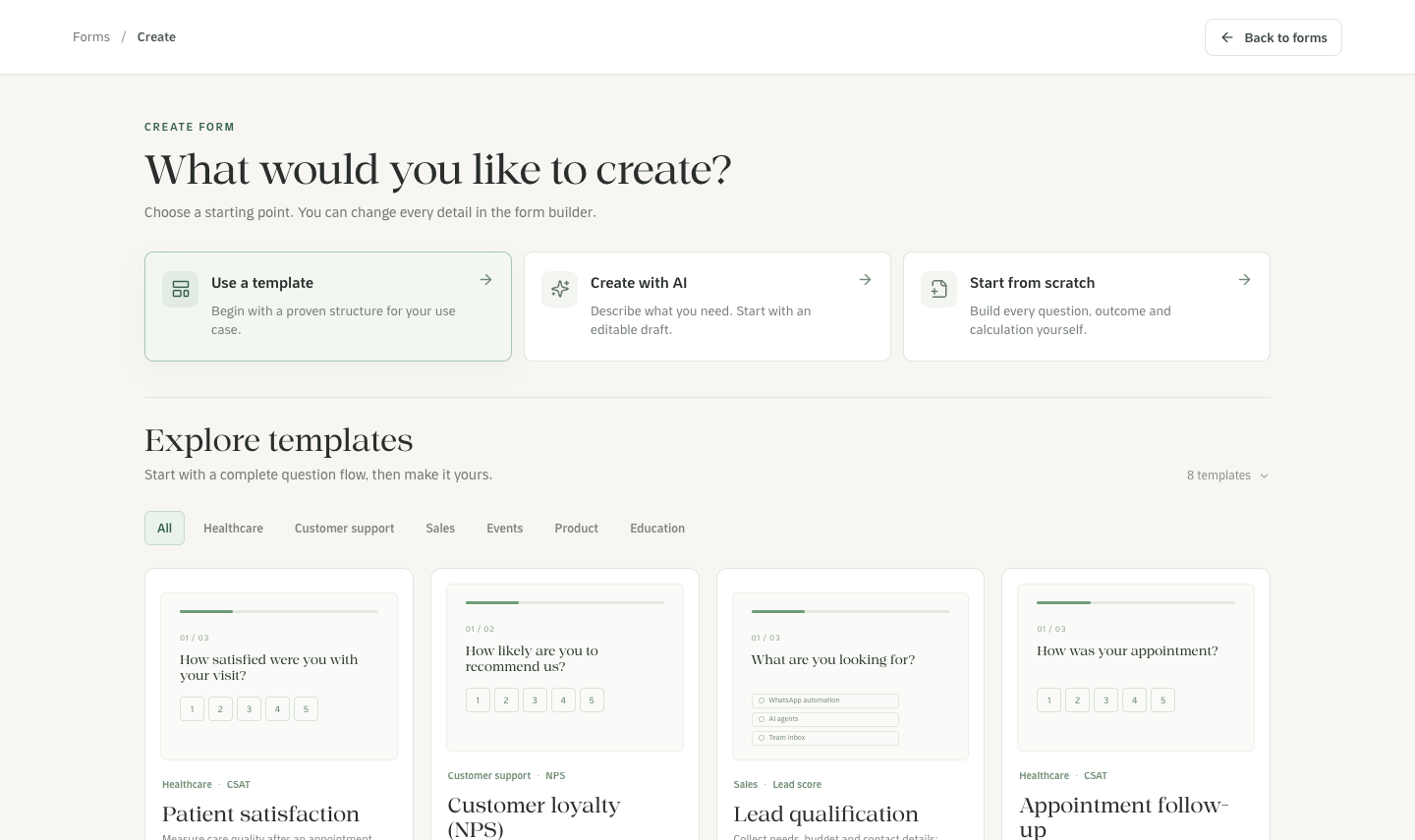
Choose a template, create with AI or start from scratch
¶ Build the form
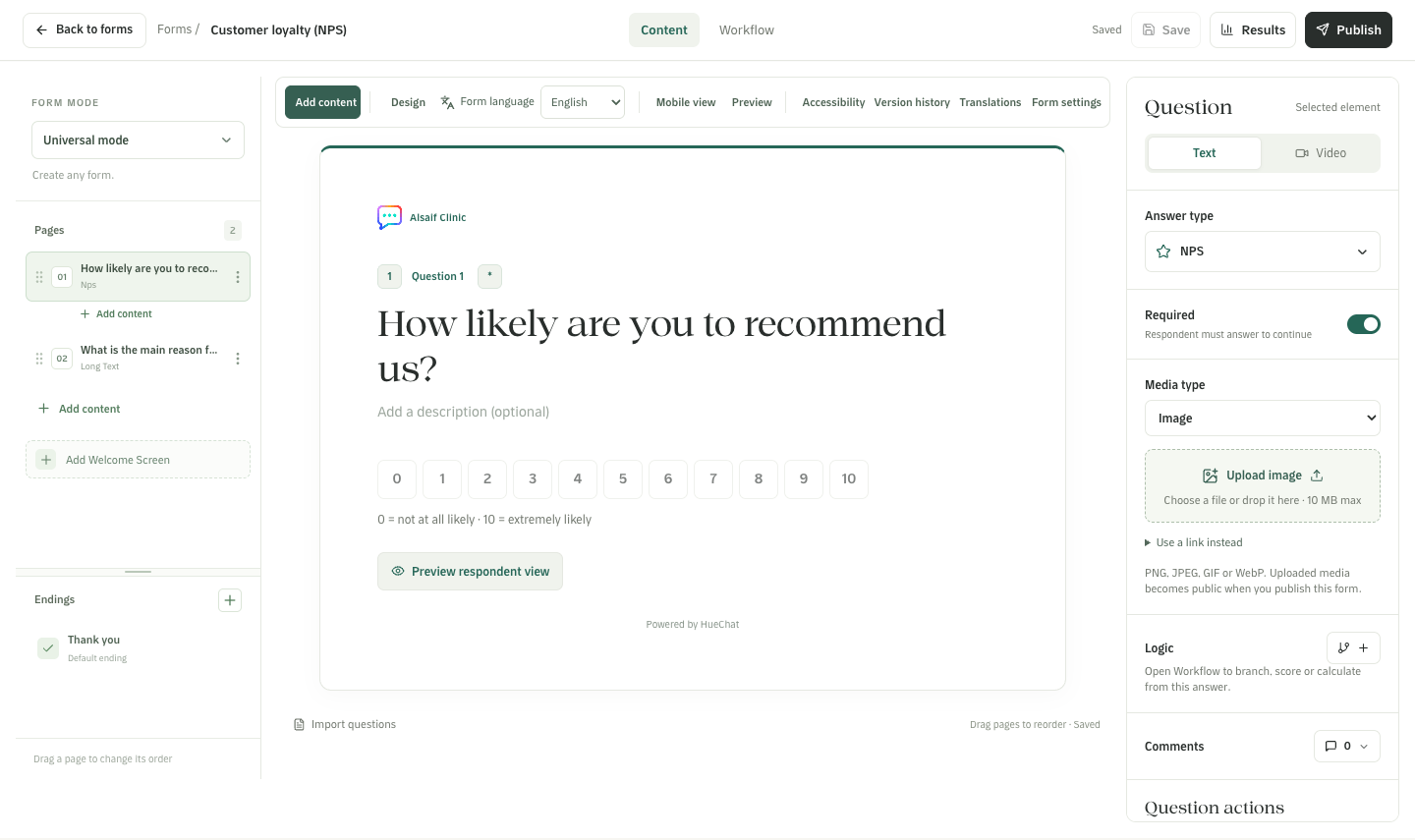
The form builder with pages, the question editor and settings
- Pages on the left: each page holds a question. Drag pages to reorder them, add a welcome screen and add endings.
- The canvas in the middle shows the question as customers see it. Choose Preview respondent view to try it.
- The question panel on the right: pick the answer type (for example CSAT, NPS, text, choices, rating, file upload or appointment booking), make the question required, shuffle the options and give options scores.
- Form mode at the top left: Universal, Lead qualification, Knowledge quiz or Match quiz.
- Workflow at the top adds branching, scoring and calculations.
- The toolbar has Design, Form language, Mobile view, Preview, Accessibility, Version history, Translations and Form settings.
Your changes save automatically. Images you upload become public when you publish the form.
¶ Publish and manage
Choose Publish when the form is ready. A published version cannot be changed; your edits create a new version. You can pause or archive a form. Delete asks for confirmation and archives the form: its link stops working and its responses are kept.
A new form has no logo. To add one, open Design, go to Client branding, tick Show logo and choose an image (PNG, JPEG or WebP), or use an HTTPS logo URL.
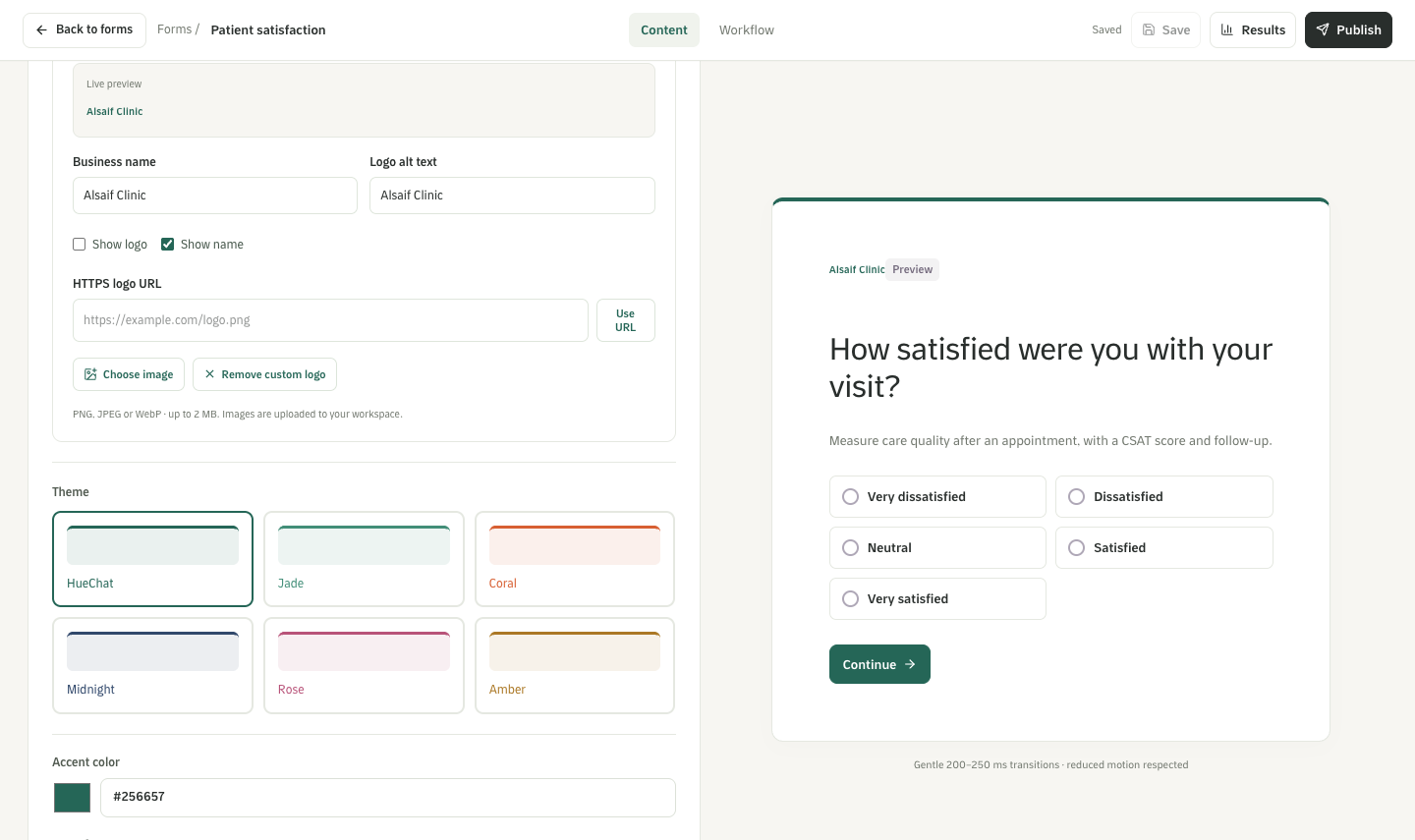
Design: business name, logo, theme and accent color with a live preview
Forms are available on plans that include Forms & Surveys.