Membership lets you run programs such as an annual care package or a loyalty club, and track each member's benefits. This article shows you how to set up a program, enroll customers and record benefits.
¶ Open Membership
Open Customer CDP and choose the Membership tab. The cards show active members, programs, issued receipts and points in circulation. The table lists each program with its duration, benefits, point cost, members, WhatsApp inbox and state.
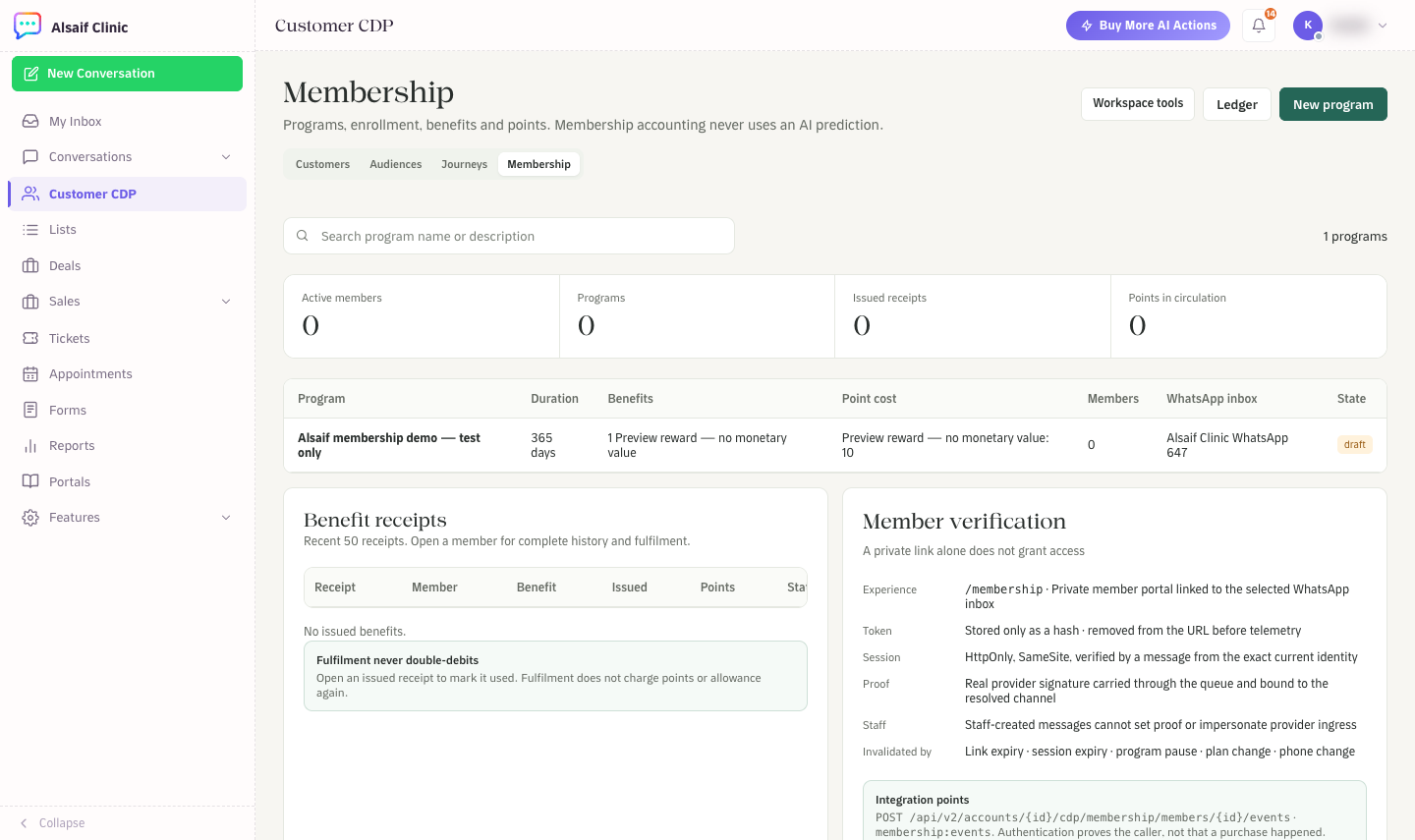
Membership with programs, benefit receipts and member verification
¶ Create a program
- Choose New program. Only administrators can manage programs.
- On Benefits, add what members receive, for example a number of treatments or a reward, and optional point costs.
- On WhatsApp experience, choose the WhatsApp inbox that members use to verify themselves and see their benefits.
- On Settings, set the duration in days and the terms.
- Save. A program starts as a draft. Make it active when you are ready, and pause or archive it later.
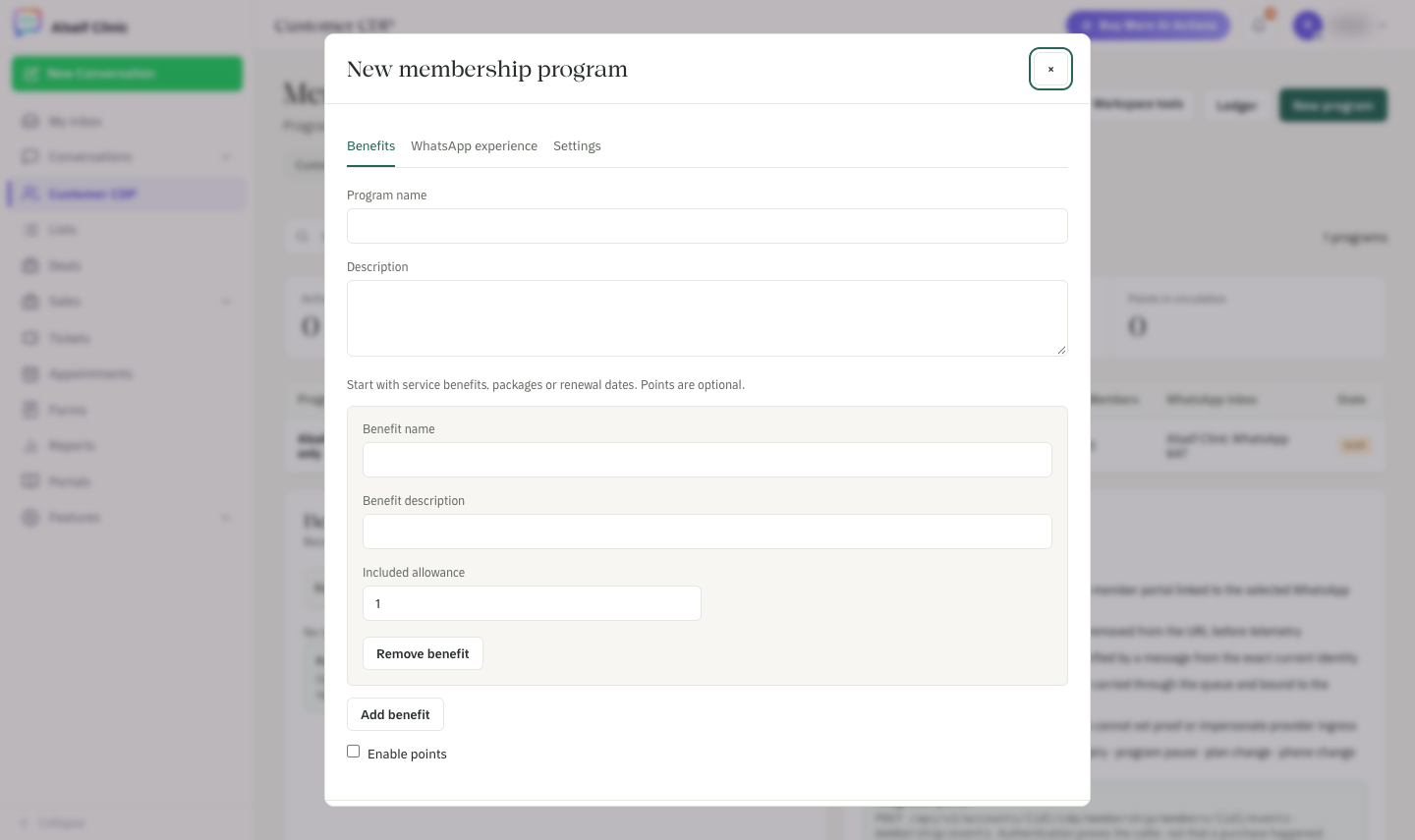
The New membership program editor with benefits, WhatsApp experience and settings
Editing a program never rewrites existing members. They keep the terms and the benefit snapshot they accepted.
¶ Enroll a customer
Open the program. Its page shows the program card, benefits, duration and members. Once the program is active, choose Enroll customer. You have two options:
- Record enrollment: your team confirms that the customer accepted the terms and records how.
- Invite customer to join: HueChat creates a private link. The customer opens it, verifies by sending a WhatsApp message from their own number, and accepts the terms there.
Marketing permission is a separate choice. Joining a program never opts a customer in to marketing.
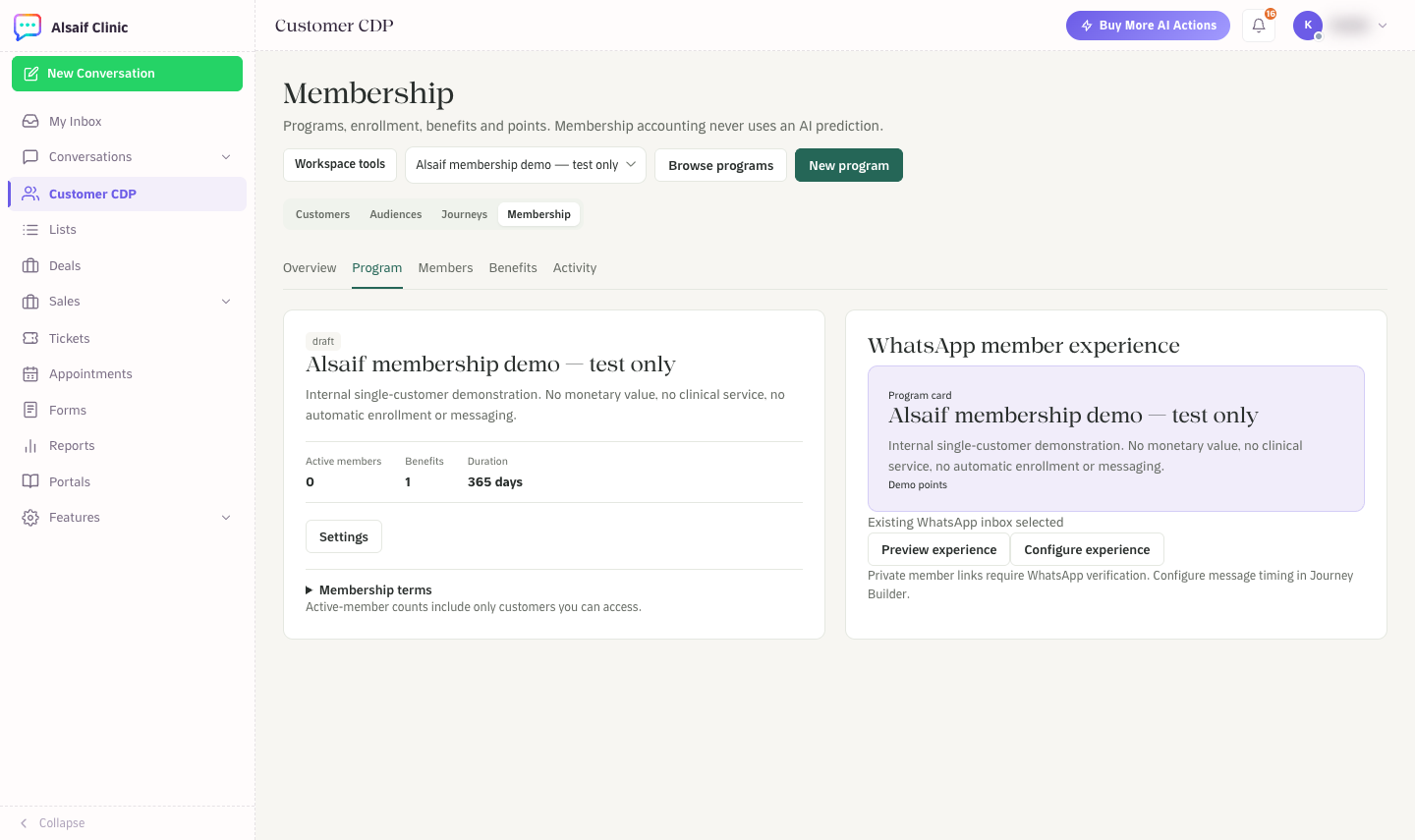
A membership program with its details and the WhatsApp member experience
¶ The member portal
Members open their private link and choose Continue with WhatsApp to confirm it is them. They then see their benefits, history and preferences. The link alone never grants access; the WhatsApp verification does. Access ends when the link or session expires, the program is paused, the plan changes or the phone number changes.
To see what members see, open the program and choose Preview experience. The preview never enrolls anyone or sends a message.
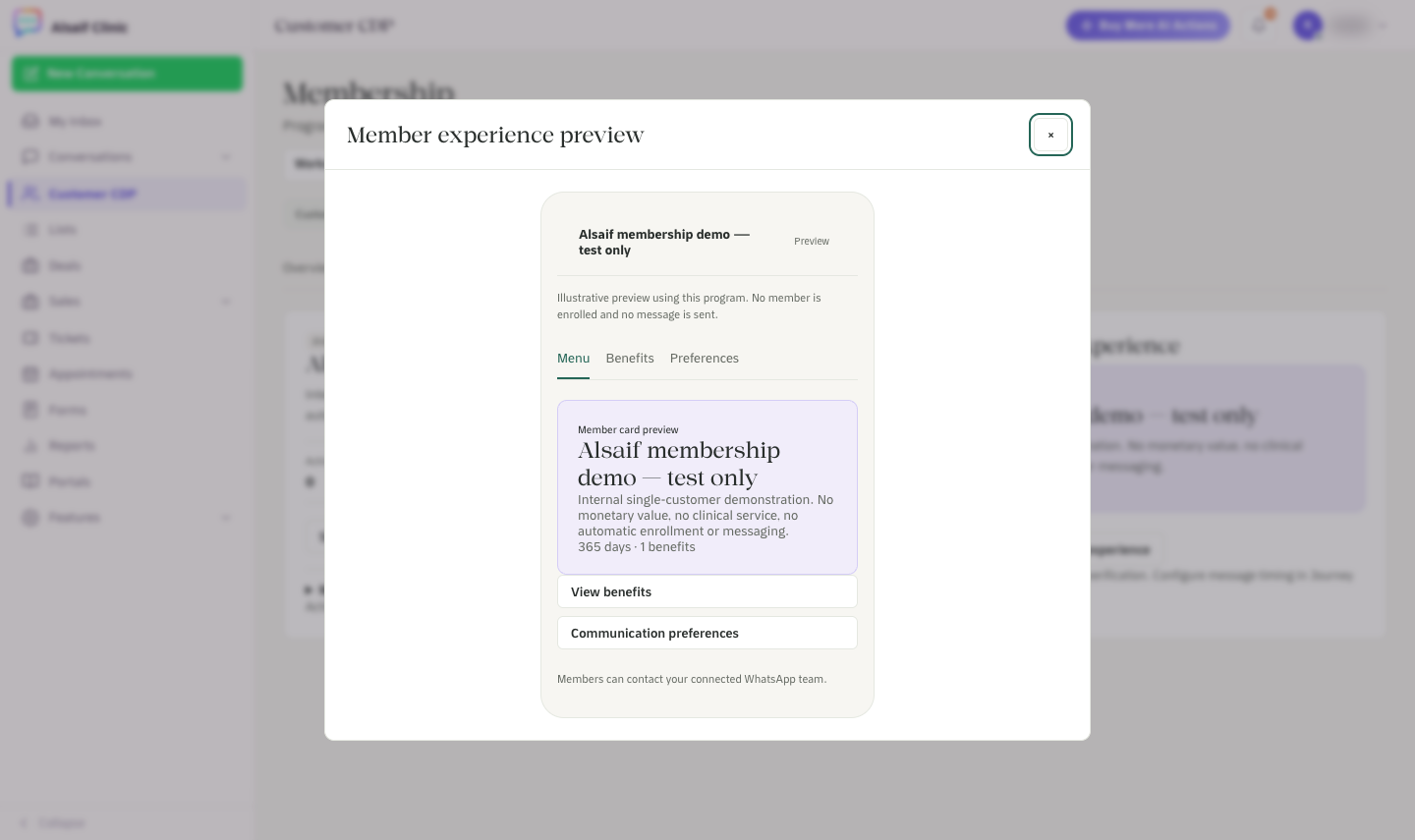
The member experience preview: the program card, benefits and communication preferences
¶ Record benefits and points
Open a member to renew, pause, resume or cancel the membership, record direct benefit use, add benefit balance, adjust points or redeem points. An issued benefit shows as Issued · Not used until you choose Mark as used. Marking it used never charges points or allowance a second time.
Your own systems can add purchase events through the HueChat API with the membership:events permission.
¶ Good to know
- Membership accounting never uses AI predictions.
- Programs do not have tiers.
- Member counts, points and receipts include only the customers you can access.
Membership is part of the Customer CDP add-on.