A customer profile brings everything about one person together. This article walks through the profile and the actions you can take from it.
¶ Open a profile
In Customer CDP → Customers, click a customer. The header shows the name, the customer reference and the acquisition channel.
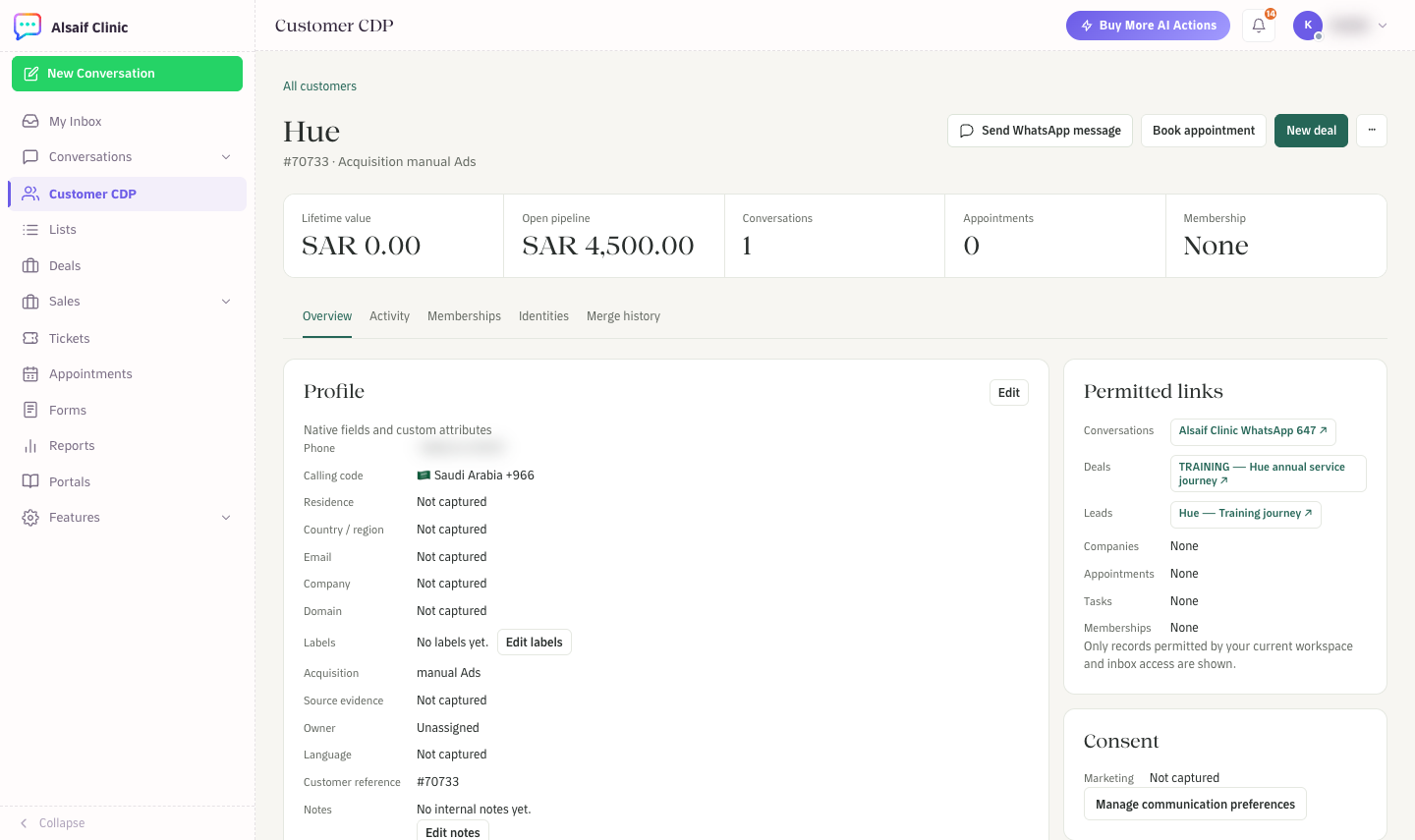
A customer profile with the header actions, key figures and the Overview tab
The actions at the top right are:
- Send WhatsApp message: choose a connected inbox and an approved template. Disconnected inboxes cannot be chosen.
- Book appointment: opens the booking form for this customer.
- New deal: starts a deal for this customer when Sales is on your plan.
- ···: Edit customer, Open conversation and, for administrators, Merge customer.
Under the name you see Lifetime value, Open pipeline, Conversations, Appointments and Membership.
¶ The five tabs
- Overview: the profile fields (phone, calling code, residence, country or region, email, company, domain, labels, acquisition, source evidence, owner, language, customer reference, notes and custom fields). Further down are customer insights, where the customer came from, recent activity, related records and tasks, and sales records with quotes and payments.
- Activity: one timeline of messages, sales events, tasks and appointments. Filter it by All, Sales or Messages.
- Memberships: the programs the customer joined, with status, dates, points and the terms they accepted.
- Identities: the connected identities, such as a WhatsApp number in a specific inbox, with the evidence behind each link.
- Merge history: merges made by an administrator, and a shortcut to review a duplicate.
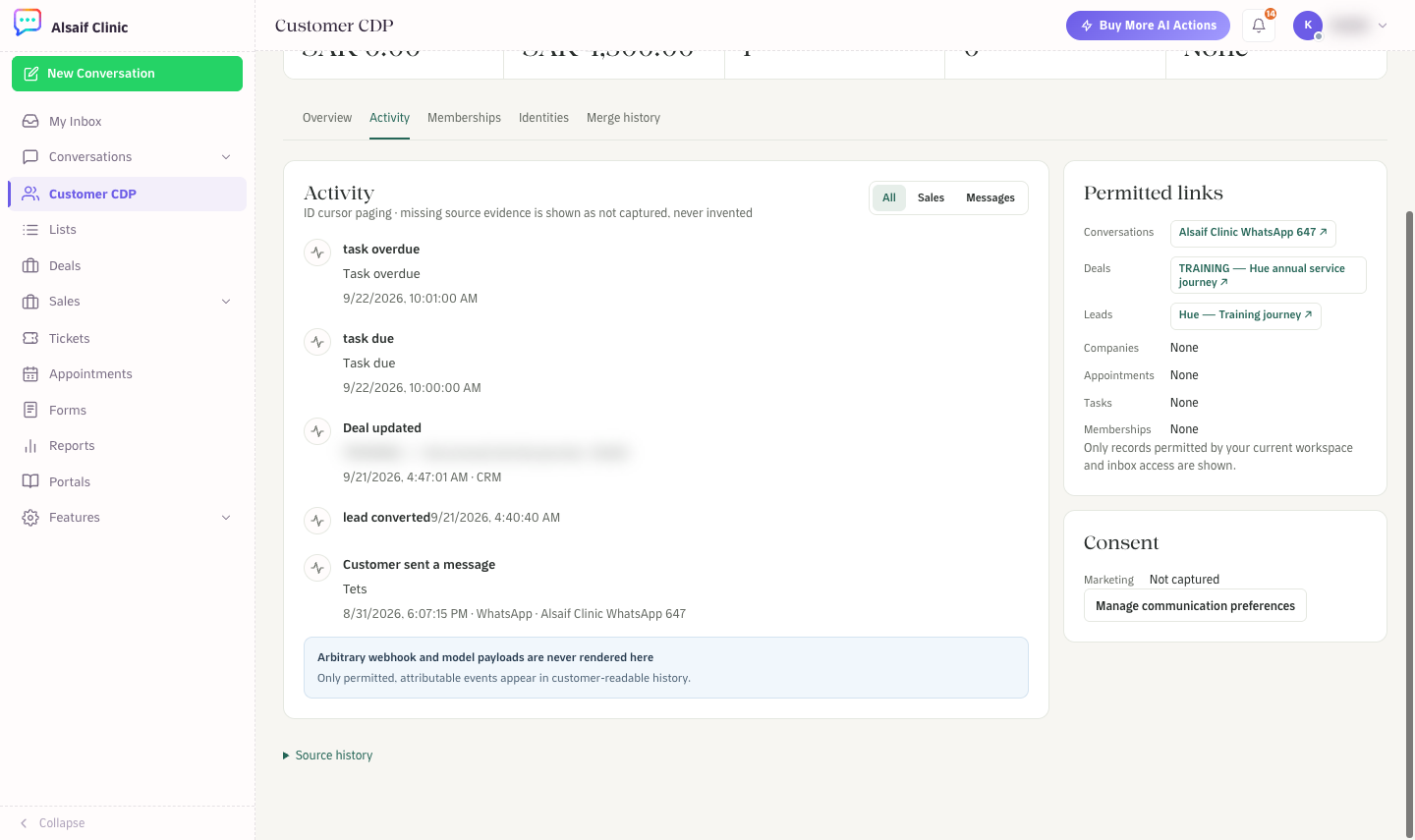
The Activity tab shows messages, sales events and tasks in one timeline
¶ Permitted links
The side panel lists the conversations, deals, leads, companies, appointments, tasks and memberships linked to this customer. You only see the records your role and inbox access allow.
¶ Consent and communication preferences
HueChat keeps consent per channel and purpose. Open Identities, go to Communication preferences and choose Update permission to record WhatsApp or email permission for service or marketing messages, with the evidence. Membership and imports never grant marketing permission on their own. Journeys check permission again right before they send.
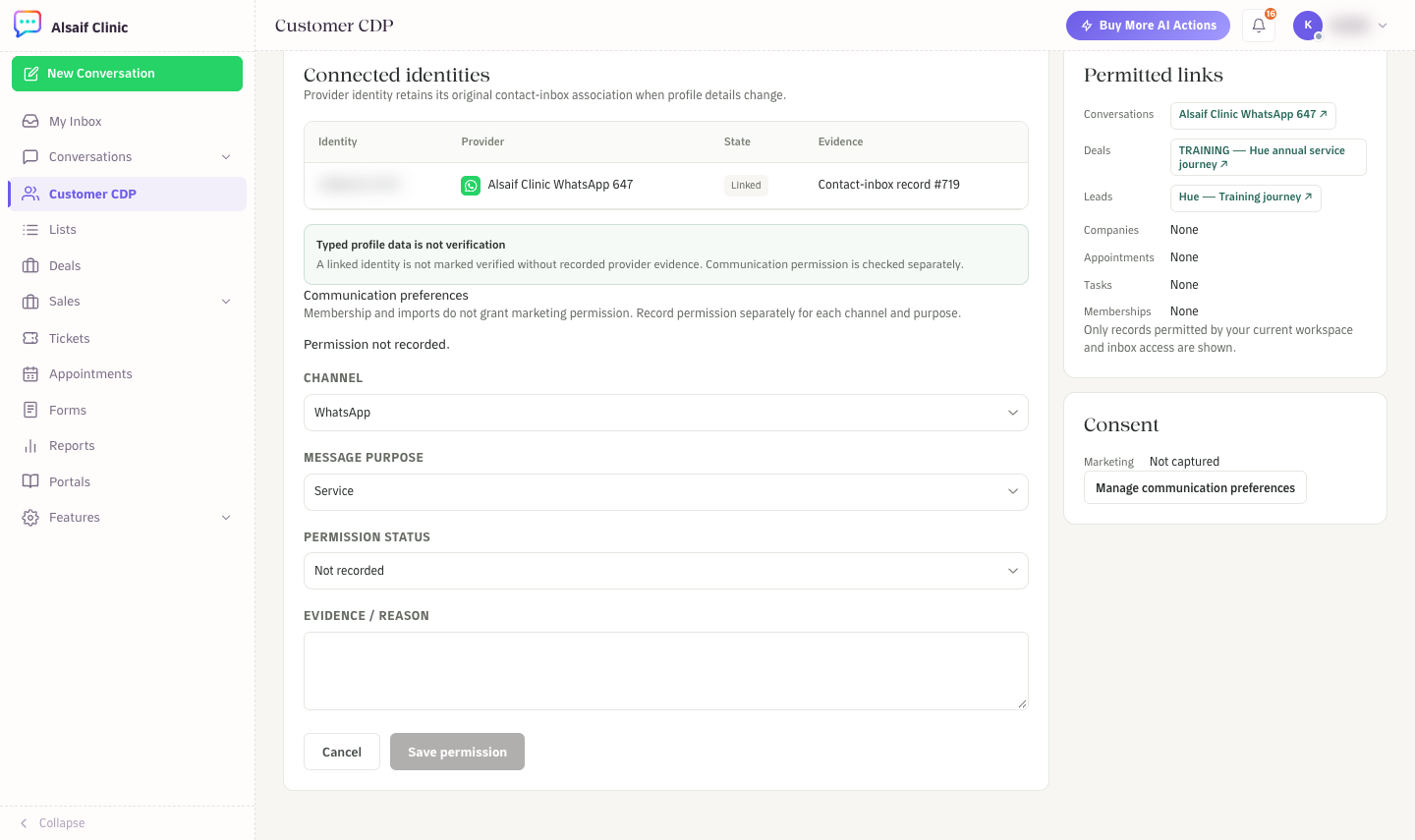
Update permission: channel, message purpose, permission status and evidence
¶ Good to know
- Typing a phone number into a profile does not make it a verified identity. An identity is verified only with evidence from the provider, such as a message from that number.
- The calling code formats the phone number. Residence is stored separately.