The Customer CDP is your single list of customers. Every WhatsApp, Instagram, TikTok or website conversation, appointment, deal, quote, form answer and membership belongs to one customer profile. This article shows you how the CDP is organized and how to find people fast.
¶ Open the Customer CDP
Choose Customer CDP in the left sidebar. It has four tabs:
- Customers: the directory of everyone you talk to.
- Audiences: saved groups of customers.
- Journeys: automated customer journeys.
- Membership: membership programs, members and benefits.
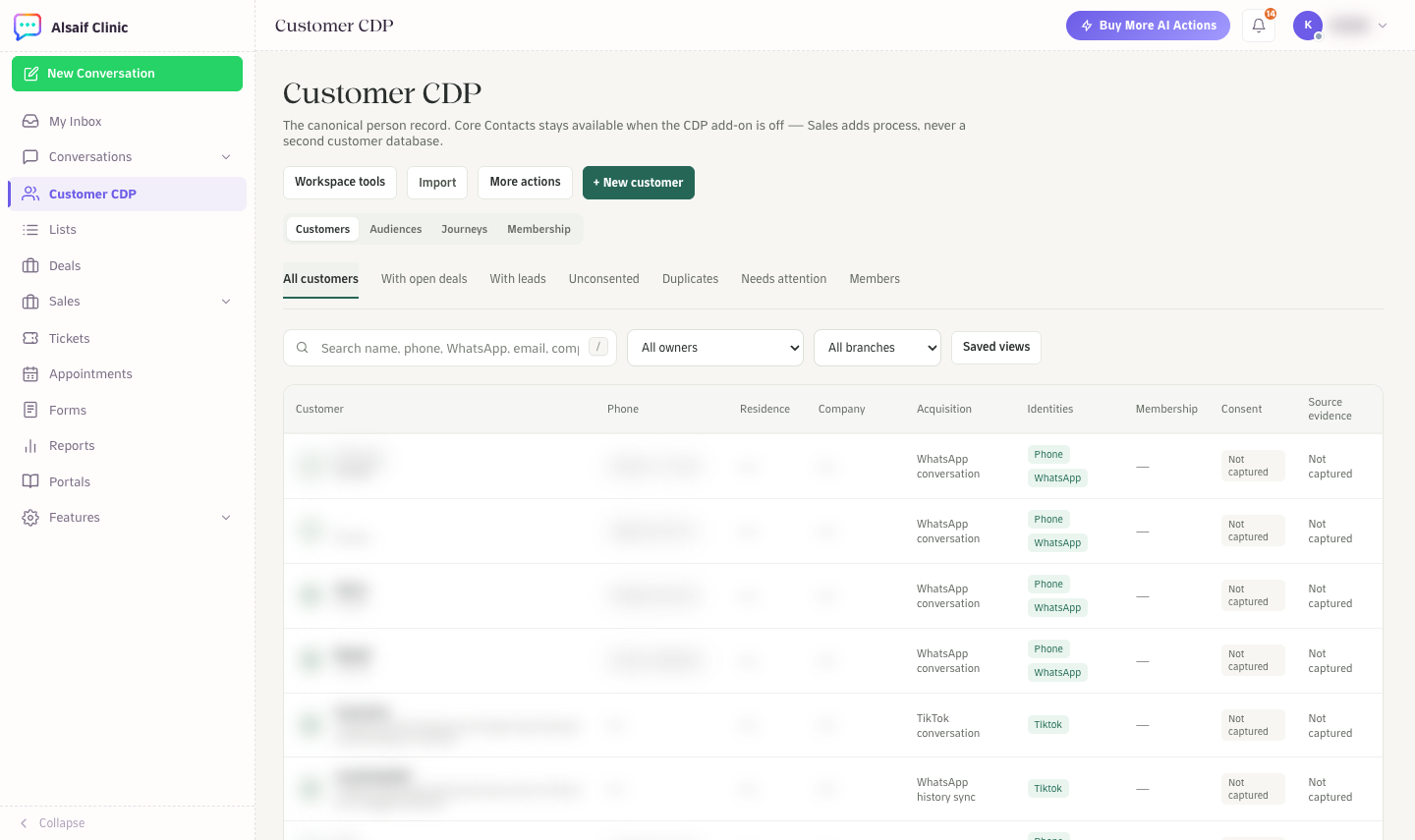
The Customer CDP directory with queues, filters and columns
¶ Find customers
- Search by name, phone, WhatsApp number, email or company. Press
/to jump to the search box. You can type a local number with a leading zero, and HueChat finds the stored international number. - Use the queues: All customers, With open deals, With leads, Unconsented, Duplicates, Needs attention and Members.
- Filter by owner and branch, and use more filters for the original source (for example WhatsApp history sync, a connected conversation or an ad platform), labels, companies, locations, phone and email.
- Keep a useful combination under Saved views.
The columns show the customer, phone, residence, company, acquisition channel, connected identities, membership, consent and source evidence. When HueChat does not know something, it shows "Not captured" instead of guessing.
¶ Add and import customers
- + New customer creates a profile by hand. HueChat warns you about possible duplicates before you save.
- Import loads customers from a file. See How do I import contacts from a CSV file?
- More actions has Export, Select customers and more filters.
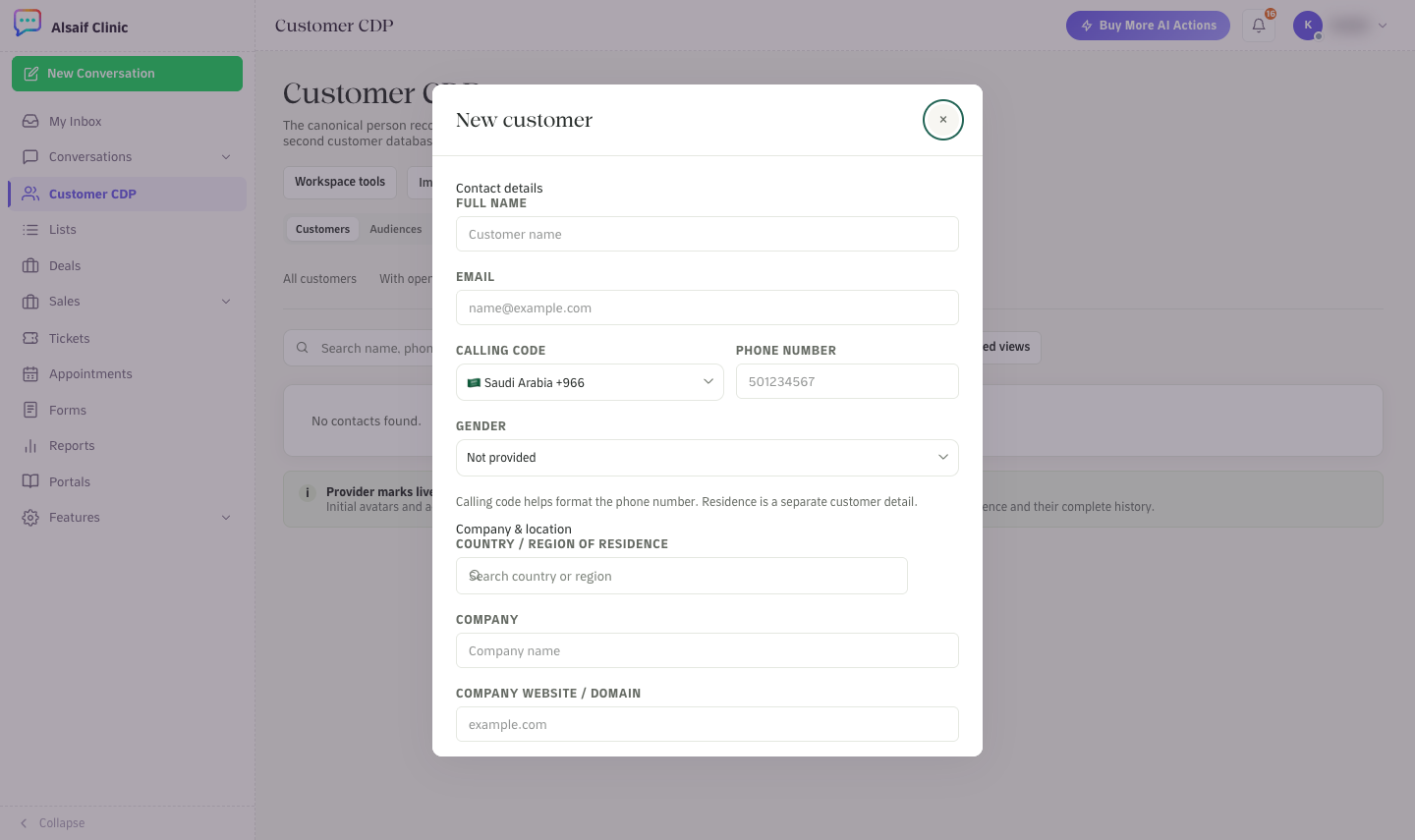
The New customer form with calling code, company and domain
¶ Keep the list clean
Open the Duplicates queue to review people who may be the same person. An administrator can merge two profiles from the customer's menu after confirming they reviewed the identities. A merge keeps old links working and keeps the stricter consent choice of the two profiles.
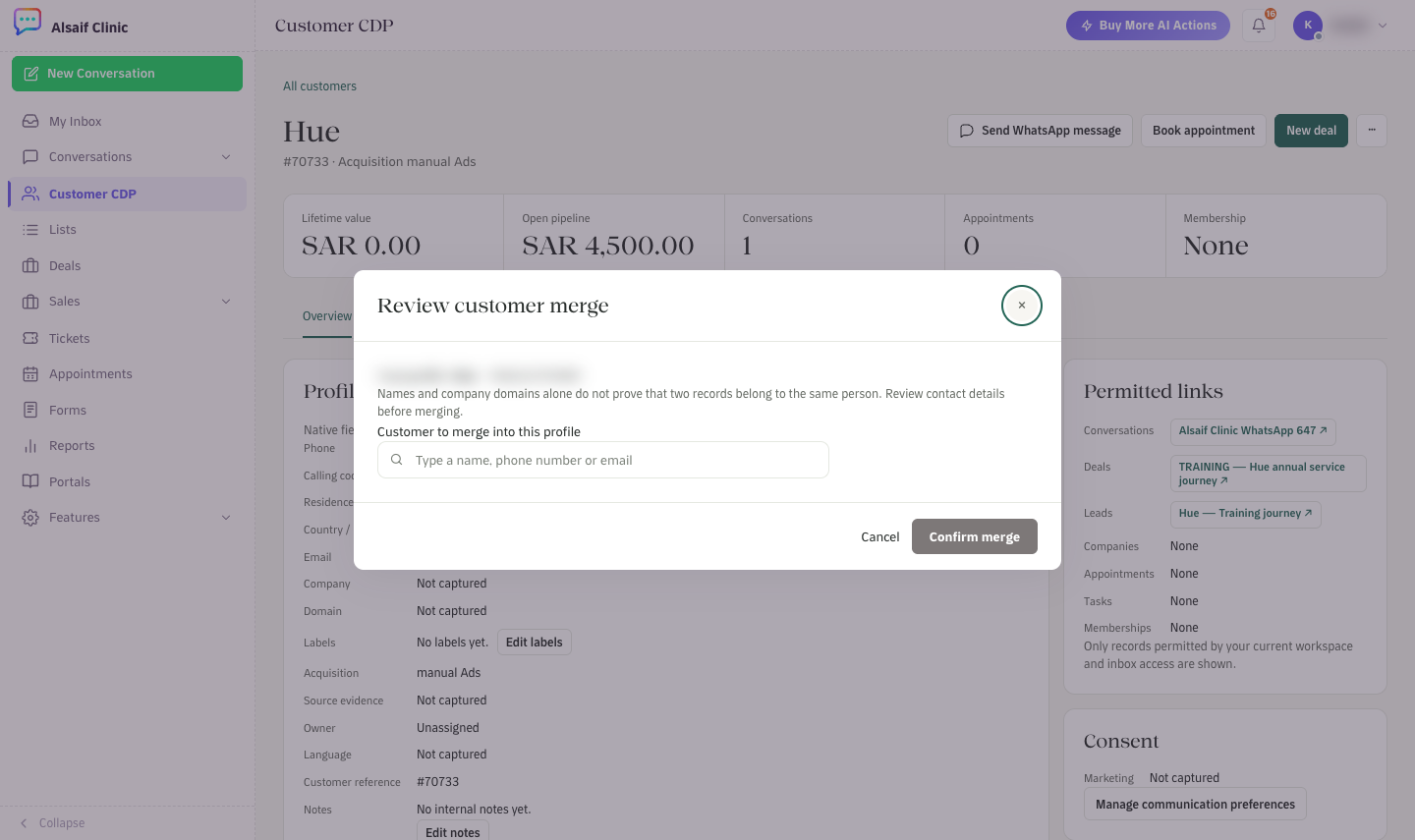
Review customer merge: find the profile to merge and check it before you confirm
¶ Plans and permissions
Core contacts are available on every plan. Audiences, Journeys and Membership are part of the Customer CDP add-on. If your plan does not include them, their tabs are disabled with a note. Administrators create and publish audiences, journeys and membership programs, change consent and merge customers. Agents can view these pages.