An audience is a saved group of customers that you can use in journeys and reporting. This article explains the two audience types and how to build one.
¶ Open Audiences
Open Customer CDP and choose the Audiences tab. The table shows each audience's type, size, definition, where it is used and its state.
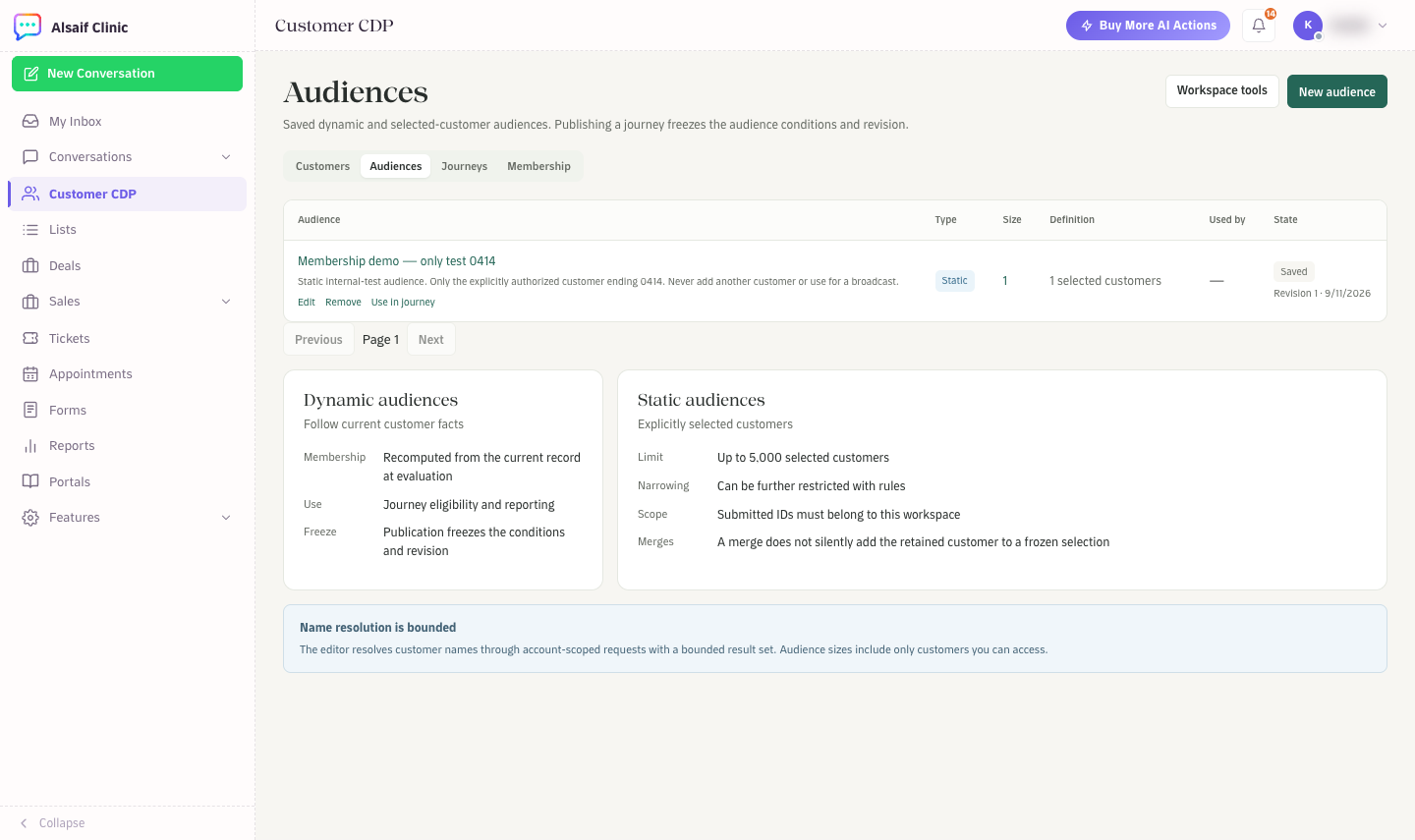
Audiences with a static audience and the rules for each type
¶ Choose a type
- Dynamic audiences follow rules and update as customer data changes. Use them for groups such as "members whose membership expires within 30 days".
- Static audiences are customers you pick by hand, up to 5,000. You can narrow them further with rules.
¶ Build an audience
- Choose New audience. Only administrators can create audiences.
- Name it and choose Dynamic or Static.
- For a dynamic audience, add up to 12 conditions and choose whether customers must match all of them or any of them. You can use country or region, residence or city, company or company domain, original source, membership status, membership expiry within a number of days, deal status, needs attention, label, and activity within a number of days.
- For a static audience, search for customers by name and add them.
- Choose Preview customers to check who matches.
- Choose Save audience.
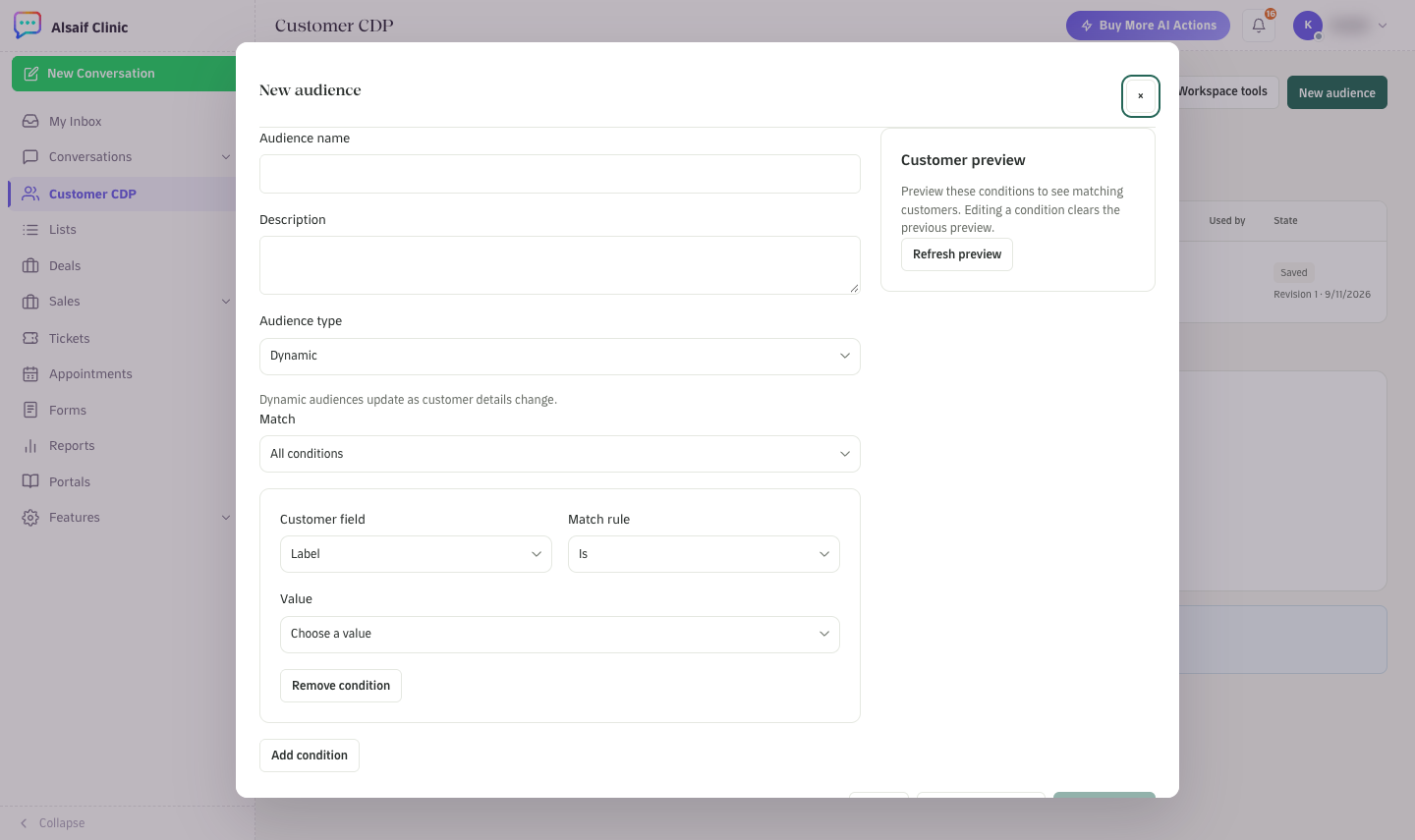
The New audience editor with a rule and the customer preview
From an audience's row you can Edit, Remove or Use in journey.
¶ How audiences behave in journeys
When you publish a journey, HueChat freezes the audience's conditions and revision for that journey version. Later edits to the audience do not change a running journey until you publish a new version. A merge never silently adds a customer to a frozen static selection.
¶ Good to know
- Audience sizes count only the customers you are allowed to see.
- Audiences are different from Lists in the sidebar. Lists are the classic contact lists used for broadcasts.
Audiences are part of the Customer CDP add-on.