You can describe contacts with labels (tags), custom attributes and lists (segments). Together they let you filter contacts, route conversations and target Broadcasts.
¶ Labels (tags)
Labels are short tags you attach to contacts and conversations, such as vip or lead.
Create a label:
- Open Settings and choose Labels.
- Enter a Title (for example
vip_customer), an optional Description and a Color. - Turn on Show On Sidebar if you want the label to appear as a quick filter in the Team Inbox.
- Save.
Add labels to a contact:
- Open the contact from Contacts and use the labels area to pick from Available labels or type a new label name.
- In a conversation, the contact panel shows Conversation Labels with an Add Labels control.
- When importing a CSV, fill the
labelscolumn and separate several labels with|.
Labels power the Labels filter in the Customer CDP and the Label Reports page in Analytics.
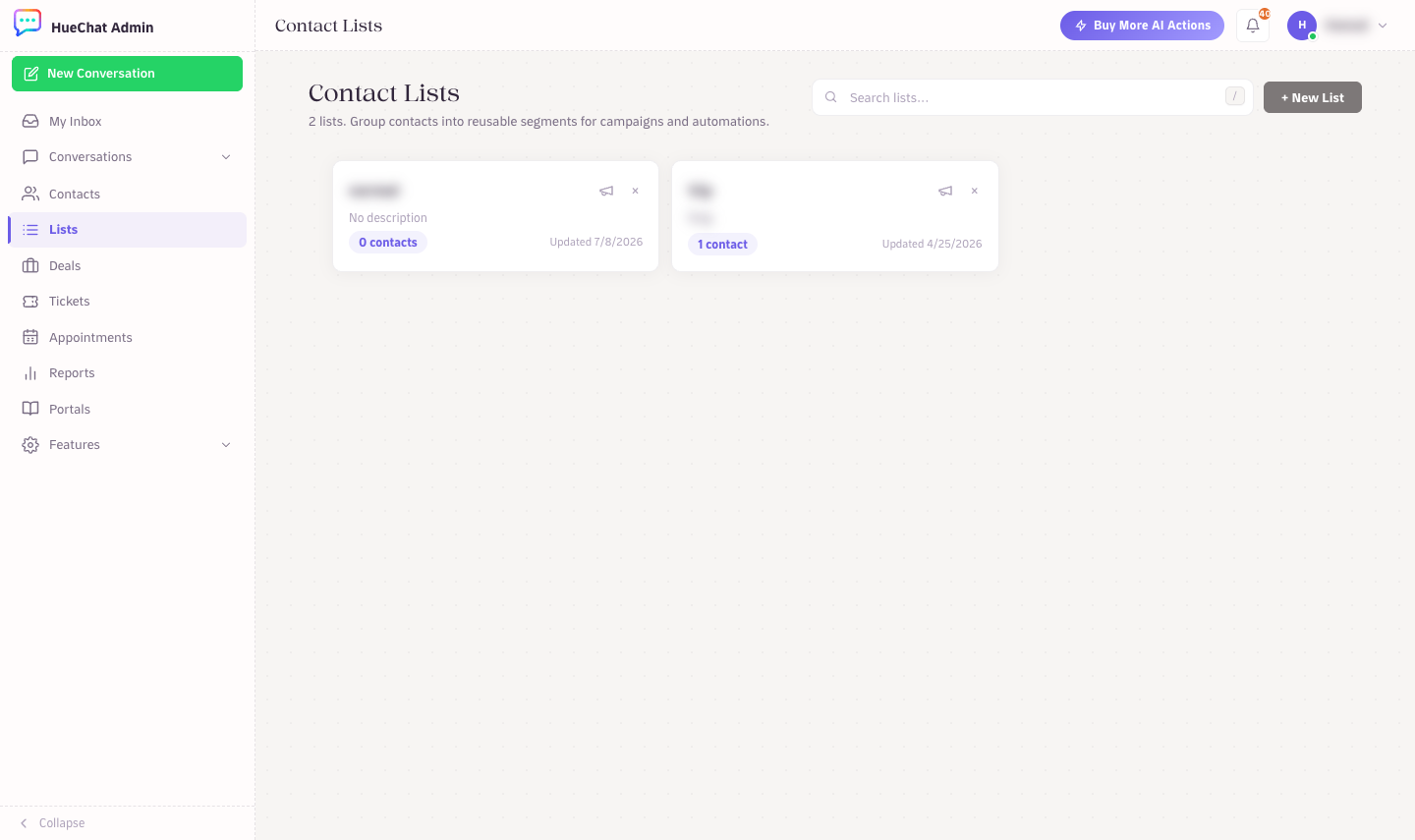
Contact Lists group contacts into segments
¶ Custom attributes
Custom attributes store data that HueChat has no built-in field for, such as a loyalty tier or a contract date. They appear in the Custom Attributes section of every contact page and can be used in automation and reports.
- Open Settings and choose Custom Attributes.
- Enter a Display Name (for example
VIP Tier). HueChat suggests a key such asvip_tier, which is the name used by the API and automations. - Choose what it Applies To: contacts or conversations.
- Choose a Type: text, number, link, date, list or checkbox. For a list, enter the List Options one per line.
- Add a Description so your team knows how to use it, then save.
Values are set on the contact page or by automations and the API. Custom Reports built on attributes are included on the plans that list them. Exact options may differ by plan.
Contact Lists group contacts into segments
¶ Lists (segments)
Lists group contacts so you can send a Broadcast to them or review them together.
- Open Lists and choose New List.
- Enter a List Name such as
VIP Customersand pick how to fill it:- Empty List: start blank and add contacts by hand.
- From CSV / Excel: upload a spreadsheet with
nameandphone_number(oremail) columns, one contact per row. - Advanced Search: build filter rules.
- For Advanced Search, add one or more rules made of an Attribute, an Operator and a Value. Attributes include Name, Email, Phone Number, Country, City, Company, Label, Created After and Active After. Operators include Equals, Not equal, Contains, Does not contain, Is set and Is not set.
- Save the list. From the list you can choose New Campaign, which creates a draft you manage and send from Broadcasts.
Contact Lists group contacts into segments
¶ Quick filters in the Customer CDP
Without creating a list you can filter Contacts by Labels, Companies, Locations, Phone (Has phone or Missing phone) and Email (Has email or Missing email), and sort by Newest first or Recent activity.