This article explains how to remove a connected channel from HueChat and what happens to its credentials and conversation history.
¶ Before you remove a channel
- Only an administrator can remove an inbox.
- Reassign or resolve open conversations first, so nothing is left waiting.
- Export anything you need from Analytics or Contacts.
- If the channel is WhatsApp and you plan to move the number to another provider, read the WhatsApp section below first.
¶ Remove an inbox
- Sign in to app.huechat.ai as an administrator.
- Open Settings and choose Channels.
- Select the inbox you want to remove.
- Choose the option to delete the inbox and confirm.
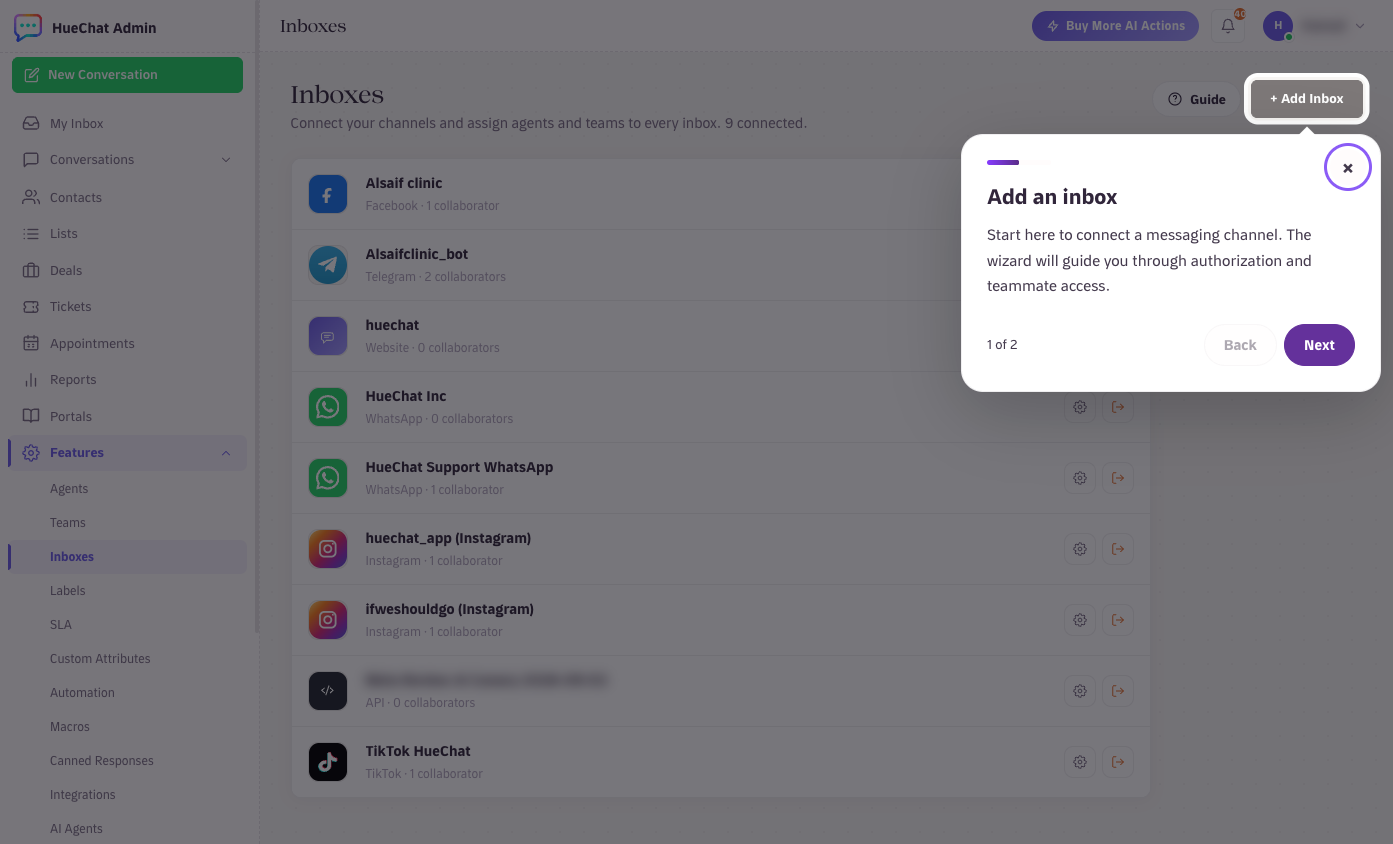
Settings, Inboxes: every connected channel
HueChat stops receiving messages for that channel straight away.
¶ What happens to credentials
HueChat keeps channel credentials and OAuth tokens only until the integration is disconnected, the credential expires, or the account is deleted. When you remove an inbox, the stored token is revoked, disabled and removed from ordinary use. For Meta channels, you can also remove HueChat from your Facebook business integrations to revoke access on Meta's side.
¶ What happens to conversation history
Conversation history from a removed inbox stays in your account. Contacts keep their record, and past conversations remain readable for reporting and context, marked as coming from a channel that no longer exists. Removing an inbox does not delete customer data. If you want the data deleted as well, submit a deletion request as described in the data export and deletion article. There is no customer-configurable message retention setting. Exact options may differ by plan.
¶ WhatsApp numbers
- Moving to another provider: do not delete and re-add a live number. Remove HueChat's access in Meta only after the new provider has completed the migration, or messages will fail with an error from Meta during the gap.
- Two-step verification PIN: if a PIN is set on the number, the new provider will need it.
- Meta billing: message fees already incurred are billed by Meta regardless of the removal.
¶ Instagram and Messenger
Removing the inbox stops HueChat from receiving messages, but the Page and Instagram account keep working in Meta's own apps. Messages sent while disconnected are not imported later.
Removing an Email inbox stops importing new mail. Your mailbox and its contents are untouched.
¶ Reconnecting later
You can add the channel again at any time. It becomes a new inbox, and new conversations start fresh. Old conversations stay attached to the removed inbox's history.
If you removed an inbox by mistake, email support@huechat.ai as soon as possible with the inbox name.