This article shows you how to pay for a plan, save a card, switch plans and cancel. You need to be an account administrator to change billing.
¶ How payment works
HueChat processes payments through Moyasar, a Saudi payment provider. You can pay with mada, Visa, Mastercard or Apple Pay. Card details are entered in the Moyasar form and never touch HueChat servers. All charges are made in SAR.
When you save a card, Moyasar may create a 1 SAR verification charge. It is refunded automatically after the card is saved. The saved card is used for automatic renewal, self-serve plan changes and AI Actions purchases.
¶ Upgrade or start a paid plan
- Open your profile settings and choose the Subscription tab.
- Under Available Plans, choose Monthly or Yearly billing, then choose the plan you want.
- Choose Continue to Payment.
- Complete the Moyasar payment form, or use your saved card.
- When the payment is confirmed, the new plan is active immediately and a receipt is sent to the account owner by email.
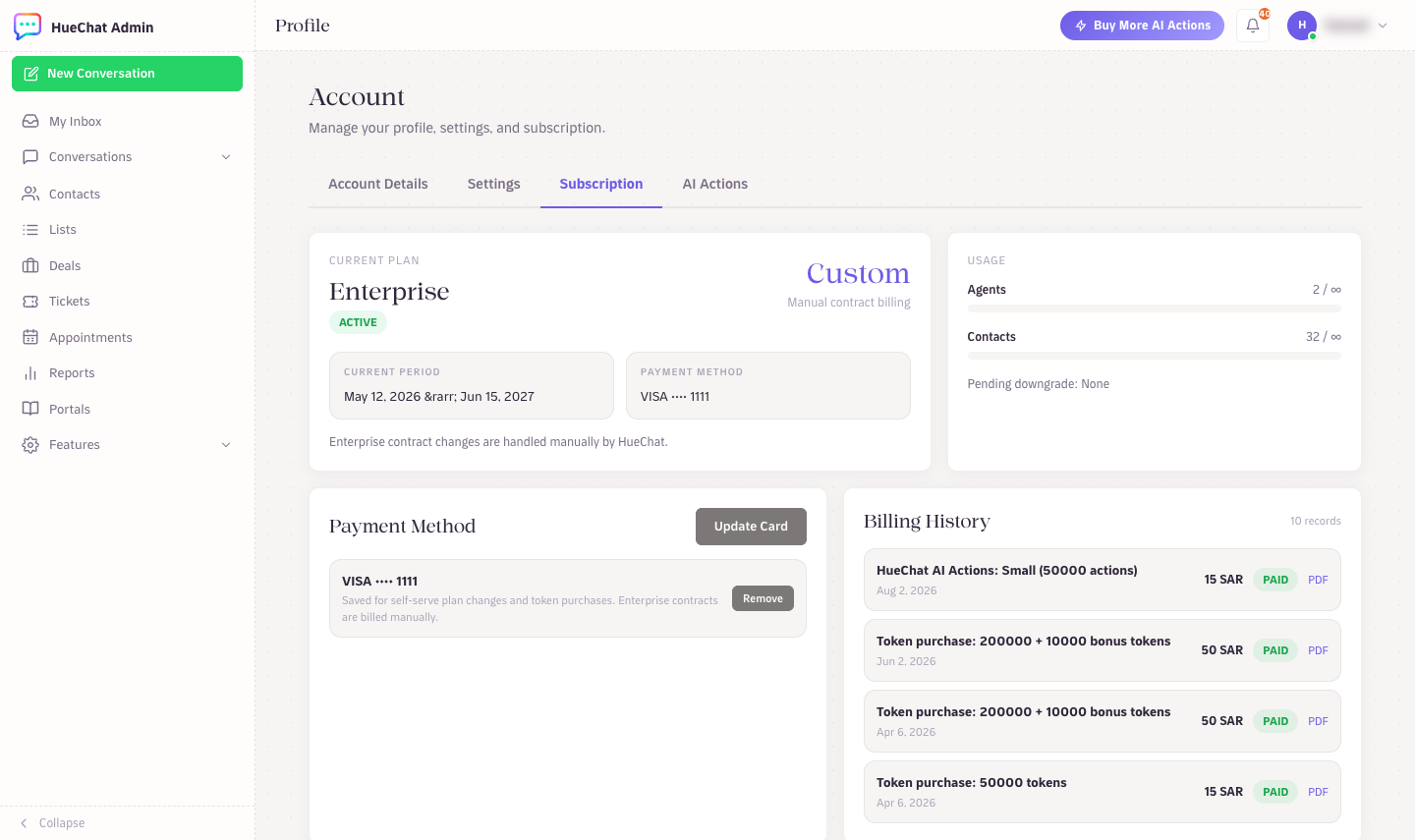
Payment method and plan changes under Subscription
Enterprise is not self-serve. Choose Contact us on the pricing page or email support@huechat.ai and we will set up a contract invoice.
¶ Downgrade to a smaller plan
A downgrade is scheduled, not immediate. Your current plan stays active until the end of the paid period, then HueChat switches you to the smaller plan. You receive an email when the downgrade is scheduled and again when it runs.
Changed your mind? Choose Cancel Pending Downgrade in the Subscription tab before the period ends and you keep your current plan.
Moving to Free is different: it takes effect immediately and no charge is made. Free keeps one active channel; your other channels and data stay saved until you upgrade again.
¶ Change your card
- Open the Subscription tab.
- In the Payment Method card, choose Update Card (or Add Card if none is saved).
- Complete the Moyasar form. The new card replaces the old one for future renewals.
¶ Cancel your subscription
- Open the Subscription tab.
- Choose Cancel at Period End.
- Confirm. A cancellation email tells you the exact date service ends.
Your plan stays active until the end of the period you already paid for. After that the account moves to Free. Nothing is deleted. If you change your mind before that date, choose Resume Subscription and the plan continues as before. The Free plan itself cannot be cancelled.
¶ Refunds
Refund eligibility is shown at purchase. Unless a different mandatory rule applies, a new subscription can be cancelled for a refund within its first 14 days. Email support@huechat.ai with the account email and the transaction date. Refund receipts appear in Billing History.