This article shows you where HueChat keeps your invoices, how to download them as PDF and which emails you receive for each charge.
¶ Download an invoice
- Open your profile settings and choose the Subscription tab.
- Scroll to Billing History. Each row is one transaction with its date, description, amount and status.
- Choose the invoice link on the row you need. HueChat generates a PDF named like
HueChat-Invoice-XXXX.pdfand your browser downloads it.
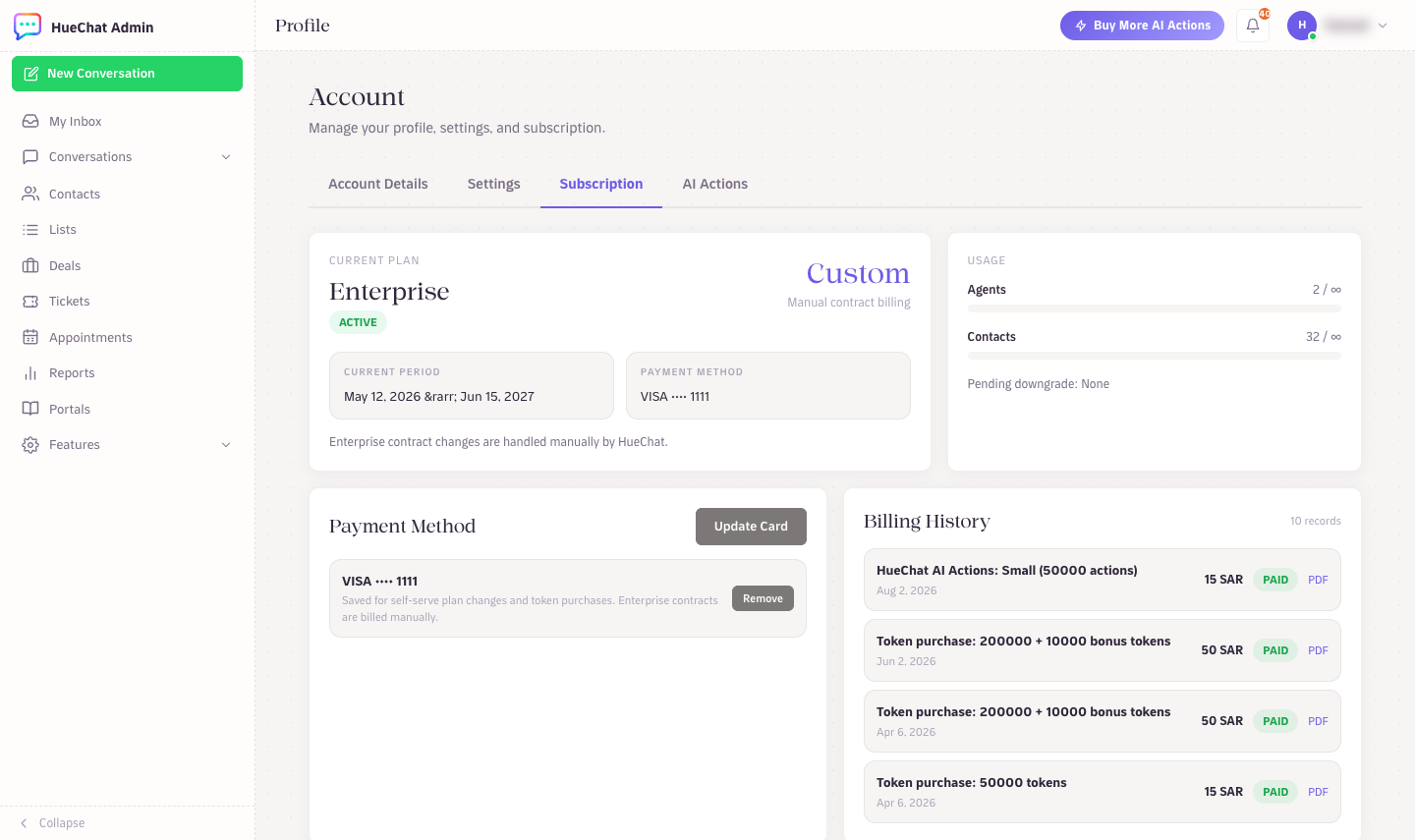
Billing History with PDF downloads
Only paid transactions have an invoice. A row that shows a pending status becomes downloadable once the payment is confirmed.
¶ Refund receipts
When HueChat refunds a payment, the refund appears as its own row in Billing History. Its document is a refund receipt named like HueChat-Refund-XXXX.pdf, so you have a matching record for your accounting.
¶ What the invoice contains
Each PDF shows the HueChat company details, your account name and email, the plan and billing cycle, the amount in SAR, the payment date and the last four digits of the card used. Invoices support English and Arabic text, following your account language.
Invoices are addressed to the account, not to an individual agent. If you need a different company name or tax number on the invoice, update your account details before the next renewal or email support@huechat.ai for an earlier one.
¶ Billing emails
HueChat sends these emails to the account owner address:
- A receipt after each successful subscription payment or renewal.
- A confirmation when you buy extra AI Actions, with the package details.
- A notice when a downgrade is scheduled and when it runs.
- A notice when a renewal payment fails, and a final notice if the account expires.
The emails come from HueChat's billing sender. Add it to your safe senders list if they land in spam. Emails are a convenience; the Subscription tab is the record of truth.
¶ Enterprise and manual billing
Enterprise accounts are billed by contract. The Subscription tab shows Manual contract billing instead of a card, and invoices are sent by email by the HueChat team rather than generated in the app. Contact support@huechat.ai for a copy.
¶ Cannot find a transaction?
- Check that you are signed in as an administrator of the right account.
- Payments made a few minutes ago can take a short time to appear. Refresh the page.
- If a card was charged but nothing shows in Billing History, email support@huechat.ai with the date, amount and the last four digits of the card so we can trace the payment with Moyasar.