An agent is never finished on day one. This article gives you a routine for testing before publishing and improving after launch.
¶ Test before you publish
The Test Agent section at the bottom of the agent editor is a private chat with the current draft. Nothing is sent to a customer and no AI Actions are charged, within the Free Test Limits shown in the panel (per user per day, per agent per day and per month).
- Ask the ten questions your front desk hears most, in the language the agent serves.
- Try to book, reschedule and cancel if booking is enabled.
- Ask something the agent should refuse or hand off ("Can I talk to a manager?").
- Ask for a price that is not in your sources. The agent should not invent one.
Use Reset to start a fresh test conversation. Use Test Retrieval in Knowledge Sources to see which chunks a question finds; if the right chunk is missing, fix the source, not the prompt.
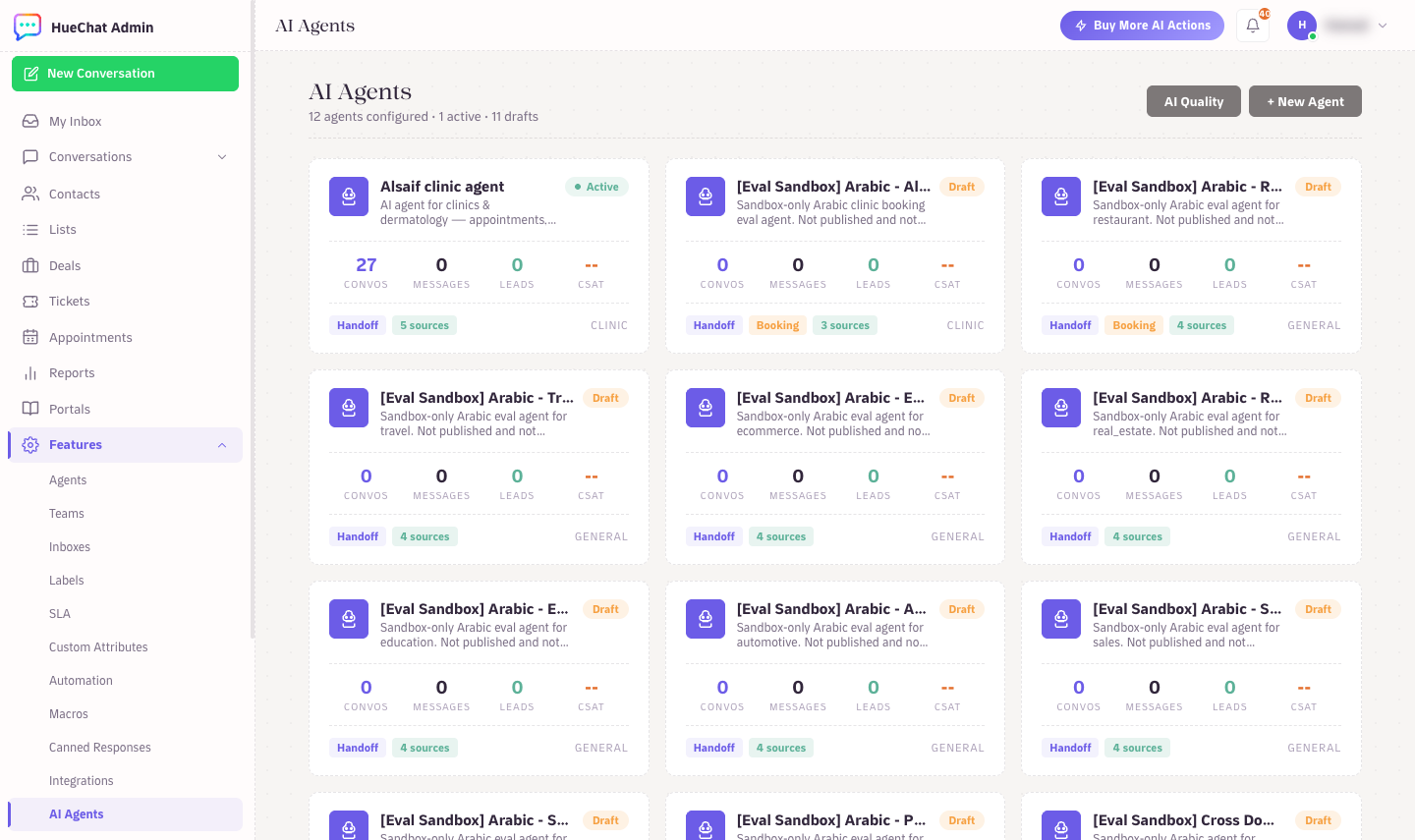
AI Quality and per-agent stats on the AI Agents page
¶ Version History
Every save creates a version. Under Version History you can compare previews and Restore an earlier prompt if a change made the agent worse. Publish only when the test chat looks right.
¶ Improve after launch
¶ Read real conversations
For the first two weeks, read the agent's conversations in the Team Inbox every day. Look for:
- Handoffs caused by a missing fact. Add it to the knowledge sources.
- Wrong or vague answers. Tighten the Instructions with a specific rule.
- Customers repeating themselves. Shorten the greeting or ask fewer questions.
Most fixes are additions to the knowledge base: a service you forgot, a price that changed, a question nobody expected.
¶ Use feedback signals
- CSAT Survey under Quality & Feedback sends a 1 to 5 rating request after the AI resolves a conversation. Low scores appear in Reports with the conversation link.
- Team members can rate AI replies in the inbox. Corrections feed HueChat's quality review.
¶ AI Quality page
The AI Quality page in the AI section summarises Readiness, items that Need Attention, and suggested Actions for your account. Domain Scorecards show coverage and weak spots by business domain (pricing, booking, policies), including cases with bad feedback. Start with the lowest-scoring domain.
¶ AI Analytics
Use the AI analytics view to watch resolution rate, handoff rate and AI Actions used per answer over time. A rising handoff rate after a change usually means a knowledge gap.
¶ A weekly routine
- Read handed-off and low-rated conversations.
- Add or fix knowledge sources; re-index changed URLs.
- Adjust one Instructions rule at a time, then re-test in Test Agent.
- Publish and note the change in your own log so you can match it to next week's numbers.
Exact options may differ by plan.