Knowledge sources are the facts your agent is allowed to use: prices, services, policies, locations. This article shows you how to add them and how HueChat keeps answers tied to them.
¶ Three ways to add knowledge
Open the agent, scroll to Knowledge Sources, and choose one:
- Add URL: paste a page from your website, such as your prices or services page. Optionally let HueChat follow links on the same site (for example /services) and index those pages too.
- Upload File: PDF, Word, CSV or Excel. Menus, price lists and brochures work well. For prices, a CSV with one row per service is cleaner than a crawled web page.
- Add Text: paste a few paragraphs directly. Good for short rules such as "Returns are accepted within 7 days if unused and sealed."
After saving, HueChat indexes the source in the background. The row shows its status; wait until it is indexed before testing.
You can also Attach Existing sources from the central library under Settings, Knowledge Sources, so several agents share one price list.
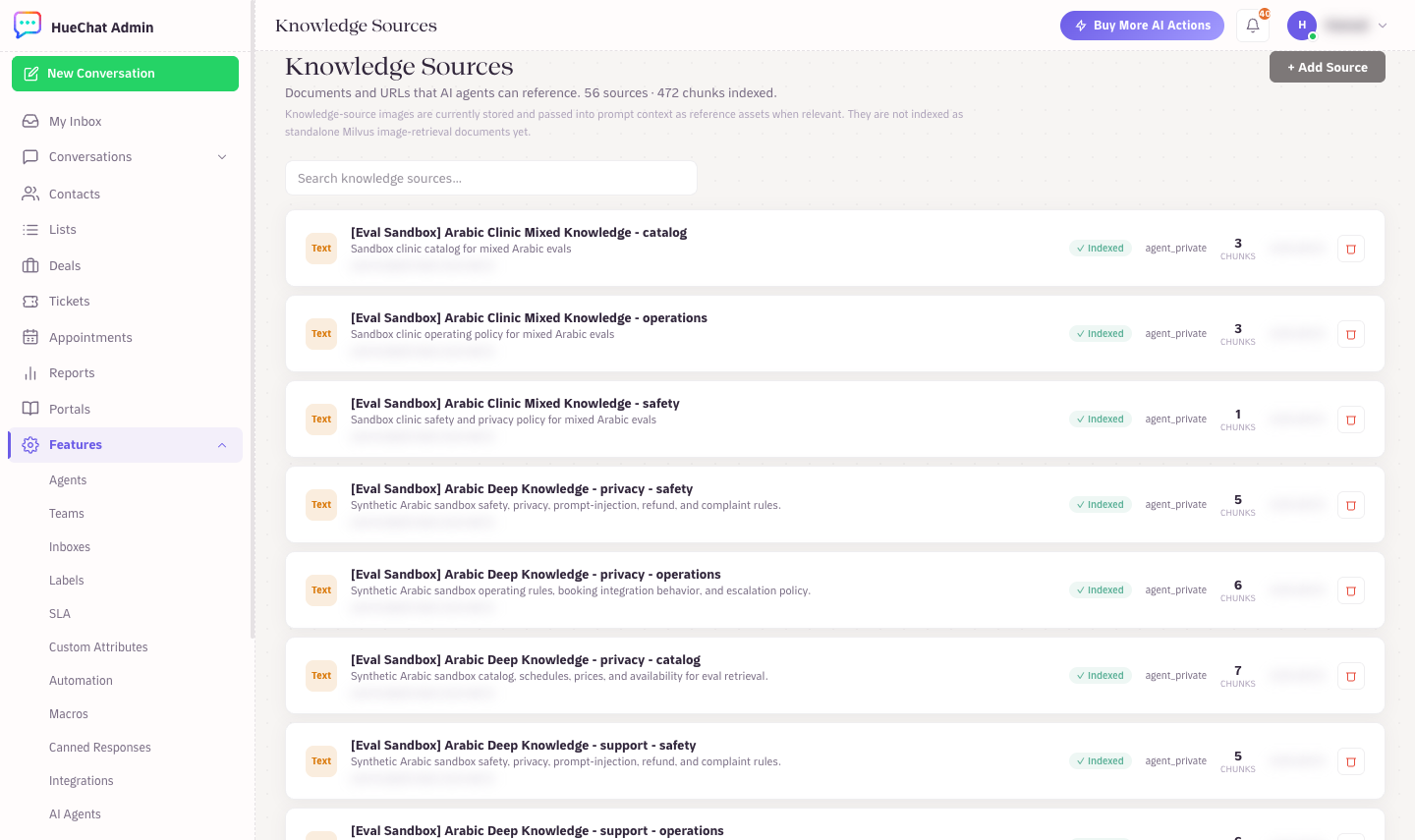
Knowledge Sources: documents and URLs the agent can reference
¶ Policy fields on every source
Each source has settings that control how it is used:
- Visibility: Agent private (only this agent), Account shared (all agents), Selected agents (pick from a list) or Template shared.
- Authority: Policy (strongest, for prices, refunds, warranty, booking rules), High, Medium (FAQs, menus) or Low (old or seasonal pages).
- Retrieval policy: usually Match visibility. Choose Canonical business policy for facts the AI must never guess.
- Canonical labels: comma-separated service or product names, in Arabic and English, such as
Dental cleaning, تنظيف اسنان. They help match customer wording to your wording.
Example: a refund policy page as Account shared, authority Policy, retrieval policy Canonical business policy, labels Refund policy, Cancellation, استرجاع.
¶ How grounding works
When a customer asks a factual question, HueChat retrieves the most relevant chunks from your sources and gives them to the model together with your Instructions. Before the answer is sent, a final check looks for high-risk claims about prices, policies, services or availability:
- If the claim is supported by a source or by your Instructions, the answer goes out.
- If it is not supported, or two sources of equal authority disagree, the AI does not guess. It gives a safe fallback or offers to connect the customer with your team.
This is why an agent sometimes says it cannot help with a price: the price is not in any source. Add it and the answer changes.
¶ Live data needs a webhook, not a document
A PDF cannot tell the AI whether Tuesday at 10:00 is free. For live availability, order status or loyalty points, add a Webhook in the agent's Webhooks section (name, description, URL, method, auth type, timeout). The AI calls it when needed and confirms only after the call succeeds. For appointments, HueChat's own Appointments feature does this without a webhook.
¶ Keep knowledge fresh
- When a page changes, re-index the source; URL sources are crawled again.
- Use Test Retrieval to see which chunks the agent finds for a question.
- Archive seasonal offers when they end, or mark them Low authority.