Besides Meta, HueChat receives lead forms from Google Ads, TikTok and Snapchat, and reports on LinkedIn campaigns. Each platform is connected from Overview → Connections in the Ads workspace (Features → Ad Beta). Some platforms depend on provider approval; their card shows "Setup required", "Approval pending" or "Access approval required" until that is done.
¶ Google Ads
- On the Google Ads card choose Connect and sign in with the Google account that manages your ads.
- Choose a Google Ads account from the list (use Refresh Google accounts if it is empty). The card then shows "Ready to receive leads".
- Google lead form assets deliver leads by webhook. In Google Ads, open the lead form asset, enable webhook delivery and enter the webhook URL and key for your HueChat account. Google sends a test submission first, which HueChat acknowledges.
- Submit a test lead from the form preview and check that it appears under Recent ad leads.
HueChat rejects submissions whose key does not match, so keep the key private. If you cannot find the webhook details for your account, write to support@huechat.ai.
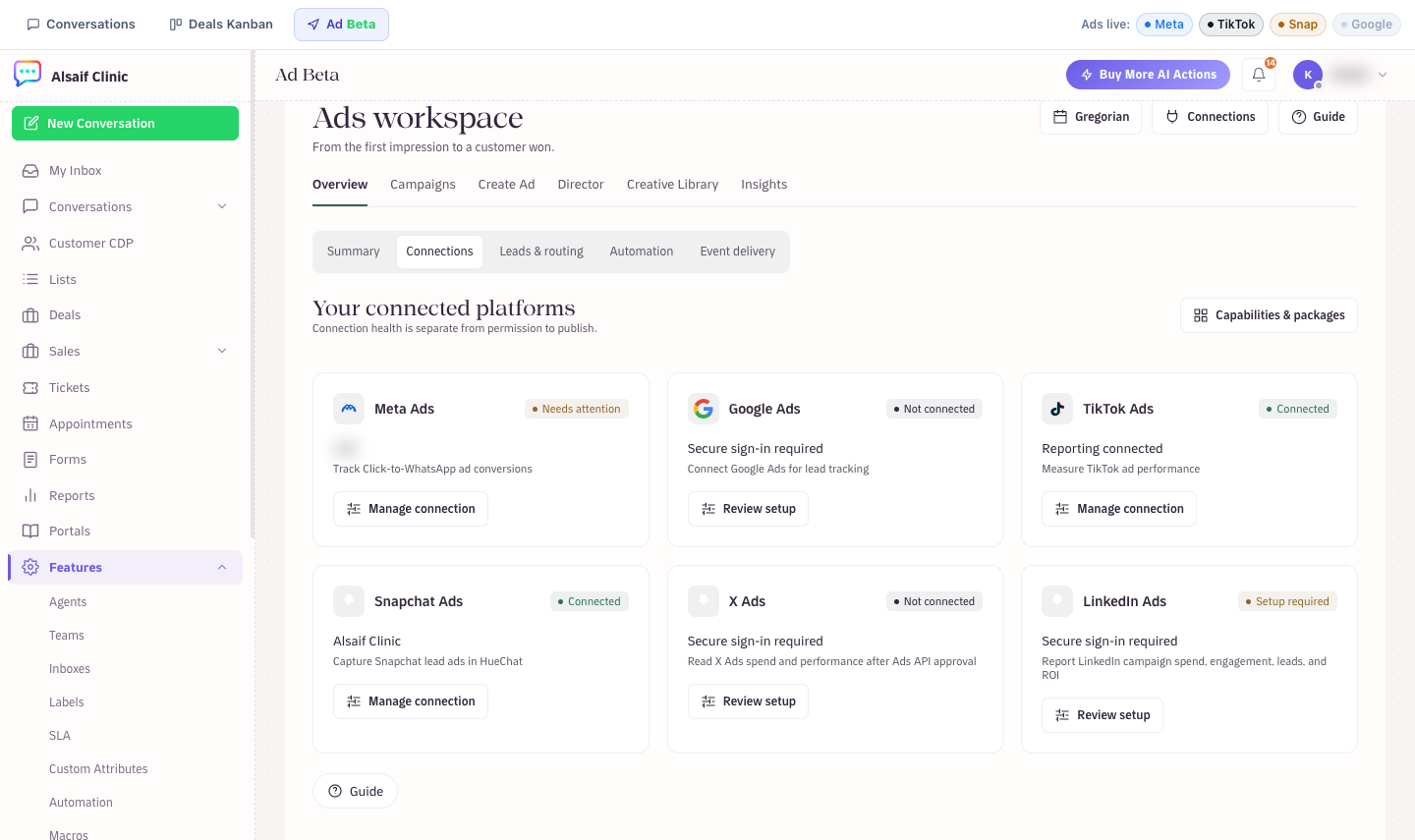
Ad platform cards in the Ads workspace, each with its connection state
¶ TikTok
- On the TikTok Ads card choose Connect and approve access in TikTok.
- On the card, check Lead delivery and choose Enable lead delivery. Accounts connected before 19 September 2026 need this step once. If an ad account is missing from the list, choose Refresh ad accounts.
- Create or select a TikTok instant form in your campaign.
- TikTok sends each submission to HueChat as a signed request. HueChat verifies the signature, then creates the lead, contact, deal and conversation in the same way as Meta leads.
¶ Snapchat
- On the Snapchat Ads card choose Connect and approve access.
- The card lists your Snapchat lead forms with their state. Choose Enable lead delivery for each form you want in HueChat, then Send test lead to check it.
- Snapchat lead ads are delivered to HueChat by webhook. Each lead is verified against the Snapchat signature before it is stored.
- Optionally choose Authorize profile publishing if you also want to publish from HueChat. Reporting and lead capture work without it.
The LinkedIn Ads connection reports campaign spend, engagement, leads and ROI in the Insights tab. Connect it from the LinkedIn Ads card. Exact options may differ by plan.
¶ X Ads
X Ads is reporting only and needs Ads API approval before it can connect.
¶ Where leads go
Every captured lead, whatever the platform:
- becomes a contact, matched by phone or email,
- creates a Deal in the inbound stage,
- opens a conversation in your primary inbox with a summary of the form answers,
- appears under Recent ad leads and in the Export leads CSV.
- appears in Sales → Leads with the source Ad, when your plan includes Leads.
Meta form routing rules (Team, Agent, Tags) apply to Meta forms. For other platforms, use the inbox's assignment rules and automations to route the conversation.
¶ Troubleshooting
- The card shows "Secure sign-in required": the token expired. Choose Connect again.
- No leads arrive: check the webhook settings on the platform and confirm the ad is live. Send the platform name and lead ID to support@huechat.ai if a test lead does not appear.