The Ads workspace brings your advertising and your results together: which campaigns bring leads, how many become deals and what they earn. This article gives you a tour and shows you how to check your connections. The Ads workspace is in Beta.
¶ Open the Ads workspace
Open Features → Ad Beta. The workspace has the tabs Overview, Campaigns, Create Ad, Director, Creative Library and Insights. Inside Overview you find Summary, Connections, Leads & routing, Automation and Event delivery.
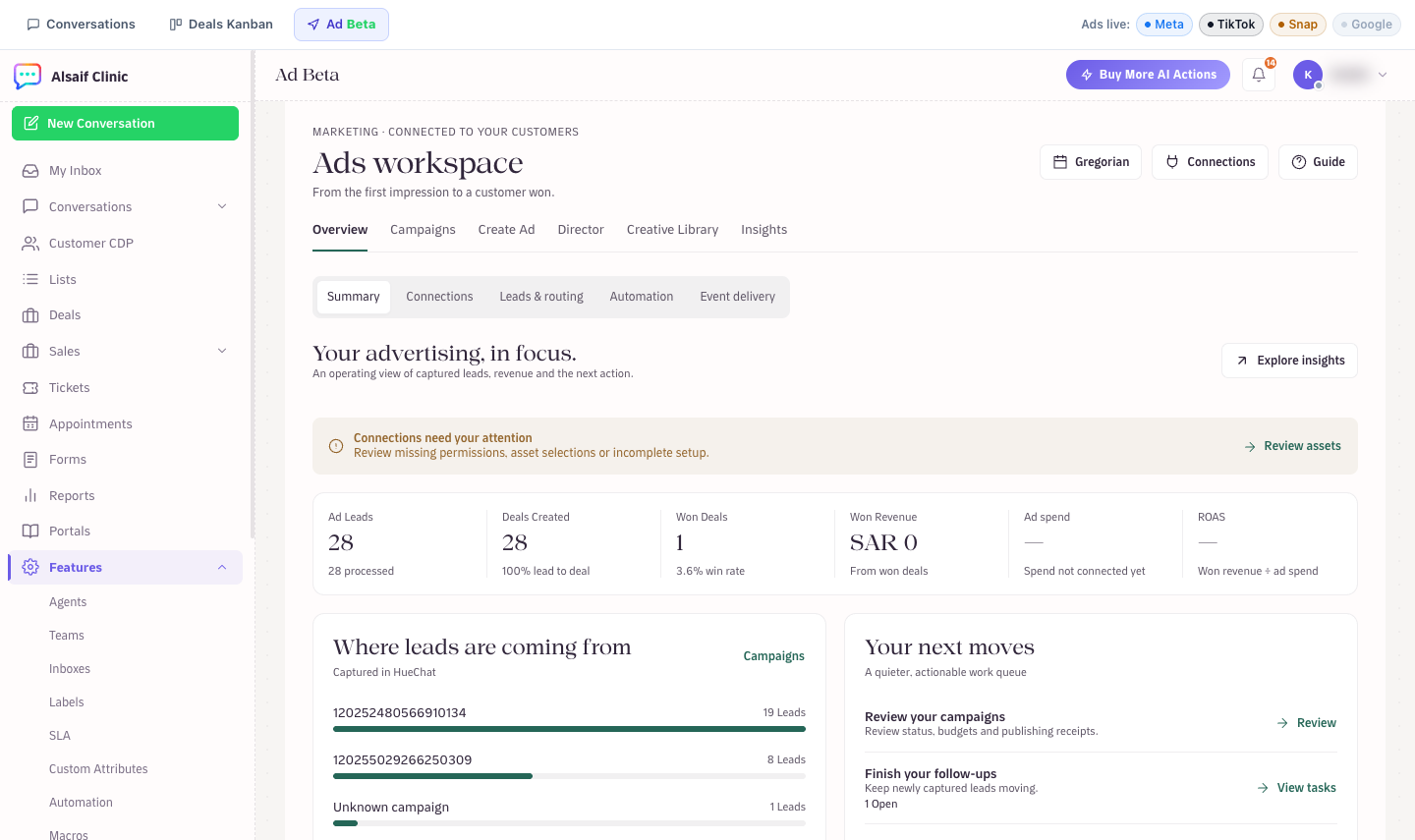
The Ads workspace summary with leads, deals, revenue and next moves
¶ The summary
- Ad Leads, Deals Created, Won Deals, Won Revenue, Ad spend and ROAS (won revenue divided by ad spend).
- Where leads are coming from ranks campaigns by the leads captured in HueChat.
- Your next moves points to campaigns to review, follow-ups to finish and creatives to make.
- Revenue by source compares campaigns, platforms, ads and lead forms.
If a banner says Connections need your attention, choose Review assets to fix missing permissions or asset selections.
¶ Check your connections
Choose Connections. Each platform card shows the real state of its connection.
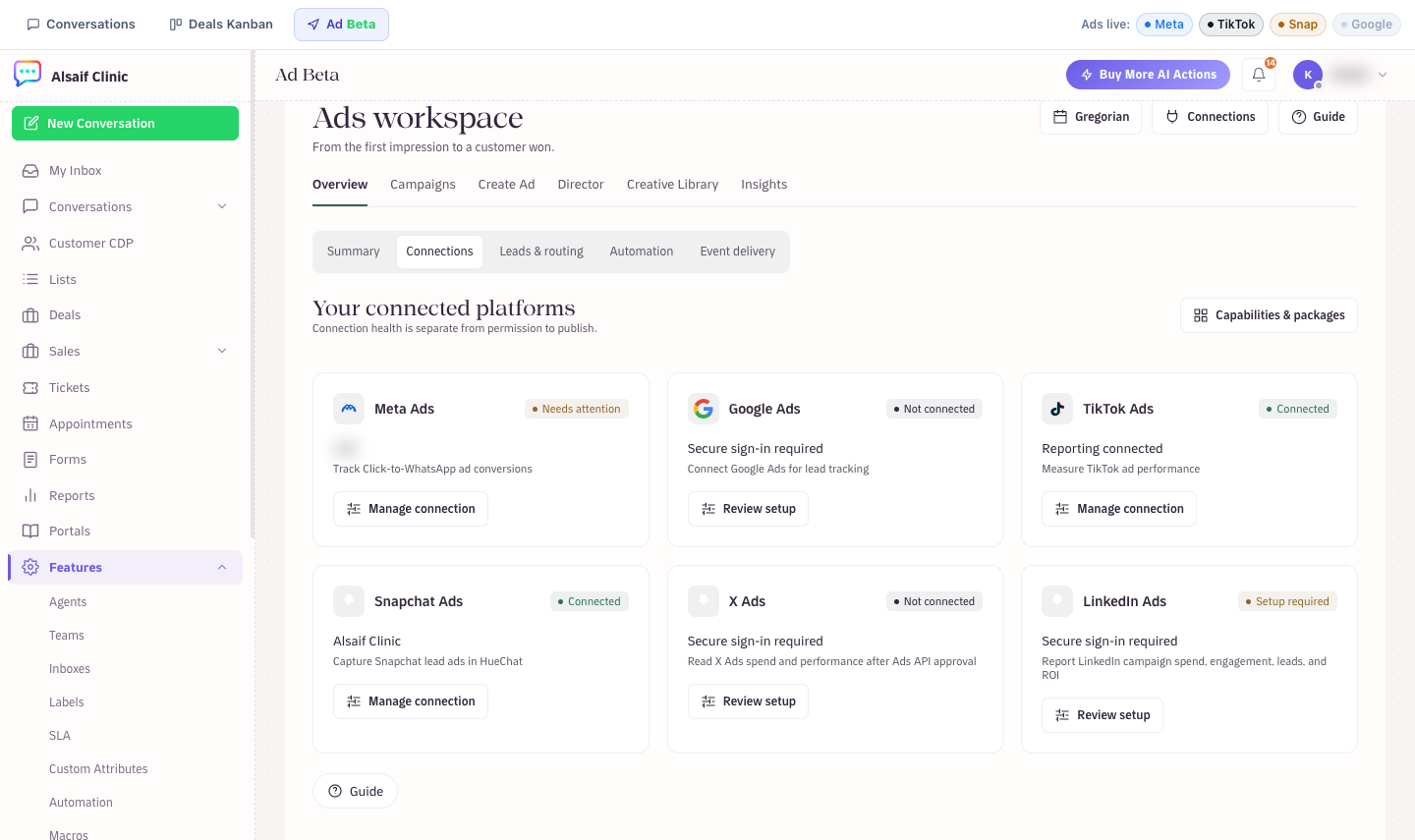
Connected ad platforms and their state
- Meta Ads: track Click-to-WhatsApp conversions and receive Lead Ads.
- Google Ads: connect for lead tracking.
- TikTok Ads: reporting and lead delivery. Choose Enable lead delivery, and choose Refresh ad accounts if an ad account is missing.
- Snapchat Ads: capture Snapchat lead ads. Each lead form shows its state. Choose Enable lead delivery, then Send test lead to check it.
- X Ads and LinkedIn Ads: connection and reporting only.
A card that says Connected means the connection works. Permission to publish ads is shown separately.
¶ Campaigns, creatives and insights
- Campaigns: filter, preview, pause and resume campaigns.
- Create Ad: a guided builder in four steps. New campaigns are created paused, so you can review them before they start.
- Director: creates creative ideas and assets, and shows the cost before any extra charge.
- Creative Library: your saved creatives.
- Insights: performance metrics with export.
¶ Where ad leads go
Ad leads appear in Sales → Leads with the source Ad, where you qualify, assign and convert them. See How do I capture, qualify and convert leads?
The Ads workspace is available on plans that include Ad Beta. Some platforms need approval from the provider before they can connect.