This article shows you how to review the browsers and phones where you are signed in to HueChat, and how to sign them out.
¶ What a session is
Each time you sign in, on the web or in the mobile app, HueChat creates a session for that browser or device. The session rules are:
- A session ends after 30 days without activity.
- A session ends 180 days after it was created, even if you use it every day. You simply sign in again.
- Each user can have at most five sessions at once. Signing in on a sixth device ends the oldest session.
- Changing your password ends every other session.
¶ See your sessions
- Sign in to app.huechat.ai.
- Open your profile or account security settings.
- Open the sessions or devices section.
You see a list of active sessions with the device or browser, the approximate location or IP address, and when it was last used. The current session is marked.
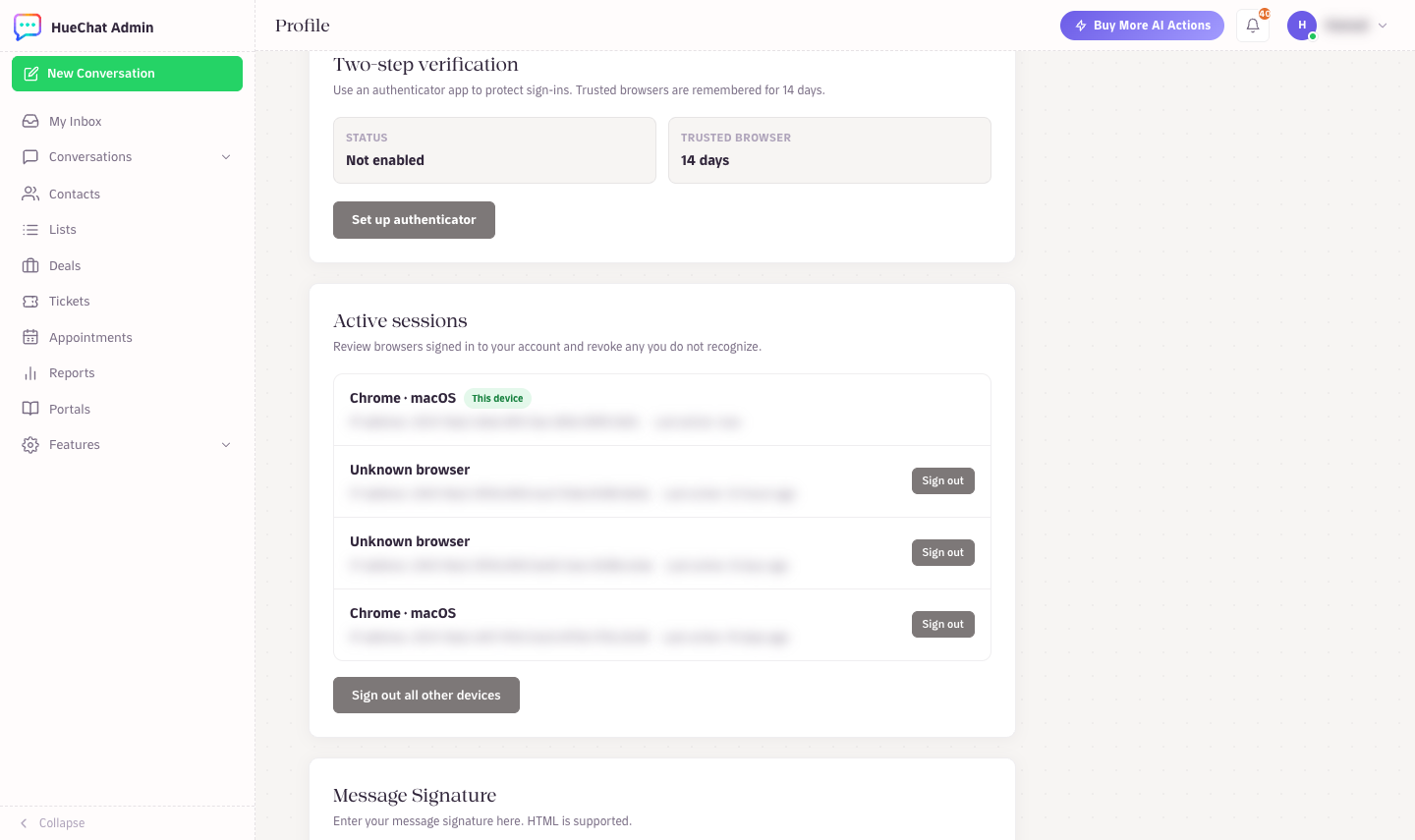
Active sessions: revoke any browser you do not recognise
¶ Sign out another session
- Find the session in the list.
- Choose to sign it out.
That browser or phone is signed out immediately. If it was the mobile app, push notifications stop for that device until someone signs in again.
¶ Sign out everywhere
Changing your password is the quickest way to end all other sessions at once:
- Open your account security settings.
- Change your password.
- Every other session ends. Sign in again on the devices you use.
¶ When to use this
- You signed in on a shared or borrowed computer and forgot to sign out.
- A phone was lost or stolen.
- You see a session you do not recognise. Sign it out, change your password, and set up an authenticator app if you have not already. Then email support@huechat.ai so the team can check the account.
- You reached the five-session limit and want to choose which device to drop.
¶ For administrators
You manage your own sessions. To remove a teammate's access entirely, remove them from the workspace in the team settings. This ends all of their sessions.
Audit logging of sign-ins and configuration changes is available on Enterprise. Exact options may differ by plan.