Every booking, whether made by your team, by an AI agent or through the API, lives on the same calendar. This article covers daily booking management.
¶ Find a booking
- Use the Day, Week, Month or List view. Today jumps back to the current date.
- Filter with All statuses to show only, for example, Confirmed or No show.
- Use the search box to find a client by name, phone or booking ID.
- Filter by resource to see one doctor, room or device.
- Your date, view, filters and search stay in the page address, so refreshing the page or sharing the link keeps the same view.
- Each booking shows the client, the service and the resource. Click it to open the detail.
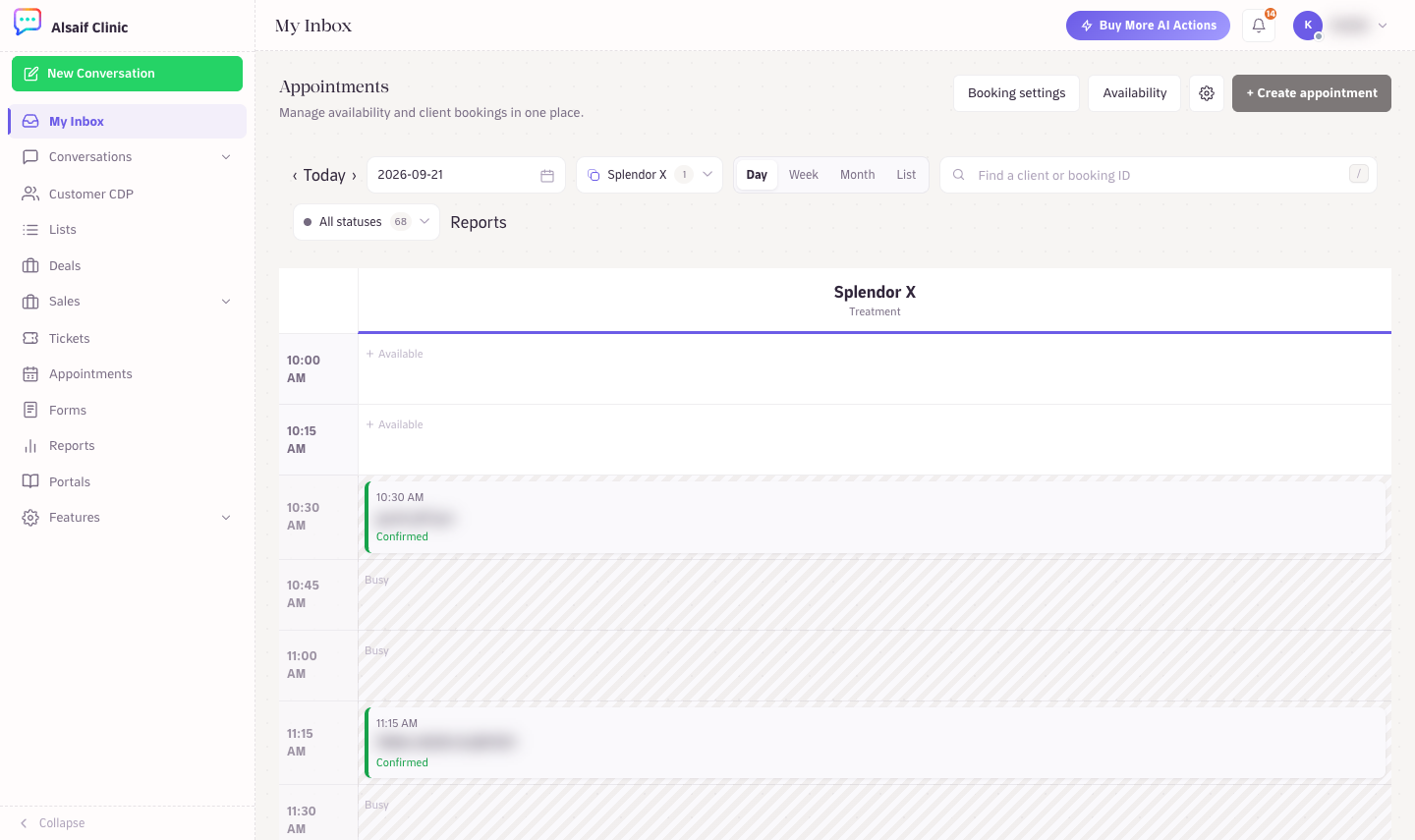
The day view filtered to one resource, with booking statuses
¶ Booking statuses
- Tentative: held but not yet booked, for example while a customer is deciding in chat.
- Booked: created and waiting for confirmation (Manual confirmation mode).
- Confirmed: confirmed by your team or automatically.
- Completed: the customer attended.
- Cancelled: cancelled by the customer or your team.
- No show: the customer did not attend.
Tentative, Booked and Confirmed bookings hold the resource's time. Completed, cancelled and no-show bookings keep their original schedule for reporting and no longer block the slot.
The detail shows the status history (who changed what and when, including changes made by an AI agent) and the Reminder delivery history for WhatsApp reminders.
¶ Change the status
- Open the booking.
- Choose Confirm, Mark completed, Mark no-show or Cancel. Cancelling asks you to confirm.
Do this promptly after each visit; the appointment report and the AI's answers depend on it.
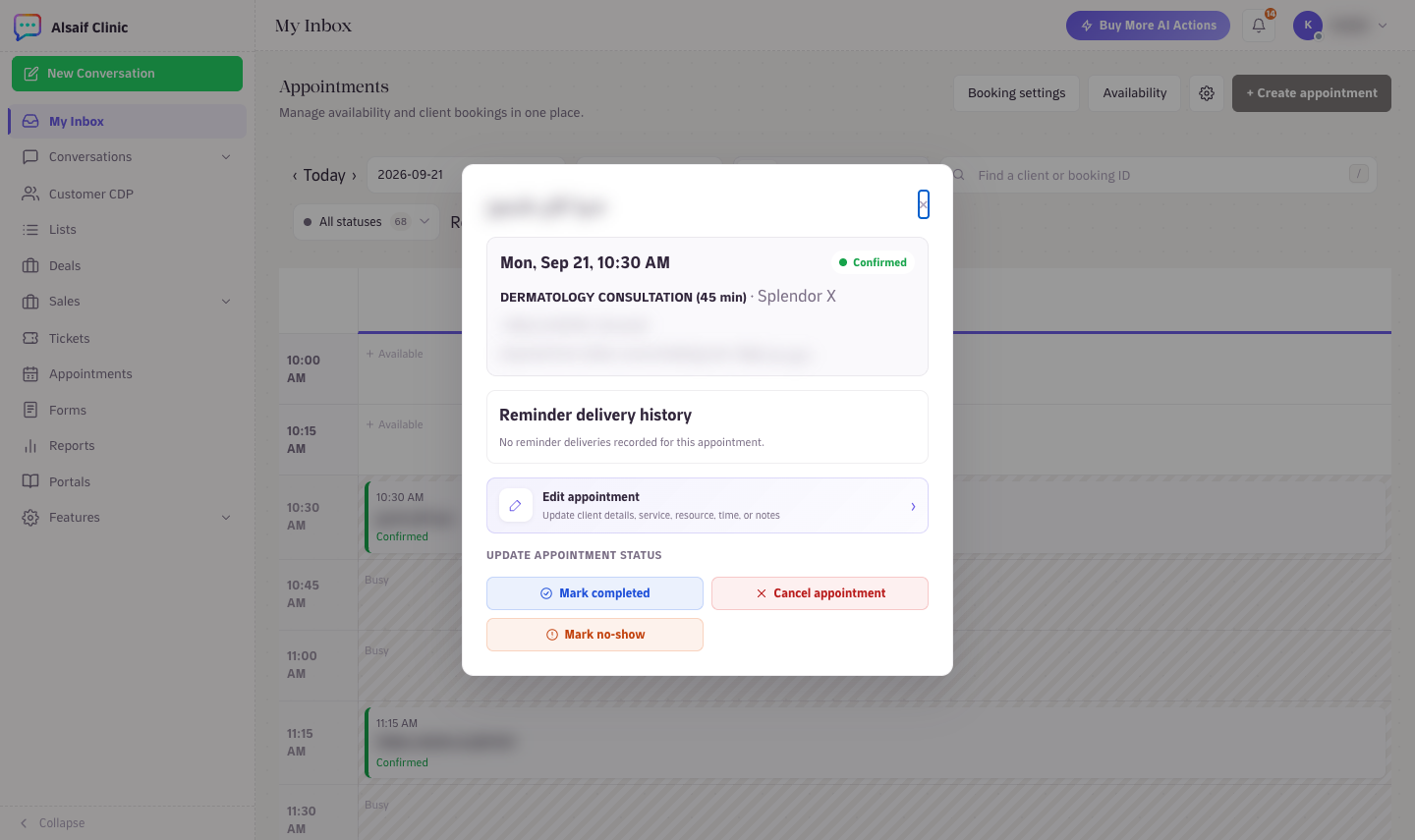
An open booking with its reminder delivery history and status actions
¶ Create a booking by hand
- Choose Add appointment, or click an empty time in the calendar (Create appointment).
- Enter the Client name and Phone (local numbers use the booking timezone's country code), and optionally an email.
- Select service and Select resource, then pick the Date. HueChat checks live availability and lists only the times the booking engine accepts.
- Add Notes and save.
If someone else books the same slot a moment earlier, HueChat refuses the overlap and asks you to pick another time. Two bookings can never overlap on one resource.
¶ Reschedule
Two ways:
- Drag to reschedule: in the Day or Week view, drag the booking to a new time or resource and choose Move here. HueChat re-checks availability before moving it.
- Edit: open the booking, choose Edit, change the date, time, service or resource, and Save changes. Only currently available times are offered.
Completed, cancelled and no-show bookings cannot be rescheduled; create a new booking instead (Book this time is a shortcut from the detail).
¶ Cancel
Open the booking and choose Cancel. The slot becomes available immediately. If the customer cancelled by chat, the AI agent applies the Cancellation notice rule from Booking settings; your team can override it from the calendar when needed.
¶ Keep the customer informed
A status change does not message the customer by itself. To follow up automatically after a cancellation or a no-show, create a WhatsApp reminder rule for that status in Booking settings → WhatsApp reminders. For a one-off message, send an approved WhatsApp template from the customer's conversation (Send template). Exact options may differ by plan.