Appointment reports show how many bookings you had, how many customers came and where no-shows happen. This article explains each part of the report and how to use the attendance watchlist responsibly.
¶ Open the report
Open Reports and choose the Appointments tab, or choose Reports on the Appointments page. Pick a range: Today, 7 Days, 30 Days, 3 Months, 6 Months, 12 Months or Custom. All times use your business time zone.
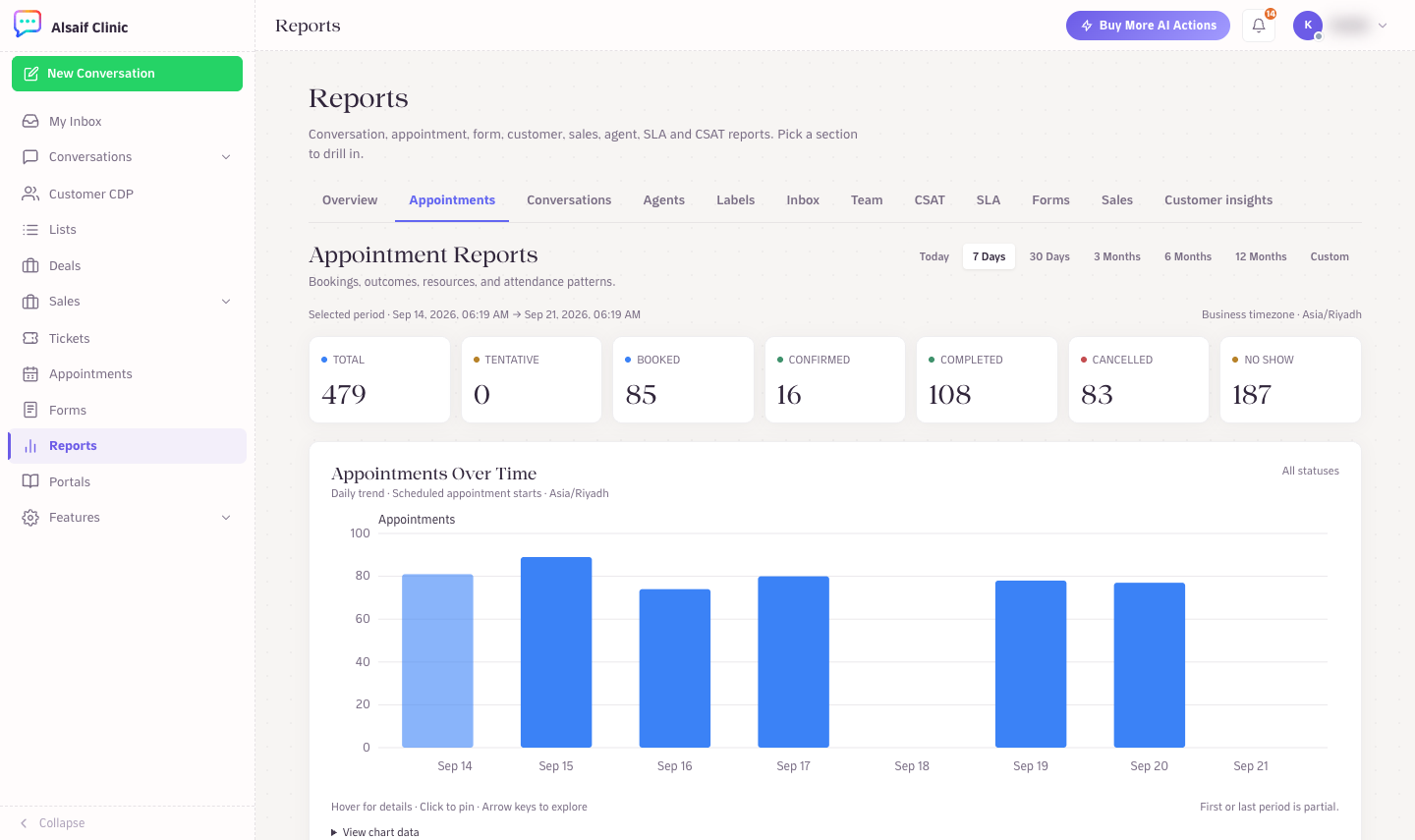
Appointment Reports with status totals and the daily trend
¶ What you see
- Status totals: the total number of appointments, and how many are tentative, booked, confirmed, completed, cancelled and no-show in the period.
- Appointments over time: a daily trend of scheduled appointment starts. Hover over a bar for details, click to pin it, or open View chart data to see the numbers as a table.
- Outcome breakdown: filter by status, then see the counts by service and by resource.
- Completion rate and No-show rate: the share of completed and no-show appointments among resolved outcomes.
¶ The attendance watchlist
The watchlist lists customers with at least three resolved appointments, ordered by their historical no-show rate, and shows up to 100 customers. Choose View history to see a customer's past appointments without leaving the page. The same attendance signal appears in the contact panel of a conversation.
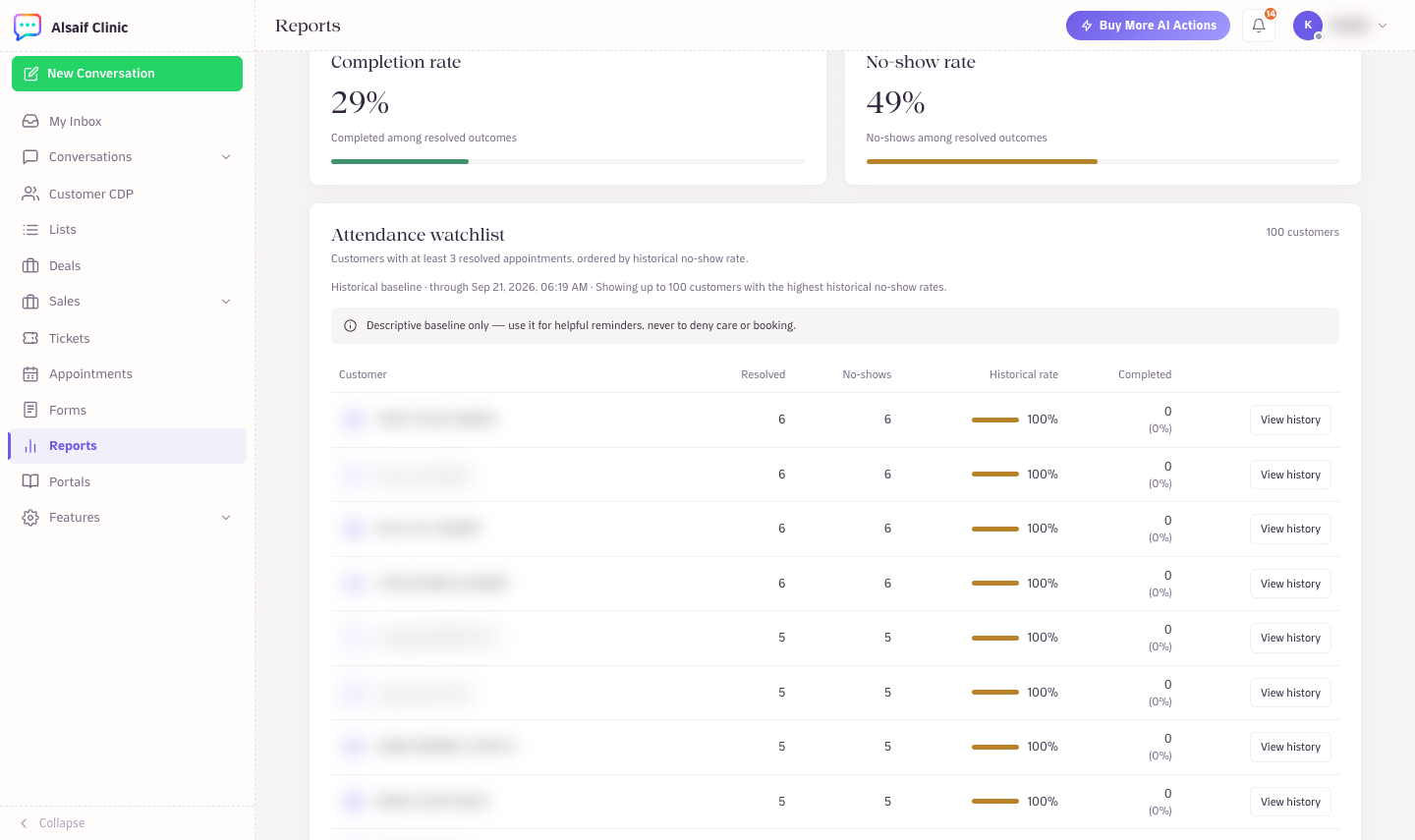
Completion and no-show rates with the attendance watchlist
The watchlist describes past attendance. It is not a prediction, and HueChat never uses it to block a booking. Use it for helpful steps, such as a personal reminder call or a confirmation message, never to deny care or service.
¶ Keep the numbers accurate
The report depends on statuses. After each visit, mark the appointment Completed, No show or Cancelled promptly. Your team can do this from the appointment or the calendar.