Customer insights reads your recent conversations and shows the problems customers mention most, with the messages that back each one up. This article shows you how to turn it on and read the results.
¶ Turn it on
- Open Reports and choose the Customer insights tab.
- Open Analysis settings and tick Enable Customer insights. Only an administrator can do this.
- Choose the Daily conversation analysis limit, from 10 to 1,000 conversations a day (50 by default), and choose Save settings.
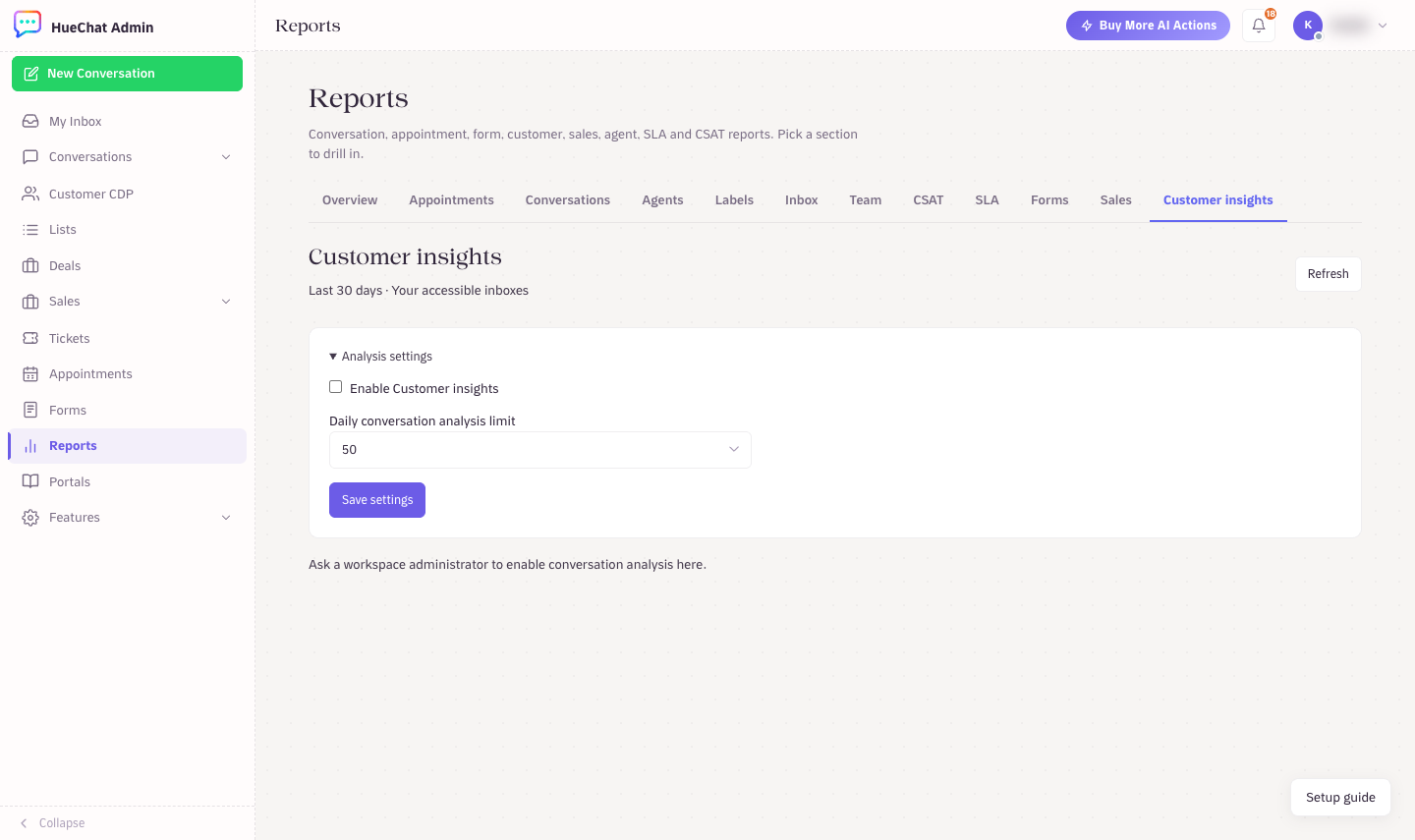
Customer insights analysis settings
¶ Analyze conversations
Opening the report never starts an analysis by itself. Choose Analyze next batch to analyze up to 10 conversations at a time. The report looks at the last 30 days and the latest 200 conversations in the inboxes you can access.
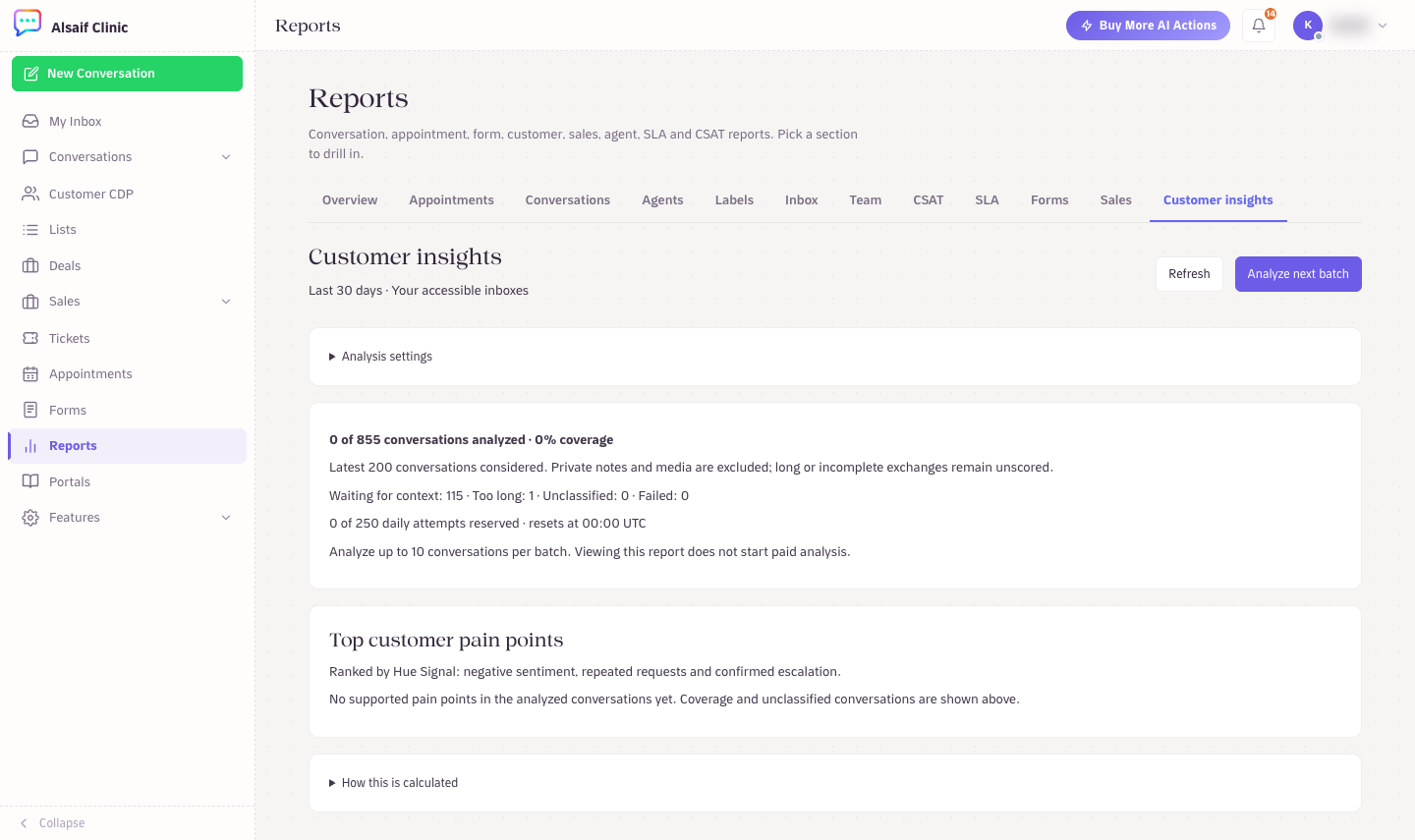
Customer insights with coverage, daily attempts and top pain points
The coverage line shows how many conversations were analyzed and why the others were not, for example because they are waiting for more context or are too long. Private notes and media are never analyzed. The daily limit resets at 00:00 UTC.
¶ Read the results
Top customer pain points lists topics ranked by Hue Signal, which combines negative sentiment, repeated requests and confirmed escalations. Each topic shows quoted messages as evidence, so you can check it yourself. A topic gets a Hue Signal score only when enough conversations support it (at least 20).
Open How this is calculated for the details of the method.
¶ Good to know
- Customer insights uses AI and can misread a conversation. Check the quoted messages before you act.
- Hue Signal is not a customer satisfaction (CSAT) score.
- Customer insights is available on plans that include it.